How to make a template

The Freebie post has been moved to Thursday so stay tuned Thursday for some more freebies!

Angela asked in the forum if we could do a tutorial on how to make templates, so today I am going to attempt to show you all how to make a template.  I will be using Photoshop CS3 but my steps will apply to all programs that use layers.  So you will be able to use this tutorial (with a little adjusting) to Paint Shop Pro, Photoshop, Phothshop Elements, Paint.net, Gimp and other programs like those.

First you need to decide what kind of layout you want to make.  Do you want to make a 12×12 or an 8.5×11?  I am going to do this tutorial in 12×12 but again you can adjust to make yours work for an 8.5×11 if you would rather.  So now that you know your size go ahead and make your blank canvas remembering to set it at 300 dpi for print quality.  So my blank canvas will be 12 inches by 12 inches (3600 pixels X 3600 pixels) at 300 dpi (pixels/inch).  Now pick a gray color and fill in that layer with your fill bucket.  This will be your background.  To make my blank canvas I go to file, new, and then a box pops up with my dimensions on it.  It will look something like this.

Template-1

I think I might have gotten ahead of myself.  Although you can make a great template from scratch, it might be easier for first timers to choose a LO that they really like and use it as a guide.  So go ahead and pick a LO of your own that you really like.  I will wait…lol.  Ok now you are going to copy the look of this LO.  I am going to use this LO to make my own template.

BigGirlSSLO2WEB

Now that I have a LO picked out I can get back to my template.  Every LO is going to have a background so your first step is still ok.  Now depending on the LO that you picked out will determine what you do next.  Most cases you are going to want to plot out where the photos are going to go.  Mine has the one blended into the background (That I will leave up to the person using the template of course) and then a mix and match of pictures and papers.  So I will plot out those squares.  They have a slight curve on the edges so I am going to use a shape for these.  If yours is a circle, square or rectangle you can just use your marque tool.  I will show you both ways.

Keep in mind that each shape will be on it’s own layer, and each layer should be named so the person using your template will know just by looking at the layers where everything goes.

Make a new layer, pick your shape or shape marque (first I will do a marque).  Make your selection and if you are using the marque, fill in the selection with another gray color (different than your background gray color).

Template-2

Notice how I have made a new layer, set my shape with the marque, filled it in with a different gray, and named my layers.  Now if you have that same shape repeated in your LO like I do, you can duplicate that layer and drag those boxes around the page.  Now the cool thing about CS is that you can use these cool guide lines.  I will show you that next after I show you how to use a shape.

My papers and pictures have rounded edges so I am going to use a shape now.  Pick out your shape.

Template-3

Now hold the shift key and drag it out.  Shift key holds it’s true shape.

Template-4

Now you can see that your shape is a shape so just click on your fill bucket and click with it on your shape layer.  It will give you a pop up like this, click ok and you have your template shape.

Template-5

Now I have duplicated the image I wanted to duplicate and I have placed them on my LO using my guides.  Not all programs have this guide (PSE does not) but if you have photoshop and want to use it go to View and then check rulers and then using your mouse click somewhere on the ruler and drag it out.  The top ruler will make Horizontal lines and the left side ruler will make Vertical lines.

Template-6

I also added my drop shadows to the blocks.  Don’t forget to add shadows to your layers.

Now that we have all of the papers and photos placed I want to show people where they can place elements.  I am going to use shapes for this as well.

Alright, I have all my shapes placed now except for my title.  I added a shape for my journal box and all my elements.  Now I just need to add the words.  I need words in the journal box to show were to journal.  And I need a big title for the big title.  Here’s what it looks like before the words.

Template-7

Now for words.  Not everyone has the same font so we are going to want to turn the font layers into images.  First select your text tool and write your words.  They are just going to say things like “Title” “Big Title” “journal, journal, journal, journal” and so on.

Template-8

As you can see the text layers are still in text form, but like I said before not everyone has the same fonts as you so we are going to turn those text layers into image layers.  Create a new layer below the text layer, select both layers and right click on the blank layer, now “merge layers” don’t merge visible because it will merge all your layers and you won’t be happy.  Of course there is always undo lol.

Template - 9

Now I can add a drop shadow to my title and my template is finished.  I hope you found this tutorial helpful!

Template Finished

I know that car looks so out of place lol but I couldn’t find a toilet and I wanted a big and wide element place holder.

If you would like to share your template please upload them into the Ginger Scraps gallery, under the section for Blog Challenges, and in the “credits” area just put the 4shared link so we can snag it!  You can download mine by clicking on the preview below.

SbyJ_GS_PottyTimeTemplate_Folder

Jodi_tag

Hey all, Jillian here! How did your Halloween go? Did you all have a great holiday? I saw a ton of awesome costumes out there and it gave me a lot of ideas for next year. I got away with picking out my daughters costume this time around, but I’m thinking by the next Halloween, she’ll be old enough that she won’t want what mommy likes. But, hopefully I’ll still have a little influence because I saw some of the most adorable Tinkerbell costumes ever!! She would be so cute! Anyway, thanks for stopping by the Ginger Scraps Blog!

Today I have a little treat for you but first I want to remind everyone that we still have our Speed Scrap A Day. Now that’s it’s November, we’ve had a chance to get ourselves together and we’re ready for those speed scraps! Here’s a look at the coming week:

Mon Nov 2 – Marie
5:30pm PST
6:30pm MST
7:30pm CST
8:30pm EST
2:30am next day CET

Tues Nov 3 – Misty
9pm PST
10pm MST
11pm CST
12am next day EST
6am next day CET

Wed Nov 4 – Jodi
4pm PST
5pm MST
6pm CST
7pm EST
1am next day CET

Thurs Nov 5 – Laura/Char
9pm PST
10pm MST
11pm CST
12am next day EST
6am next day CET

Fri Nov 6 – TBA

Sat Nov 7 – Lorry
11am PST
12pm MST
1pm CST
2pm EST
8pm CET

Sun Nov 8 – Jillian
12pm PST
1pm MST
:2pm CST
3pm EST
9pm CET

Don’t forget to stop by our scrap today hosted by our Lovely Maria! She’ll be getting things started at 5:30 PST. Even if you can’t stay for the scrap, stop in and say hello! There might be a RAK for some lucky Speed Scrap attendees!

Speaking of goodies! I have a coupon from Miss Erin’s Scraps that is dieing to get into the hands of some lucky scrapbookers! All you have to do is head over to the forum, pick out a November Challenge, make a layout, upload it to the gallery, come back here and post a link! (This opportunity ends November 8th at 11:59PM PST) I can’t wait to see your layouts!

Happy Scrapping!

Jillian

https://gingerscraps.net/gsblog/2009/11/427/

Featuring…

10-23banner

We actually had two LOTW winners this week!

Congrats to our winning layouts!!

Kmp1966

kmp1966What an amazing, purpley layout!

ALSO

aevans96

aevans96A perfect fall layout!

Today we are going to take the time to get to know aevans96!

What is your name? Angela

Where do you live? Pennsylvania

Do you have a blog? angelascustomcreations.blogspot.com

How long have you been scrapping?
I started paper scrapping about 8 years ago and switched to Digi in March of this year.

What is your favorite GingerScraps product?
There’s a few. I really love the kits The Solider and Jack O’Lantern. But outside of kits I love the Cardboard by Harmonystar.

What is your scrapping weakness?
Using Brackets lol. I see others use them and they look great. But I just hit a wall If I have to use them.

Scrapping strength?
I guess I’m best at extractions. I’m getting pretty fast. I did 2 for a SS.

What is your favorite LO you’ve ever made (besides this winning one?) Well I have 3 favoriates but If I have to choose one I guess I would choose ‘Beauty’

aevansfav

I did it a SS back in August and It’s one of the 1st LO’s I ever printed. It’s my Friends Daughter. Matter of fact most of my LO’s come from SS’s lol. I guess I think to hard on my own.

What is on your mouse pad? It’s plain black.

How do you like your eggs cooked? Scrambled

If you could do any kind of work and knew you wouldn’t fail, what would you do?
Getting a job in Graphic Design in someone’s business or being successful at my own making stuff for others.

What’s something that can always make you feel better?
Scrapbooking lol. It’s a total stress reliever for me.

If you could have one super power, what would it be?
My initial reaction is to read people’s minds. But, I think my feelings would get hurt to know what some people think. Not to mention would it ever be quite? lol. I think that I would have to choose teleporting. I think it would be great after a long day of shopping with tons of bags. Instead of walking to the car and then driving all the way home I would just teleport me and my stuff. I think it would come in really handy. Plus I would save money on hotels 🙂

It is so great to get to know you better Angela!!  Thanks for playing!

blank-tag filled

LOTW Nominees…

Hey everyone! Laura here to tell you about all the fine LO’s that have been submitted by the CT’s for Layout of the week! Now it’s up to you all to vote for your favorite! Head on over to the forum to vote!!!!

mscstephens

D6mocopy-1

slurpeegirl13

Wanted

sladd79054

speed_scrap_10-26-09

AWhittleWhimsy

AWW_GS_Scraplift_Oct09_MES_WSE_600x600

Lela Siregar

LO1-CD-web

Lela Siregar

HT-LO2web

mscstephens

halloween1986-1

And of coure, the honorable mentions!! Our first one if from the Queen of Gingerscraps

GingerScraps

born-to-laugh

beckag99

09_10_24-pumpkin-patch

OK now go VOTE!! See ya next week with some more fabulous layouts!

We have some SUPER cute fresh baked goodies for you all today!!!

First up, is this adorable girly kit is perfect for the girly-girl in your life!

A collaboration between Karen Lewis Designz and Wyld Web Designs, Giggly Shop Hop is full of sweet and fun elements for the little diva in your life!

And it is 20% off NOW!

The papers:

Some Layouts:

By Laura

By Jenn

By Becka

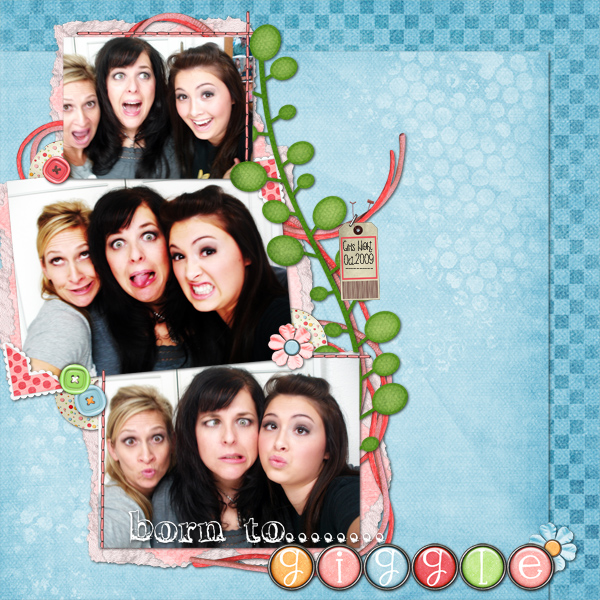
born-to-laughBy Me (Ginger)

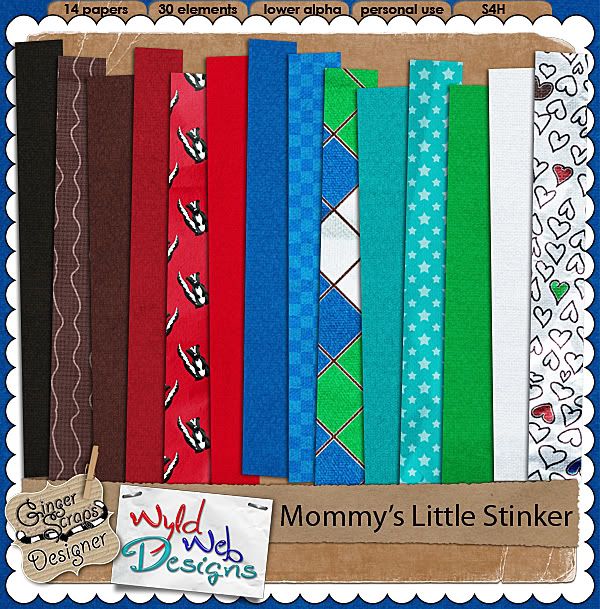
And that not all from Char this week!! This next kit is the one you need for those pictures of our kids when they do something naughty!

“Inspired by my son, who I frequently (but lovingly!) call Little Stinker, this kit reminds me of all the crazy and naughty things he does!”

And it is 20% off NOW!

The Papers

A few of the many wonderful LO’s form the Wyld Graham Crackers CT. Wish we could show them all!! But you can always head over to the GingerScraps Gallery to see more 🙂

beckaBy Becka

lauraBy Laura

catgoddessBy Catgoddess

Next up and Just in time for Halloween….Miss Erin gives us Halloween Town!

“The most mystical time of year is Halloween and to remember and preserve those memories is like to capture a little piece of magic frozen in time forever.
This kit comes with 42 magically spooky elements, including a psd file to make your own digital labels (plain blank label in png format also included).
Also included are 14 fun papers in bright solids, silly patterns, and even one scene page! And don’t forget the alpha! It comes in upper and lowercase, including numbers, punctuation, and even a couple European accent symbols added by request! ”

Miss Erin has some very spooktacular treats for you too!!!

Keep reading till the end for some GREAT freebies!! One is even CU!!! AND- One lucky person can win Halloween Town! Miss Erin has a super fun little game going on on her blog.. and I have been given permission to revel the first secret clue here on this blog as well!!

Be sure to check Miss Erins blog each day this week for the rest of the clues

Halloween Town is 25% off NOW!

A few LO’s by Miss Erics CT:

By Nona

By Blanka

Keep on going to get some awesome treats from Miss Erin!!!!…..

And a shameless plug… since it is almost Halloween.. and I am the Queen after all…

I recently did a little update on Jack-O-Lantern

This kit as all about pumpkins!! Perfect for pictures of your carved masterpiece 🙂 Your trip to the pumpkin patch, or your fall and Halloween photos.

Jack-O-Lantern is %50 off till November 1st!

Next up we have a great new template set from Steph- aka- Scrappy Cocoa

Set of 4 12×12 Templates. So versatile! Just flip the template for a whole new look!
A Steal at only $2.00

A few litttle examples of the some of the templates in action:

And finally we have a fun and bright kit by Jen- Graham Like The Cracker- Movers and Shakers

“Inspired by my son’s favorite Saturday morning band, this highly textured kit is sure to brighten up your pages. It includes over 40 felt, paper, and metal elements plus 12 papers for scrapping all of your little mover’s imaginative moments on the go.”

And it is 20% off NOW!!

By Becka

By Jenn

And Finally some GOODIES!!! Miss Erin has some great treats for you!!

And

And

And

Contact Me Facebook Wordpress Twitter

https://gingerscraps.net/gsblog/2009/10/385/

It’s Freebie time again!

First Freebie today is from me.  It was a participation prize at one point.  If you didn’t get it then you can get it now. Click the preview to download it from 4shared!

SbyJ_GS_LaceAlphaFolder

Next up we have a freebie from Jane who CT’s for The Wyld Graham Crackers.  2 brag book pages made from Wyld Web Designs collab kit Giggly Shop Hop that will be available at Ginger Scraps tomorrow!  Click on the preview to download from her blog.

WWD KLD LRS GSH BB preview

Next we have a freebie from Marie who CT’s for Miss Erin’s Scraps.  It’s an adorable QP made from Erin’s kit “I do believe in fairies” that will be available at Ginger Scraps tomorrow!  Click on the preview to download it from her blog.

MES_IDBIF_QP

That’s all for today!  Hope you enjoy the freebies!

Jodi_tag

Featuring…

lotw winner banner

slurpeegirl13!!

In case you missed it before, here is her fabulous layout!

Girly by slurpeegirl13*Image linked*

I love it!!  I think it’s the essence of girly for sure!

And we would like to take a minute to get to know our winner a little better!

What is your name?
Trina aka slurpeegirl13

Where do you live?
Alberta, Canada

Do you have a blog?
https://scrapaholicanon.blogspot.com

How long have you been scrapping?
I paper scrapped for about 7 years before, and I’ve been digi scrapping for 5 years now. I don’t paper scrap at all now.

What is your favorite GingerScraps product?
Favorite one that I have is Little Sighs

Favorite one that is on my wish list still – A Beautiful Dream

I just love the colors in both of these kits!

What is your scrapping weakness?
Blending – still learning about brushes and how to blend.

Scrapping strength?
I like to cluster things.

What is your favorite LO you’ve ever made?
My actual favorite I can’t show you because it’s being published in March in Scrapbook Trends, but this is my second fave:

Jack-O-Lantern by slurpeegirl13*Image linked*

Mountain hideaway or beach house?
Mountains, definitely! No one needs to see me in a bathing suit.

What is on your mouse pad?
Crumbs.

Do you put your shoes on sock, sock, shoe, shoe, or sock, shoe, sock, shoe?
Living in Canada, we don’t wear our shoes in the house, so definitely sock, sock, shoe, shoe.

If you could do any kind of work and knew you wouldn’t fail, what would you do?
Digital Scrapbooking Designer LOL I have no clue how they make all those pretty things, even though I love using them.

What talent would people be surprised to hear you have?
I can turn oxygen into carbon dioxide (dh can turn it into methane!).

Where’s Waldo?
Over there! Don’t you see him?

Sara tag

LOTW Nominees!!!

Hi everyone! This is my first official post to the GS blog and what a better way than to showcase some awesome layouts from the GS gallery?! Check out all these fabulous layouts and then go vote for them in the LOTW thread!! Congrats to all the nominees!

azjakes 

SI_azjakes_33

Lorryfach

green_with_envy

Californiateri

ZOO_web

Kmp1966

LeafyMorgan

Dricamendes

Untitled-13

aeveans96

slurpeegirl13

azjakes

And honorable mention goes to March! Congrats!

march_76

Don’t forget to head over the forum to vote for your favorite layout!!

Have a great weekend! XO

LauraTag

Fresh Baked Wednesday

Are you ready for this? Lot’s of awesome goodness from our GingerBread ladies this lovely Wednesday! Let’s get to it!

I would like to start off with this super cute Halloween kit by Wyld Web Designs called “All Hallows’ Eve”

“Spookify your loved ones’ pictures with this kit in celebration of Halloween! Great for showing off your ghosties and goblins, this kit features all the fun features of a good Halloween celebration! All elements and papers are created in 300dpi and quality checked.”

This kit comes with 9 papers and over 20 elements!! Plus, there’s this perfect coordinating alpha:

“This scribbled, chipboard alpha will add a spooky touch to any layout! Though it coordinates perfectly with my All Hallows Eve kit, this alpha will lend a quirky touch to any layout! This alpha contains both upper and lowercase letters, in both sheet and individual PNG format for your convenience.”

Now for the best part. Okay, so the kits themselves are the best part, but I LOVE checking out the awesome layouts put together by the girls here at Ginger Scraps. Check these out:

By Jenn:

By Grace:

By Laura:

So, what did you think about all that great Halloween fun!? Char of Wyld Web Designs has another great kit being released today. You must check this out:

“This soft, pastel kit is perfect for the little girl in your life! Inspired by my daughter and her best friend, this kit is filled with sweet, girly touches!”

“My Best Friend” includes 8 papers and over 15 elements!! Check out these coordinating goodies:

“This acrylic alpha matches the sweet kit, My Best Friend. It include both lower and upper case letters as well as numbers and punctuation. Each character is available in both individual PNG format as well as sheets for your convenience.”

“These plastic acrylic styles are perfectly matched to the kit, My Best Friend. Simply apply the style to any shape and you have a perfectly matched element! File contains one .ASL file containing 5 styles for use in Photoshop only.”

Like the kit and all the goodies? Wish you could get them together for one low price? You can!! Save over 20% by getting this bundle:

Here are some CT layouts for your viewing pleasure:

By Laura:

By Irma:

By Trina:

Just wonderful aren’t they? Well, now I’d like to show you some super new stuff from Statements by Jodi. She has 4 new alphas and a cute little charm set being released today:

“This Alpha is 3-D! All you have to do is color it, add your paper or texture, or add your personal touch to make this Alpha your own!”

“At one time this Alpha was a participation prize. If you missed it you can get it now!
Silver Fancy Pants Alpha is a full alpha and includes full upper alpha and full lower alpha.”

“This Heart Charm Alpha was a participation prize at one point, so if you missed it then, you can get it now!”

“I made this alpha with the same color pallet as the School Days Collab that Scrappy Cocoa and I did together. This Alpha has a a full upper alpha and a full set of numbers.”

“These charms will add something special to your spring layouts. Just choose a color and add a fastener and you have added a unique touch to your layout.
Each charm comes in silver chrome and gold.”

Check back tomorrow for an exclusive interview with the ever so talented owner of Ginger Scraps. Our very own, queen of the GingerBread Ladies, Ginger!

Till then, happy scrapping!

Jillian

Ginger Scraps Freebies

Today a couple of the Ginger Scrap girls have some freebies for you!

First up we have this wonderful add on from Misty O’Brien Designs.  The add on is part of her “In the Purple Spotlight” kit that you can purchase at Ginger Scraps for only $3!  You can pick up the add on freebie at Misty O’Brien Designs’ blog.

SS_PurpleSLAddOnPreview

Next we have a freebie from one of Ginger’s new creative team girls, March.  It is a beautiful quick page made with Ginger’s wonderful “Wild Cherry Tea”.  Click the image to be taken to the download.

QPCHERRYTEA

Come back next week for more freebies!

Jodi_tag