Digital Zen Doodling (Part 3 of ???)

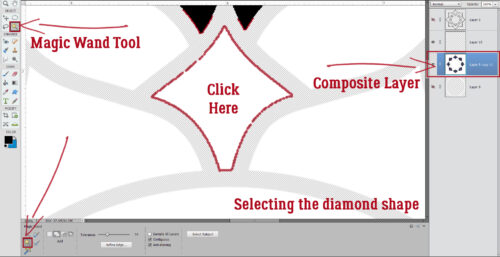
Have you processed everything from Parts 1 and 2 yet? Today’s edition will be using a lot of the same processes as the others did. Many of the steps will be familiar for more experienced PSE users. As I mentioned at the end of Part 2, today I’ll be filling in the diamond-shaped (or is it kite-shaped?) spaces. As you can see in the screenshot below, I have the Composite Layer active – the layer with all the various shaped spaces where I put the Copies of the petal shapes. I’ve Zoomed in (using the CTRL/CMD>+ shortcut) on one of the diamonds. Using the Magic Wand Tool (set to Magic Wand and not to any of the other Tool Options) I clicked in the middle of that shape.
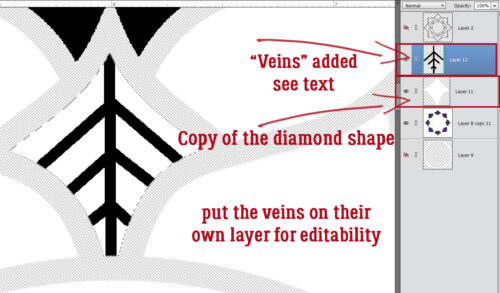
I made a Copy (CTRL/CMD>J) of the diamond shape, which lives alone on its Layer; Then I added a New blank Layer above it where I created the “veins”. By putting the veins on their own Layer, I can later make changes to JUST the veins without messing anything else up. Do you remember how to make lines in PSE? Using the Pencil Tool set to oh, about 8 pixels, and the colour of your choice, click your starting point. Then hold down the SHIFT key and click your end point. Voilà! a straight(ish) line! Now, you might be able to see that there are some marching ants visible in the screenshot, and you might be wondering why… Well, that’s to make sure the lines I’m creating don’t stray outside of the shape I’m filling. See how the top is pointed and the sides are curved? I got the marching ants going by CTRL/CMD>clicking on that white diamond shape while the new Layer was the active one. The Pencil won’t draw outside the shape!
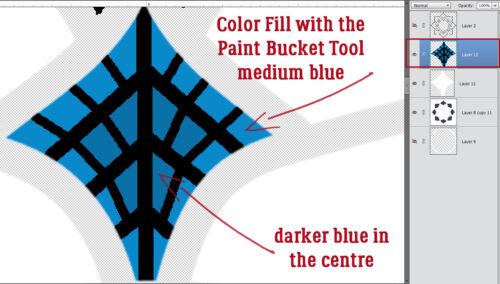
With the marching ants still working, I used the Paint Bucket and a medium blue to Color Fill in some of the spaces created by the veins. Then I went a bit darker with the blue and Color Filled closer to the centre.
Next I want to add a line of white dots on the inside edge of the diamond. To do that, I again dropped a New Layer on top of the veined, blue diamond, then Selected the outside edge of the white diamond Layer by CTRL/CMD>clicking on it. Select>Modify>Contract will make the Selected edge smaller.
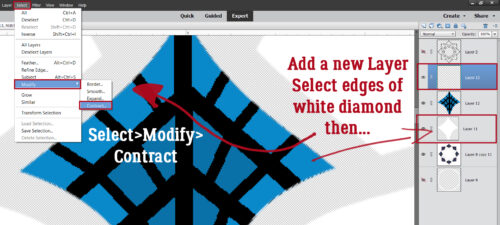
This pop-up let me choose how much I wanted to shift that edge. I chose 8 pixels.
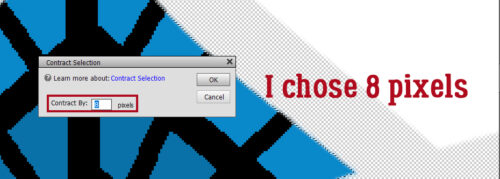
It’s hard to see the new edge in the screenshot, but it’ll be easily spotted after the next step. You might have figured out that I’m creating a Guideline…
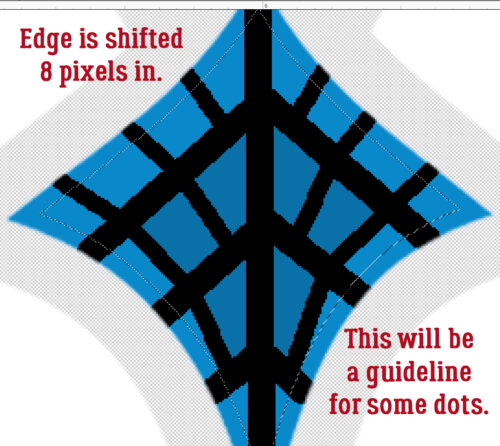
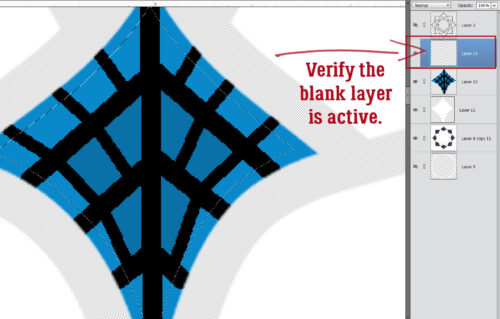
I verified that I’m indeed working on a BLANK layer here.
Do you remember this part? I’ll add a Stroke to the Selection to create that Guideline. Edit>Stroke (Outline) Selection
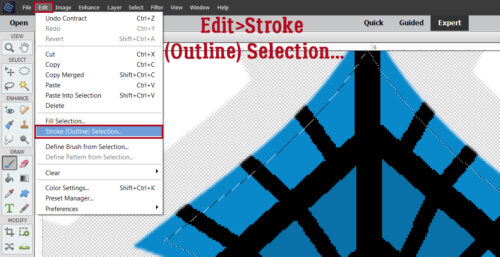
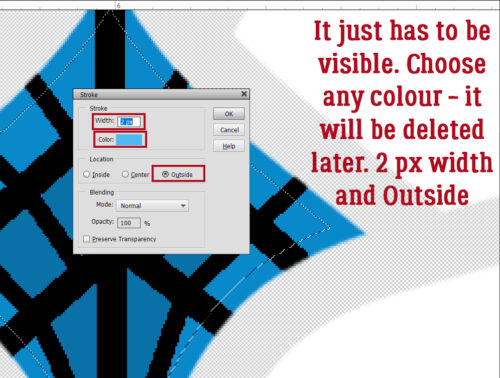
This Stroke can be pretty much any colour I want. It just has to be visible so I can put my dotted trim on it. I’ll be Deleting the Guideline Layer later. The settings are 2 pixels, Color is a turquoise, and the Location is Outside.
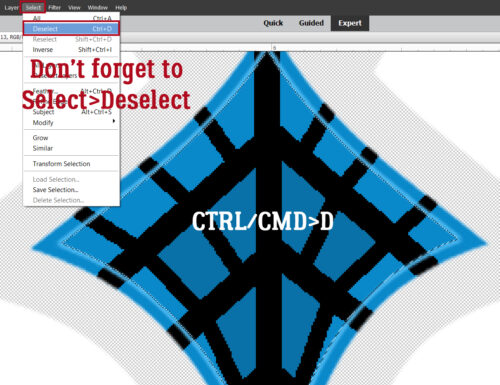
ALWAYS remember to Deselect! Elements won’t let you do anything until you do! You can either use Select>Deselect or CTRL/CMD>D to do it, but make sure it gets done!!
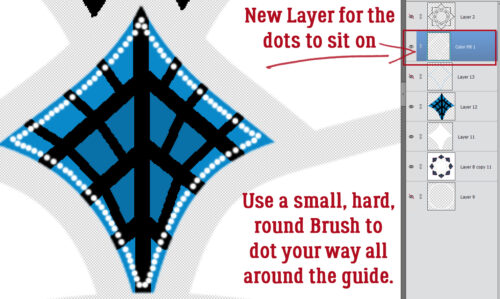
You’ve probably predicted that I’ll put my dotted outline on its own Layer, and you’d be correct. I used a small (3-4 pixel), hard (meaning sharp not fuzzy edges), round Brush and white to dot my way around the Guideline. Then I Merged (CTRL/CMD>E) all the diamond Layers together.
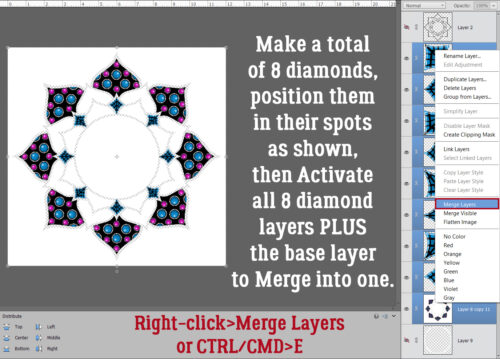
This part makes digital Zen doodling so much easier than the paper-and-marker version. I made a total of 8 diamond Layers (CTRL/CMD>J), then Moved and Rotated into position each one over a diamond shape on my Composite Layer. Then I activated all of the diamond Layers and the Composite Layer so I could Merge (CTRL/CMD>E) them all.
Here’s a close-up. Now I’m going to ask YOU to decide which shape I should fill next – the heart or the smaller petal. AND… what colours should I use?
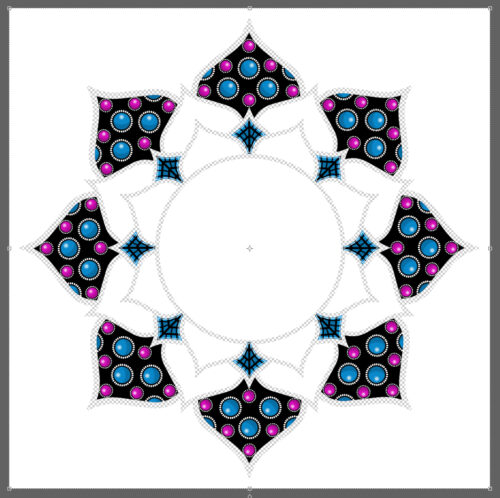
Many of the concepts I’m using for this massive project can be used when creating any layout. Selections, Strokes, Filters, Brushes, they’re all basic tools!
I finally have my *new* new glasses and they’re great! Good-ish vision at all distances is something I took for granted, but no more!! Of course, life chez ObiJan is never dull. We had a catastrophic washing machine failure last week… one of the springs supporting the drum (front-loader) snapped. It sounded like a truck had driven into the garage door! The drum landed on top of the drain pump and hose. Fortunately, it didn’t create a leak, but the repairman (Daniel, he’s been her before 🙁 ) couldn’t guarantee that the pump wouldn’t fail too. So. New washer arriving tomorrow. Now I must find the source of the funk that has been assailing my nostrils all morning…

Speak Your Mind