Fresh Baked: January 04, 2019

January is the time to make those resolutions and goals. Some call them intentions. Some call them resolutions. Some call them changes. No matter what you call them, this is the perfect time to start a new habit. Maybe it’s starting up the Project 365 series and getting 4 points each month towards the Reward Collab. Maybe it’s to get the reward collab each month. Maybe it’s to try a different variety of template than what you normally go for.

No matter your intentions for 2019, the designers have something to suit you!

Remember when you spend $10 in the store, you get a great new collab! It’s time to celebrate the start of a new year!

fwp_thumb3
https://store.gingerscraps.net/GingerBread-Ladies-Collab-New-Year.html

01
Kit: https://store.gingerscraps.net/Chart-Your-Course-Kit.html
Collection: https://store.gingerscraps.net/Chart-Your-Course-Collection.html
Alpha: https://store.gingerscraps.net/Chart-Your-Course-Alpha.html
Bonus Papers: https://store.gingerscraps.net/Chart-Your-Course-Bonus-Papers.html
Borders: https://store.gingerscraps.net/Chart-Your-Course-Borders.html
Clusters: https://store.gingerscraps.net/Chart-Your-Course-Clusters-sd-cyc-clusters1.html
Clusters: https://store.gingerscraps.net/Chart-Your-Course-Clusters.html
Journal Cards: https://store.gingerscraps.net/Chart-Your-Course-Journal-Cards.html
Signs: https://store.gingerscraps.net/Chart-Your-Course-Signs.html
Masks: https://store.gingerscraps.net/Chart-Your-Course-Masks.html
Word Art: https://store.gingerscraps.net/Chart-Your-Course-Word-Art.html

02
BUNDLE https://store.gingerscraps.net/Blue-Ridge-Mountain-Song-Mega-Bundle-by-ADB-Designs.html
PAGE KIT https://store.gingerscraps.net/Blue-Ridge-Mountain-Song-Page-Kit-by-ADB-Designs.html
PETITE KIT https://store.gingerscraps.net/Blue-Ridge-Mountain-Song-Petite-Kit-by-ADB-Designs.html
ALPHAS https://store.gingerscraps.net/Blue-Ridge-Mountain-Song-Alphas-by-ADB-Designs.html
CALENDAR CLUSTERS https://store.gingerscraps.net/Blue-Ridge-Mountain-Song-Calendar-Clusters-by-ADB-Designs.html
CALENDAR JOURNAL CARDS https://store.gingerscraps.net/Blue-Ridge-Mountain-Song-Calendar-Journal-Cards-by-ADB-Designs.html
SOLIDS https://store.gingerscraps.net/Blue-Ridge-Mountain-Song-Cardstock-Solids-by-ADB-Designs.html
CLOUD BORDERS https://store.gingerscraps.net/Blue-Ridge-Mountain-Song-Cloud-Borders-by-ADB-Designs.html
STACKERS https://store.gingerscraps.net/Blue-Ridge-Mountain-Song-Stackers-by-ADB-Designs.html
WOODSY PAPERS https://store.gingerscraps.net/Blue-Ridge-Mountain-Song-Woodsy-Patterned-Paper-by-ADB-Designs.html

03
Collection: https://store.gingerscraps.net/Baby-Mine-Collection-by-Aimee-Harrison.html
Kit: https://store.gingerscraps.net/Baby-Mine-Page-Kit-by-Aimee-Harrison.html
Alphas: https://store.gingerscraps.net/Baby-Mine-Alpha-Sets-by-Aimee-Harrison.html
Titles: https://store.gingerscraps.net/Baby-Mine-Titles-by-Aimee-Harrison.html
Stamps: https://store.gingerscraps.net/Baby-Mine-Stamps-by-Aimee-Harrison.html
Extra Papers: https://store.gingerscraps.net/Baby-Mine-Extra-Papers-by-Aimee-Harrison.html
Messy Edges: https://store.gingerscraps.net/Baby-Mine-Messy-Edges-by-Aimee-Harrison.html
Glitters: https://store.gingerscraps.net/Baby-Mine-Glitters-by-Aimee-Harrison.html

04
https://store.gingerscraps.net/Happily-Ever-After-BGD.html

05
Word Art and Flair Pack: https://store.gingerscraps.net/Travelogue-Wisconsin-Word-Art-and-Flair-Pack-by-Connie-Prince.html
Bundle Pack: https://store.gingerscraps.net/Travelogue-Wisconsin-Bundle-Pack-by-Connie-Prince.html
Kit: https://store.gingerscraps.net/Travelogue-Wisconsin-Kit-by-Connie-Prince.html
Word Bits: https://store.gingerscraps.net/Travelogue-Wisconsin-Word-Bits-by-Connie-Prince.html
Templates: https://store.gingerscraps.net/Travelogue-Wisconsin-12×12-Temps-CU-Ok-by-Connie-Prince.html

06
https://store.gingerscraps.net/Winter-Memories-Digital-Scrapbook-Kit-by-Dandelion-Dust-Designs.html

07
Bundle – https://store.gingerscraps.net/Toothless-Grin-BUNDLE-by-Heather-Z-Scraps.html
Kit – https://store.gingerscraps.net/Toothless-Grin-KIT-by-Heather-Z-Scraps.html
Elements – https://store.gingerscraps.net/Toothless-Grin-ELEMENTS-by-Heather-Z-Scraps.html
Papers – https://store.gingerscraps.net/Toothless-Grin-PAPERS-by-Heather-Z-Scraps.html
Alphabets – https://store.gingerscraps.net/Toothless-Grin-ALPHABETS-by-Heather-Z-Scraps.html
Flairs – https://store.gingerscraps.net/Toothless-Grin-FLAIRS-by-Heather-Z-Scraps.html

08
https://store.gingerscraps.net/Winter-Chills-Collection-by-Lindsay-Jane.html

09
Kit: https://store.gingerscraps.net/Winter-Chills-by-Lindsay-Jane.html
Quick Pages: https://store.gingerscraps.net/Winter-Chills-Quick-Pages-by-Lindsay-Jane.html

10
https://store.gingerscraps.net/Laurier-Scraps-And-Designs/

11
https://store.gingerscraps.net/Freezin-Season-Bundle.html

12
https://store.gingerscraps.net/Party-Time-Templates-by-Miss-Fish.html

13
https://store.gingerscraps.net/White-Spaced-Templates-by-Miss-Fish.html

14
https://store.gingerscraps.net/Miss-Fish-Bundle-Party-Time-White-Space-and-Grungy-Backgrounds-1.html

15
https://store.gingerscraps.net/JoCee-Designs/

Remember, if you complete 10 challenges, just ten, you get a free kit as well!!

cr_thumb3

January is Mental Health Month! This kit is PERFECT for that!

~~January Featured Designer – ADB Designs~~

Happy 2019!! I’m so excited to bring you this month’s featured designer profile. ADB Designs is one of our newer store designers. Let’s just jump right in and get to know her.

How long have you been designing?

As scrapbook designer since 2012; as designer (marketing and end user products) in a photography studio since 2002.

What made you decide to design?

I retired from a high stress job in IT and found designing to be a powerful creative outlet for my time and energy – AND – it allowed me to create designs that supported my genealogy passion.

What do you use to create your designs (program, additional tools, etc.)?

Photoshop CC & AI; scanner, husband who is professional photographer, LOL!

Describe your design workplace.

I have an office in my home, with windows that overlook a wooded hill on our 5 acre property. It is peaceful and quiet, unless the office cat is demanding attention.

What motivates and inspires you as a designer?

I love history and romantic “things” – I research for my genealogy passion and all of that feeds my designer imagination. I create a lot of Heritage collections designed to assist with telling a family history.

What is your favorite kit currently in your GS store and why?

Patriots & Loyalists Heritage Collection is my current favorite. I loved the challenge of creating a collection to support research in the American Revolutionary War period. I loved the challenge of creating a product that celebrated both patriots and loyalist…all were newly minted Americans at the end of the war.

What was your first job?

WOW that really takes me back. I would have to say babysitter at age 12 for the 3 children who lived next door.

Have you ever met anyone famous?

No, I lead a boring life. LOL

What are you reading right now?

Oh goodness, I read 6-7 books at a time. (I read a lot of non-fiction) I am finishing these:

  • The Last Shogun – the life of Tokugawa Yoshinobu
  • Rosalind Franklin The Dark Lady of DNA
  • I Remember Nothing More – The Warsaw Children’s Hospital & the Jewish Resistance
  • His Brother’s Keeper – A Story From the Edge of Medicine

What is your favorite quote?

“The opposite of hate is not love, it is indifference.” David Wilkerson

What is something you want to do in the next year that you’ve never done before?

Go to Australia and visit my brother Alan and his family.

You have your own late night talk show, who do you invite as your first guest?

Oprah Winfrey

If you had to delete all but 3 apps from your smartphone, which ones would you keep?

Google Drive, Adobe Capture, Google News

If you could have someone follow you around all the time, like a personal assistant, what would you have them do?

Clean & cook — oh wait, my husband does that….I guess help me stay organized.

Would you rather travel back in time to meet your ancestors or to the future to meet your descendants?

Back in time.

What commercial jingle gets stuck in your head all the time.

“Nationwide is on your side” Peyton Manning singing.

If you could turn the ocean into a liquid other than water, which one would you pick?

Would not want to do that…but if you are asking about other favorite liquids….well a good single malt Scotch makes me happy. 🙂

Thanks Diane!! Make sure to check our her GingerScraps store and her Facebook fan page. Also make sure you are grabbing the daily download every day to get this awesome kit!

Happy New Year everyone!!

Tutorial Tuesday (Inspiration)

What’s Your Super Power (Word)?

Happy New Year! Are you ready for 2019? I know lots of you, like me, were happy to see 2018 to the door. When I was thinking about topics for this week’s tutorial, I had a few ideas, but my thoughts kept returning to just one. If you’re into social media, I know your Facebook and Instagram feeds have been flooded with chatter about New Year’s resolutions. And if you’re like me, resolutions are just wishes! Experts say it takes three months of repetition for a change to become a habit; how many of us actually stick to those diet plans, those vows to exercise more, that vague promise to ‘be more organized’, for that long? <insert laugh track here> Resolutions are things we have to DO. And I don’t like being told what to do. <wink>

What works better for me is to choose a ‘power word’ for the upcoming year, a word for me to strive to BE. If you’ve seen the annual challenge by the maven of scrapbooking, Ali Edwards, called One Little Word, you’ll know what I’m talking about. Choosing that one little word is harder than it sounds. Like making resolutions, it requires a certain amount of introspection and soul-searching. The first time I chose a power word was at the beginning of 2010. I was going through a very difficult chapter in my life then and had no idea how it would come out in the end. But I’d been through tough times before and I knew I’d come through this one too. So the word I chose was PERSEVERE. Yes, it’s an action, something I had to do, but it was also a state of mind and a state of being. Guess what… I PERSEVERED and came out the other side in much better shape than I expected. This time last year I was in a great mood with a new grandchild on the way and a trip to Ireland to find my roots in the offing. My power word was ANTICIPATE… and ANTICIPATE I surely did! By the end of the year, it had morphed into ENDURE after my husband’s accident in September. Thankfully things are 90% back to normal, and I’m entering into 2019 on a more optimistic footing. I know this year will bring challenges… after all, it’s LIFE, and that’s a challenge all by itself. But with my rose-coloured glasses firmly in place, I’m choosing POSSIBILITY as my power word this year. I usually tend to look at the glass as being half empty, but I’m making a conscious affirmation to look at the POSSIBILITY that things will go well.

Now, how do YOU go about choosing a power word for the year? If you’ve already made some resolutions, you can use them as a framework. Do you see a theme? Is there an impending event in the future that you’re already aware of, either with excitement or dread? Are things going well for you, or are you really struggling right now? There are a number of online resources designed to help choose a power word. One that I particularly like is found at Heidi‘s blog Happiness is Homemade. She has a list of options, and one of them is sure to resonate with you. Another resource is on Jess‘s blog, Cultivate What Matters.

When you go to scrap your power word, the only constraint is your imagination. You could  choose a grungy, moody art journal style if that’s how you’re feeling, you could find a photo or a few that represent the theme, you could put it into a word cloud. You could create an acrostic with it and embellish the meaning using synonyms. So many options!!

I scrapped my guiding word today, with ADB Designs‘ gorgeous Coming to America bundle. My photo was taken in October when my husband, my son and I made a previously-planned-therefore-not-going-to-be-postponed-even-for-a-knee-injury trip to British Columbia. It’s the view from Tower Ranch Hillside Park in Kelowna, a spectacular vista I’ve fallen in love with. To me it’s the visual representation of POSSIBILITY – the sky really IS the limit!

Next week we’ll get back to the nuts-and-bolts of digital scrapbooking. Thank you for indulging my navel-gazing!

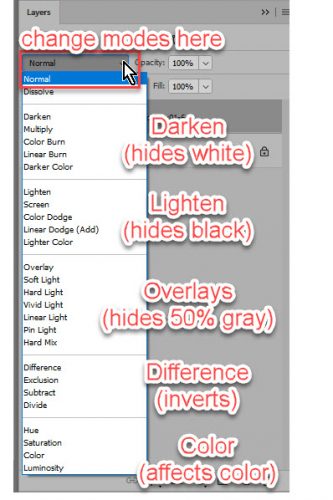
PS… for Rochelle (roxyrenders): Your comment on my Happy Holidays layout reads: “Wow- what kind of magic did you work on the wordart stamp? It almost seems as if it is glowing!” Simple little tricks! I first duplicated the mask/stamp layer. I applied a fine glitter style to the bottom-most of the two, then decreased the opacity of the layer to about 50% – that’s what creates the glow. Then on the upper layer, I clipped an ivory-and-gold foil brocade patterned paper (from JoCee DesignsDecember bundle) to the mask, then changed the Blend Mode to Hard Light. It’s just that easy!

Goodbye 2018! Hello 2019!

“Cheers to a new year and another chance for us to get it right.”

― Oprah Winfrey

It is the First of the month, and that means the reveal of our new Buffet!!

Don’t forget to check out the Buffet Bundles, one easy click to add bundles of Buffet goodies to your cart, and an amazing value too!

[Read more…]

DD: Jan 01

Time to sing the praises of the new year because it’s time for a new daily download!

I’d LOVE to show you the full preview of December’s, but the designers are working together to get the full kit into the store!

dd-dec

Keep an eye out for that link soon!!

And now for January’s daily download!

dd
https://bit.ly/2s7O4AZ

Remember, the download is kept up for 5 days, and then it is taken down. If you miss pieces, the kit will be available for purchase on the first day of the following month.

The Very Last Newsletter

"Remember, second chances don’t expire until midnight."

The newsletters for 2018 are coming to an end, but I promise you, that’s the only thing ending! Just 2018!

Remember when you spend $10 in the store, you get a great new collab! It’s time to bundle up because it’s FREEZING!

fwp_thumb_thumb_thumb_thumb
https://store.gingerscraps.net/GingerBread-Ladies-Collab-Freezing.html

1
https://store.gingerscraps.net/FALL-lelujah-KIT-ALPHA-by-MagsGraphics.html

3
Kit: https://store.gingerscraps.net/Celebrate-Life_Kit.html
Collection: https://store.gingerscraps.net/Celebrate-Life-Collection.html
Journal Pack: https://store.gingerscraps.net/Celebrate-Life-Journal-Pack.html
Accents: https://store.gingerscraps.net/Celebrate-Life-Accents.html
Words: https://store.gingerscraps.net/Celebrate-Life-Words.html
Bonus Papers: https://store.gingerscraps.net/Celebrate-Life-Bonus-Papers.html
Borders: https://store.gingerscraps.net/Celebrate-Life-Borders.html
Clusters: https://store.gingerscraps.net/Celebrate-Life-Clusters.html

4
https://store.gingerscraps.net/In-The-Sparkling-City-Bundle-by-ADB-Designs.html

5
Collection: https://store.gingerscraps.net/360-Life-Jan-Motivate-Collection-by-Aimee-Harrison.html
Kit: https://store.gingerscraps.net/360-Life-Jan-Motivate-Page-Kit-by-Aimee-Harrison.html
Alphas: https://store.gingerscraps.net/360-Life-Jan-Motivate-Alpha-Sets-by-Aimee-Harrison.html
Frames: https://store.gingerscraps.net/360-Life-Jan-Motivate-Frame-Clusters-by-Aimee-Harrison.html
Blooms: https://store.gingerscraps.net/360-Life-Jan-Motivate-Blooms-by-Aimee-Harrison.html
Extra Papers: https://store.gingerscraps.net/360-Life-Jan-Motivate-Extra-Papers-by-Aimee-Harrison.html
Messy Edges: https://store.gingerscraps.net/360-Life-Jan-Motivate-Messy-Edges-by-Aimee-Harrison.html
Glitters: https://store.gingerscraps.net/360-Life-Jan-Motivate-Glitters-by-Aimee-Harrison.html

6
https://store.gingerscraps.net/Polar-Freeze-BGD.html

7
Collection:https://store.gingerscraps.net/-2019-January-Bundle-Collection-by-Connie-Prince.html
Kit: https://store.gingerscraps.net/-2019-January-Kit-by-Connie-Prince.html
Mixed Media: https://store.gingerscraps.net/-2019-January-Mixed-Media-by-Connie-Prince.html
Quoted: https://store.gingerscraps.net/-2019-January-Quoted-Pack-by-Connie-Prince.html
Messy Papers: https://store.gingerscraps.net/-2019-January-Messy-Papers-by-Connie-Prince.html
Border Clusters: https://store.gingerscraps.net/-2019-January-Border-Clusters-by-Connie-Prince.html
Week 1 Template: https://store.gingerscraps.net/-2019-January-Week-1-Template-Pack-CU-Ok-by-Connie-Prince.html
Week 2 Template: https://store.gingerscraps.net/-2019-January-Week-2-Template-Pack-CU-Ok-by-Connie-Prince.html
Week 3 Template:https://store.gingerscraps.net/-2019-January-Week-3-Template-Pack-CU-Ok-by-Connie-Prince.html
Week 4 Template: https://store.gingerscraps.net/-2019-January-Week-4-Template-Pack-CU-Ok-by-Connie-Prince.html
Week 5 Template: https://store.gingerscraps.net/-2019-January-Week-5-Template-Pack-CU-Ok-by-Connie-Prince.html
Extra Papers: https://store.gingerscraps.net/-2019-January-Extra-Papers-by-Connie-Prince.html
Alpha Pack AddOn: https://store.gingerscraps.net/-2019-January-Alpha-Pack-AddOn-by-Connie-Prince.html
Word Art: https://store.gingerscraps.net/-2019-January-Word-Art-Pack-by-Connie-Prince.html
Pocket Cards: https://store.gingerscraps.net/-2019-January-Pocket-Cards-by-Connie-Prince.html
Quick Pages: https://store.gingerscraps.net/-2019-January-Quick-Pages-by-Connie-Prince.html

8
4×4 Month Card Templates: https://store.gingerscraps.net/-2019-4×4-Month-Card-Templates-by-Connie-Prince.html
4×6 Calendar Card Templates: https://store.gingerscraps.net/-2019-4×6-Calendar-Card-Templates-by-Connie-Prince.html
6×4 Calendar Card Templates: https://store.gingerscraps.net/-2019-6×4-Calendar-Card-Templates-by-Connie-Prince.html

9
https://store.gingerscraps.net/New-Years-Eve-Digital-Scrapbook-Kit-by-Dandelion-Dust-Designs.html

10
https://bit.ly/ddnd-GS

11
Bundle – https://store.gingerscraps.net/Celebrate-2018-December-BUNDLE-by-Heather-Z-Scraps.html
Kit – https://store.gingerscraps.net/Celebrate-2018-December-KIT-by-Heather-Z-Scraps.html
Journal Cards – https://store.gingerscraps.net/Celebrate-2018-December-JOURNAL-CARDS-by-Heather-Z-Scraps.html
Word Bits & Dates – https://store.gingerscraps.net/Celebrate-2018-December-WORD-BITS-and-DATES-by-Heather-Z-Scraps.html
Accents – https://store.gingerscraps.net/Celebrate-2018-December-ACCENTS-by-Heather-Z-Scraps.html
Extra Papers – https://store.gingerscraps.net/Celebrate-2018-December-EXTRA-PAPERS-by-Heather-Z-Scraps.html

12
Basic Bundle: https://store.gingerscraps.net/Basic-Templates-Bundled-Collection-1-by-JB-Studio.html
Basic 1: https://store.gingerscraps.net/Basic-Templates-by-JB-Studio.html
Basic 2: https://store.gingerscraps.net/Basic-Templates-2-by-JB-Studio.html

13
Bundle: https://store.gingerscraps.net/Christmas-Vacation-Bundle.html
Kit: https://store.gingerscraps.net/Christmas-Vacation-PageKit.html
Flairs: https://store.gingerscraps.net/Christmas-Vacation-Flairs.html
Grunge: https://store.gingerscraps.net/Christmas-Vacation-Grunge.html
Clusters: https://store.gingerscraps.net/Christmas-Vacation-Clusters.html
Titles: https://store.gingerscraps.net/Christmas-Vacation-Titles.html
Cards: https://store.gingerscraps.net/Christmas-Vacation-Cards.html

14
Kit: https://store.gingerscraps.net/Whispers-Of-The-Heart-by-LDragDesigns.html
Collection: https://store.gingerscraps.net/Whispers-Of-The-Heart-The-Collection-by-LDragDesigns.html
Clusters and Borders: https://store.gingerscraps.net/Whispers-Of-The-Heart-Clusters-and-Borders-by-LDragDesigns.html
Graffiti: https://store.gingerscraps.net/Whispers-Of-The-Heart-Graffiti-by-LDragDesigns.html

20_thumb3
https://store.gingerscraps.net/Shepherd-Studio/

20_thumb_thumb
https://store.gingerscraps.net/Lindsay-Jane/

21_thumb3_thumb
https://bit.ly/MSGatGS

19_thumb_thumb_thumb
https://bit.ly/mags_GS

21_thumb_thumb_thumb
https://store.gingerscraps.net/Neia-Scraps/

15
https://store.gingerscraps.net/Magical-Scraps-Galore/

16
https://store.gingerscraps.net/Say-Goodbye-2018-gb.html

17
https://goo.gl/DQK8T

Remember, if you complete 10 challenges, just ten, you get a free kit as well!!

cr_thumb_thumb_thumb_thumb

The perfect kit for setting those goals! SO, make it a goal to get 10 challenges completed!

Sneak Peeks December 27th 2018


Happy last Thursday of 2018! The year is almost over and a new year is on it’s way! I know one resolution all of us would like to make and keep… More Scrapping! That is a resolution I can definitely get behind! If you want to dedicate a little more time to getting those pages scrapped, maybe one or our designers new releases will ignite your creativity or its just the kit you have been looking for!

From Heather Z

From Mags Graphics

From Aimee H

From JB Studio

Fresh Baked: December 21, 2018

"That’s the one good thing about regret: it’s never too late. You can always change tomorrow if you want to." — Scrooged

The one thing you would regret is not taking advantage of the Buffet Blowout sale! 50% off ALL Buffets! No one can resist that deal!

01
https://store.gingerscraps.net/Shop-by-BUFFET/

Remember when you spend $10 in the store, you get a great new collab! It’s time to bundle up because it’s FREEZING!

fwp_thumb_thumb_thumb
https://store.gingerscraps.net/GingerBread-Ladies-Collab-Freezing.html

02
https://store.gingerscraps.net/Document-Life-November-2018-Grab-Bag-by-Luv-Ewe-Designs.html

03
Bundle: https://store.gingerscraps.net/Elf-Antics-Bundle.html
Kit: https://store.gingerscraps.net/Elf-Antics.html
Elements: https://store.gingerscraps.net/Elf-Antics-Elements.html
Journal Cards: https://store.gingerscraps.net/Elf-Antics-Journal-Cards.html
Flair: https://store.gingerscraps.net/Elf-Antics-Flair.html
Alphas: https://store.gingerscraps.net/Elf-Antics-Alphas.html
Papers: https://store.gingerscraps.net/Elf-Antics-Papers.html
Cardstock Papers: https://store.gingerscraps.net/Elf-Antics-Cardstock-Papers.html

04
https://bit.ly/MSGatGS

05
https://store.gingerscraps.net/2018-In-Review-Templates-by-Miss-Fish.html

06
https://store.gingerscraps.net/Blended-Holidays-Templates-by-Miss-Fish.html

07
https://store.gingerscraps.net/March-of-the-Soldiers-kit-by-Scraps-N-Pieces.html

08
Bundle: https://store.gingerscraps.net/Cozy-Christmas-Digital-Scrapbooking-Bundle-by-Shepherd-Studio.html
Kit: https://store.gingerscraps.net/Cozy-Christmas-Digital-Scrapbooking-Kit-by-Shepherd-Studio.html
Journal Cards: https://store.gingerscraps.net/Cozy-Christmas-Journal-Cards-for-Pocket-Scrapbooking-by-Shepherd-Studio.html
Templates: https://store.gingerscraps.net/Love-to-Scrap-Volume-13-Templates-by-Shepherd-Studio.html

09
https://store.gingerscraps.net/Captured-moments-7..html

10
https://store.gingerscraps.net/I-Saw-Three-Ships-Bundle-by-ADB-Designs.html

11
Collection: https://store.gingerscraps.net/Christmas-Blessing-Collection-by-Aimee-Harrison.html
Kit: https://store.gingerscraps.net/Christmas-Blessing-Page-Kit-by-Aimee-Harrison.html
Alphas: https://store.gingerscraps.net/Christmas-Blessing-Alpha-Sets-by-Aimee-Harrison.html
Titles: https://store.gingerscraps.net/Christmas-Blessing-Titles-by-Aimee-Harrison.html
Journal Cards: https://store.gingerscraps.net/Christmas-Blessing-Journal-Cards-by-Aimee-Harrison.html
Plaids: https://store.gingerscraps.net/Christmas-Blessing-Plaid-Papers-by-Aimee-Harrison.html
Messy Edges: https://store.gingerscraps.net/Christmas-Blessing-Messy-Edges-by-Aimee-Harrison.html
Glitters: https://store.gingerscraps.net/Christmas-Blessing-Glitters-by-Aimee-Harrison.html

12
https://store.gingerscraps.net/Sweet-Sounds-of-Christmas-BGD.html

13
https://store.gingerscraps.net/Home-for-the-Holidays-BGD.html

14
https://store.gingerscraps.net/December-2018-Template-Bundle-by-Connie-Prince.html

15
https://store.gingerscraps.net/Kristmess/

16
https://store.gingerscraps.net/A-Kristmess-Gift-Trio.html

17
https://store.gingerscraps.net/Christmas-Vacation-GrabBag.html

18
Bundle: https://store.gingerscraps.net/Snow-Fun-Bundle.html
Kit: https://store.gingerscraps.net/Snow-Fun-PageKit.html
Flairs: https://store.gingerscraps.net/Snow-Fun-Flairs.html
Grunge: https://store.gingerscraps.net/Snow-Fun-Grunge.html
Clusters: https://store.gingerscraps.net/Snow-Fun-Clusters.html
Titles: https://store.gingerscraps.net/Snow-Fun-Titles.html
Cards: https://store.gingerscraps.net/Snow-Fun-Cards.html

19
Kit: https://store.gingerscraps.net/Cheers-by-LDragDesigns.html
Cluster Frames: https://store.gingerscraps.net/Cheers-Cluster-Frames-by-LDragDesigns.html
Journal Cards: https://store.gingerscraps.net/Cheers-Journal-Cards-by-LDragDesigns.html
Graffiti: https://store.gingerscraps.net/Cheers-Graffiti-by-LDragDesigns.html
Alphas: https://store.gingerscraps.net/Cheers-Alphas-by-LDragDesigns.html
Embossed Papers: https://store.gingerscraps.net/Cheers-Embossed-Papers-by-LDragDesigns.html
Glitter Styles: https://store.gingerscraps.net/Cheers-Glitterstyles-by-LDragDesigns.html
Collection: https://store.gingerscraps.net/Cheers-The-Collection-by-LDragDesigns.html

20
https://store.gingerscraps.net/Shepherd-Studio/

21
https://store.gingerscraps.net/JoCee-Designs/

20_thumb
https://store.gingerscraps.net/Lindsay-Jane/

21_thumb3
https://bit.ly/MSGatGS

22_thumb
https://goo.gl/UBQg62

19_thumb_thumb
https://bit.ly/mags_GS

21_thumb_thumb
https://store.gingerscraps.net/Neia-Scraps/

Remember, if you complete 10 challenges, just ten, you get a free kit as well!!

cr_thumb_thumb_thumb

The perfect kit for setting those goals! SO, make it a goal to get 10 challenges completed!

Sneak Peeks December 20th 2018

Happy Thursday! We are soooooooooooooooo close to Christmas. It’s just around the corner. Our designers have lots of festive offerings for this last weekend before the holiday! Let’s take a look!

From Ponytails

From Tinci

From Miss Fish

From Shepherd Studio

From Wimpychompers
From LDrag

From Luv Ewe

From Aimee Harrison

Tutorial Tuesday (Back to Basics)

Save me!!

Right after last week’s tutorial appeared, a comment from one of our members, lilholmes6 (aka Lynn), appeared, asking why her layouts were so blurry and the journaling was unreadable. I sent her a private reply and carried on… then Ginger (our genius GingerScraps owner) messaged me. She wanted to know if I’d written a tutorial on saving layouts for the Gallery; she’d also gotten a request for help from a member, apparently one in a long string of them and didn’t want to reinvent the wheel. So today we’re going to talk about saving layouts for our highest possible viewing pleasure.

The first thing to know about saving your layouts for Gallery purposes is that online galleries have a limit on the maximum size an image file can be, most stipulating images 600×600 pixels and a file no larger than 250 KB. Now, to get our images to fit into those parameters, the file has to be compressed a bit. Or a lot… some template designers create absolutely gorgeous templates that stimulate creation of even MORE gorgeous layouts, but they turn into HUMONGOUS files. (Heartstrings Scrap Art is a favourite of mine and a former GingerBread Lady.) What happens when I scrap using one of her templates? Lemme show you…

First I resize the layout to that 600×600 pixel limit and then I try (and fail!) to save the layout as a .jpeg using the File>Save As menu. Because I save my layouts as .jpegs in two sizes, I change the name of the one destined for the Gallery by adding “GS” to the layout’s name as you can see below.

Hmm… At the highest possible quality, this layout weighs in at a ginormous 2.7 MB!!

So I pushed the Quality slider to the LEFT. All the way to 0. Now, I’ve never actually tried to save a layout with a quality of 0, because really, what’s the point?! But what really is interesting here is that this image would still have a file size of 2.2 MB. How is that even possible?

Time for Plan B, the Save for Web option. I don’t use this method for saving my layouts except as a last resort, because there’s a lot more compression of the image, and loss of clarity, or what’s known a pixelation. That’s what makes journaling turn into squiggles.

The user menu looks like this. You have the original on the left, the compressed version on the right and some adjustments you can make on the far right. The default here is a resolution of 72 pixels per inch, pretty fuzzy. (For the best images for printing for example, you’d want a resolution of 300 pixels per inch, which is MY default setting.) Within the menu, just below the compressed image on the right is where you find the file size at that resolution. As you can see here, there’s a little wiggle room.

So I took it! I nudged the Quality slider to the RIGHT until I got the sharpest image that still was under 250 KB. You can see the final version in the Gallery right HERE. Not too shabby!

Now I want to show you my USUAL method of saving my layouts for Gallery posting. This layout is built on a template from our own Aimee Harrison from her Singular Volume 1 set. I select Save As (CTRL/CMD>SHIFT>S), rename my layout and select .jpeg as the format.

Now, this is the real bonus. The file is under 500 KB right off the bat.

Just a tiny nudge of the Quality slider gets me right into the zone. <whispers> (I’ve found these numbers to be a tiny bit inflated, so you might get away with a few KB over 250. But don’t tell anybody.)

In the spirit of the season, here’s a little add-on for you.

As you might remember, I’ve been looking at old scrapbooking magazines and this technique got a ton of attention back in the day. Lots of layouts had papers or photos with only the opposite corners rounded. We’ve looked at how to use rounded rectangles, so I thought I’d take that a step further. Fire up that Custom Shape toolkit!!

My example is more squarish, but that’s cool. I popped another layer just underneath it then made the square invisible.

Then I changed my tool to the Rectangular shape tool and dragged out another squarish shape. That’s what worked for me, but you of course can do whatever makes you happy.

You know how I keep hammering you about Simplifying your text and shape layers? It’s a vital step for maintaining control. When you’re looking at text layers, you’ll know it hasn’t been Simplified if there’s a “T” on the layer in the Layers panel. For shape layers, there’s a little square box in the lower right corner of the image on the layer in the Layers panel. You can see it here.

Now, I KNOW you can see what I’ve done. I simply aligned the top and right edges of the two layers using the Alignment adjustments within the Move tool.

Next I just made a copy of the square layer and aligned the bottom and left edges. All that was left was to Merge the layers and save the resulting shape as a .png so I can use it as a clipping mask later. One thing about this shape though… resizing it will change the contours of the curved corners unless the proportions are constrained (identical). If you want it to be more rectangular than square you’ll need to start there. An oblong rounded rectangle as your base, then two rectangles with squared corners for the rest.

Since next Tuesday is Christmas Day, I’ll be taking the day off to be with my husband and son… as I’m sure all of you will be doing as well. I’ll see you all New Year’s Day with something new for you to do while the men watch bowl games!