Sneak Peeks July 5th 2018

Happy Thursday!!! I hope everyone had a wonderful 4th of July and the fireworks didn’t keep you up too late! Our designers have lots of goodies ready for tomorrow! Let’s check them out!

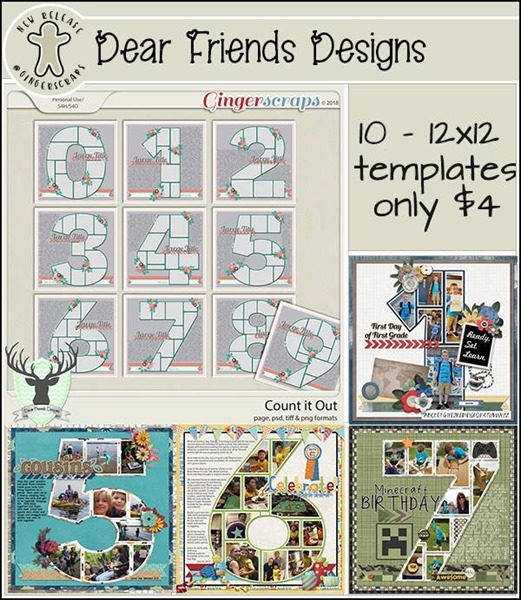
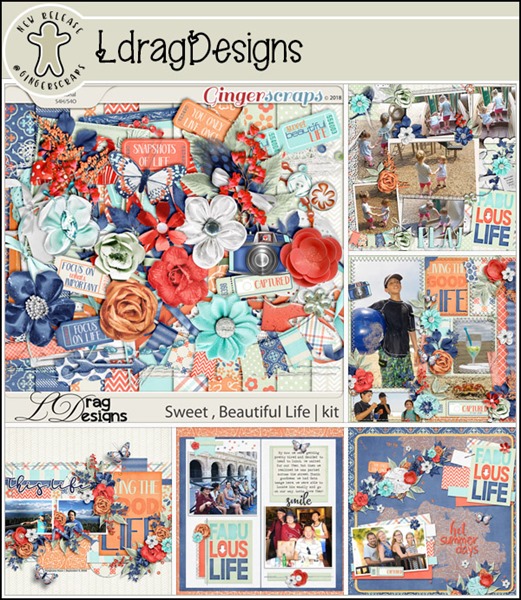
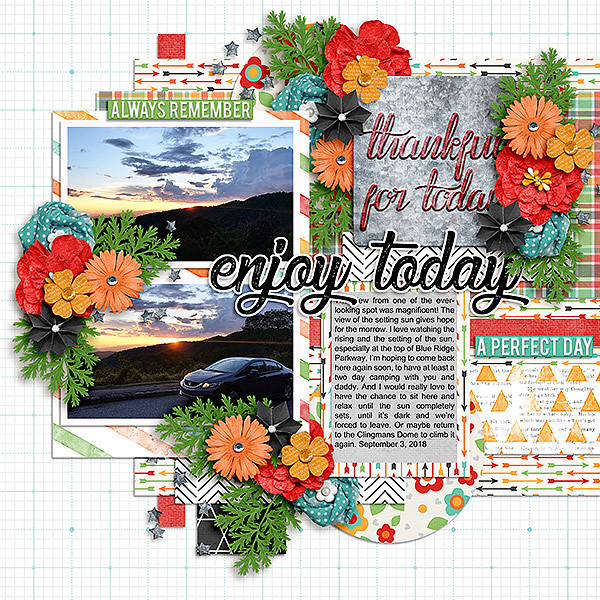
From Ponytails

From Lindsay Jane

From Tinci

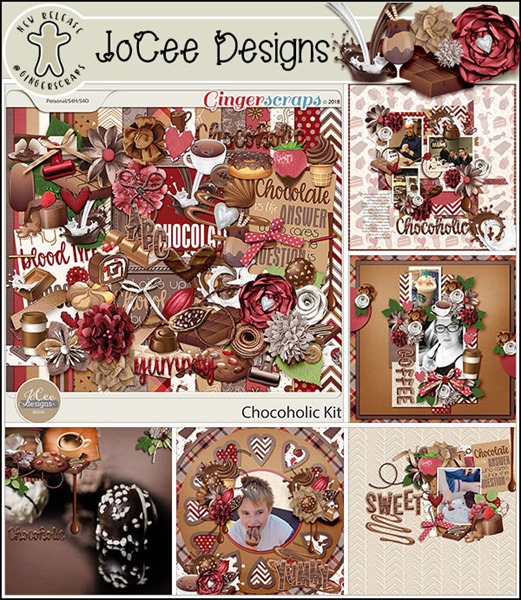
From JoCee

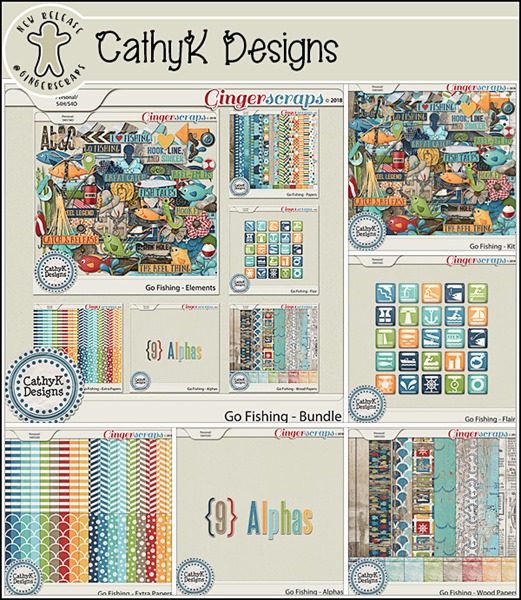
From CathyK

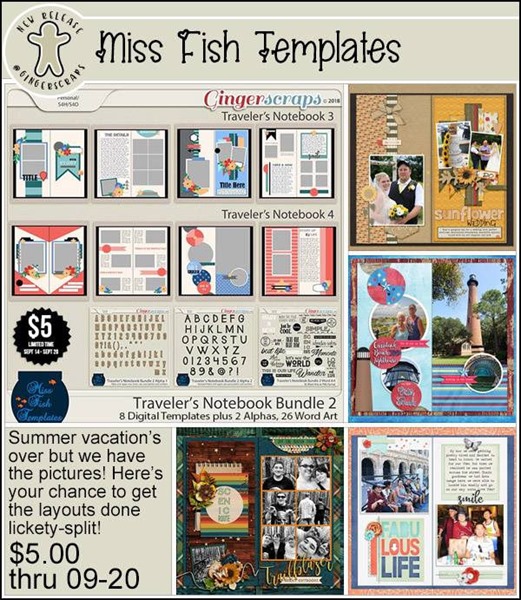
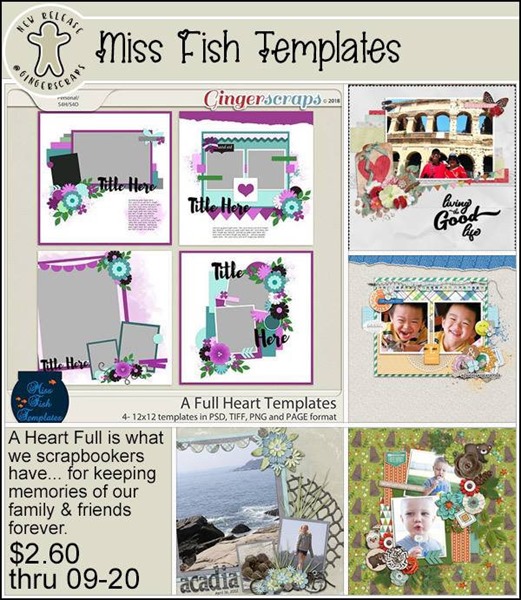
From Miss Fish

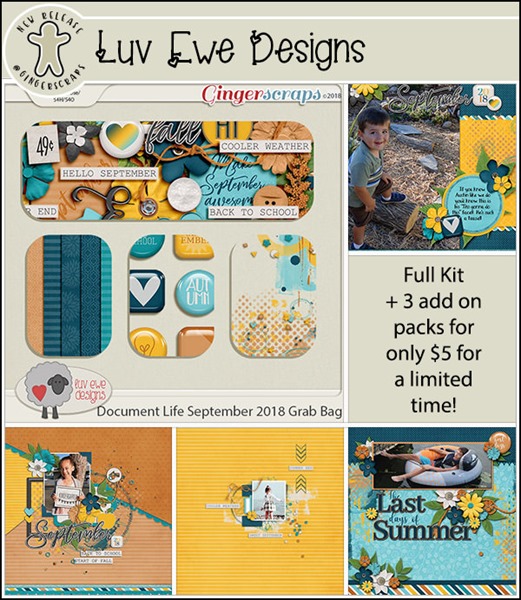
From Luv Ewe

From Aimee Harrison

Have a great weekend!

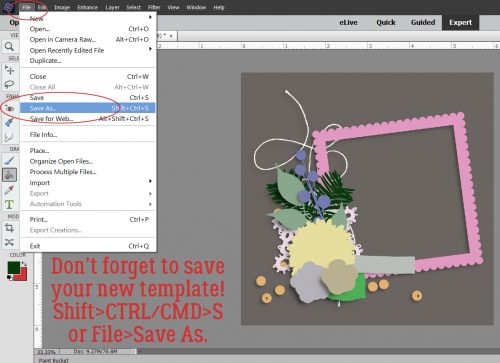
Tutorial Tuesday (Photoshop Elements)

Like a Broken Record

I was fooling around with a thought I had to see how it would look and a tutorial was born! I love papers with a small pattern repeat and I adore embossed cardstock. But I can’t always find what I want when I want it, so I decided to give creating my own a try. It’s so simple!! (But let’s not put our awesome designers out of work, ‘k?)

I started out with a plain Kraft-coloured cardstock from Scraps N PiecesOh Canada… Eh! collection. Then I opened a new document (CTRL/CMD>N). I knew I was going to use something that would resemble a tile effect and chose to work on a 300 x 300 pixel square canvas. Our 12 x 12 inch layouts are 3600 x 3600 pixels, so this size will be 1/12th of the length/width of the overall cardstock.

I opened up the Custom Shape Tool menu then chose All Elements to see every shape available.

I played with more than one of these shapes before I settled on this one.

I put my cursor at the upper left corner and pulled the shape diagonally across my square canvas to completely fill it. The colour I used isn’t important because I’m going to change it later. I wanted something I could see easily.

Then I clicked Edit>Define Pattern. This is going to allow me to use this little doodad as a repeating pattern on my paper.

The Pattern Name menu opens up. I gave it a name that meant something to me and would be easy to find later. There’s a clue in there as to where we’re going to end up.

If you’re familiar with my tutorials you’ll know I always tell you to work on a separate layer when using brushes. It goes double for patterns!

You may have noticed that many of the Tools in Photoshop Elements have multiple options. The Paint Bucket has one I’d never used before but now that I know what it does, I’m SOLD! With this versatile tool you can fill an area with colour or……. a pattern!

Make very sure you’re working on the new, blank layer. Click on the Pattern Fill button, the one that looks like a square with a bunch of diagonal lines through it.

When the Pattern Menu opens up look for your new pattern.

Elements will open up your pattern in the active box as shown.

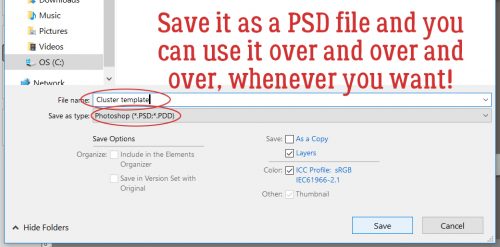
Now just click anywhere within the borders of your canvas. It’s like magic!! I have 144 little repeats of my pattern creating an Argyle effect. I could stop here and have a cute custom patterned paper. I’d love to do something like this with a tone-on-tone, or with either white or black. Then I’d Merge the layers and save it somewhere I’ll be able to find it again.

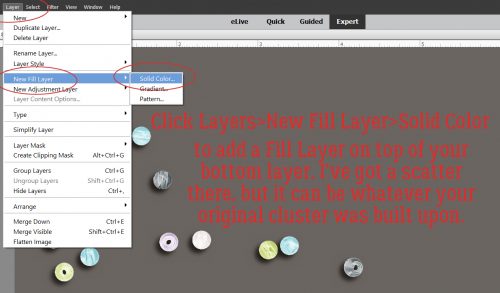
But you know me… we’re going to keep going. I want to show you how to turn it into embossed cardstock, so turn off the visibility to your cardstock layer and have your pattern layer selected. Then Layer>New Fill Layer>Solid Color.

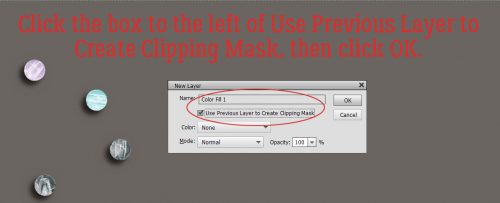
In this menu, click the Use Previous Layer to Create Clipping Mask then click OK.

Use the same colour as your cardstock by clicking on it with the Eyedropper.

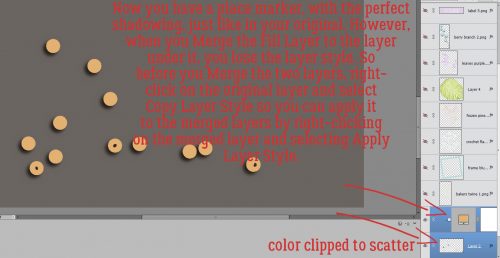
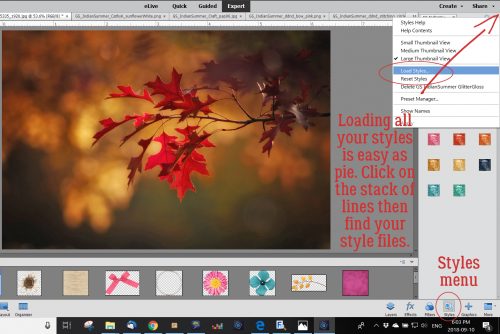
Merge the Color Fill layer with your pattern layer. Then you’re going to hit it with a Bevel Layer Style. Bevels are included with the software and can be found in the Styles menu. Below I’ve used the Simple Inner bevel. It’s a nice, rounded bevel that raises the pattern off the surface beautifully.

If you feel that the bevel is TOO obvious, you can click on the fx icon on the layer and adjust it to suit. (This is the only Bevel I adjusted while putting together this tutorial.)

Turn on the cardstock layer and voilà… Merge the layers and now you’ve got a custom embossed cardstock.

Some of the other Bevel styles work for this technique too. Let’s look at the Simple Pillow Emboss.

Is this the effect you were expecting? It looks a lot like those sheets of die-cut chipboard!

Simple Sharp Inner looks like this on just the pattern layer.

I really like the look of this one.

One last one… Simple Sharp Pillow Emboss.

This effect is really interesting. If I went into the fx controls and reversed the direction of the bevel it would raise it off the paper. Might be worth trying!

I can think of a long list of ways these simple techniques can be used to elevate my scrapping. Can you?

Fresh Baked: July 01, 2018

Can you believe it? It’s already JULY! Today, we’d like to wish our Canadian customers a Happy Canada Day! Sport that Red and White! Wednesday, the Americans will be sporting their Red, White, and Blue! Be safe. Have fun. Take lots of pictures! Scrap every moment!

Oh, and on Tuesday, compliment your mirror. Or don’t. Tuesday is both “Compliment Your Mirror Day” and “Disobedience Day”! The first week of July has a LOT of funk holidays! Did you know the 4th is also National Country Music Day? Great excuse to jam out to some Florida Georgia Line! Thursday is National Bikini Day and Work-A-Holics Day, so be comfy and wear a swimsuit to work!

It is the First of the month, and that means the revel of our new Buffet!!

Don’t forget to check out the Buffet Bundles, one easy click to add bundles of Buffet goodies to your cart, and an amazing value too!

[Read more…]

DD: July 01

Woo boy. It’s getting hot! Time to catch a breath. While you’re cooling down, use the time to download this month’s newest Daily Download!

Oh! Did you miss a piece from June? That’s okay! We’ve got your back!

dd-june
https://store.gingerscraps.net/Moving-Day-Collab-Kit-by-North-Meets-South-Studios.html

And oh, goodness! This month was worth a little extra sweat!

dd
https://bit.ly/2lFmjfE

Now, enjoy! While you do, I’m going to go and see if I can find Grease on TV or something because, for some reason, I have a song from it stuck in my head!

See ya tomorrow and the rest of the month for this gorgeous kit!

Remember, the download is kept up for 5 days, and then it is taken down. If you miss pieces, the kit will be available for purchase on the first day of the following month.

Fresh Baked: June 29, 2018

And in the morning … I’m making WAFFLES!
I couldn’t resist a funny Donkey quote from Shrek when I saw what today’s weird holiday was! Did you know today is WAFFLE IRON DAY? Take a break from the ordinary breakfast and have some waffles! Yum! While you’re waiting for the waffle iron to warm up, make sure you check out the new stuff in the store! There are some great things!

And I’ll see you again on Sunday for the start of a Whole New World. I mean month!

Remember when you spend $10 in the store, you get a great new collab! This month, it’s time to celebrate the “Super Dad” in your life!

fwp_thumb_thumb_thumb_thumb
https://store.gingerscraps.net/GingerBread-Ladies-Collab-Super-Dad.html

missfish
https://store.gingerscraps.net/Summer-Time-Templates-by-Miss-Fish.html

aimee
Collection: https://store.gingerscraps.net/360-Life-All-About-July-Collection-by-Aimee-Harrison.html
Kit: https://store.gingerscraps.net/360-Life-All-About-July-Page-Kit-by-Aimee-Harrison.html
Alphas: https://store.gingerscraps.net/360-Life-All-About-July-Alpha-Sets-by-Aimee-Harrison.html
Borders: https://store.gingerscraps.net/360-Life-All-About-July-Borders-by-Aimee-Harrison.html
Templates: https://store.gingerscraps.net/360-Life-All-About-July-Templates-by-Aimee-Harrison.html
Date Tabs: https://store.gingerscraps.net/360-Life-All-About-July-Date-Tabs-by-Aimee-Harrison.html
Titles: https://store.gingerscraps.net/360-Life-All-About-July-Titles-by-Aimee-Harrison.html
Quotes: https://store.gingerscraps.net/360-Life-All-About-July-Quotes-by-Aimee-Harrison.html
Messy Edges: https://store.gingerscraps.net/360-Life-All-About-July-Messy-Edges-by-Aimee-Harrison.html
Glitters: https://store.gingerscraps.net/360-Life-All-About-July-Glitters-by-Aimee-Harrison.html

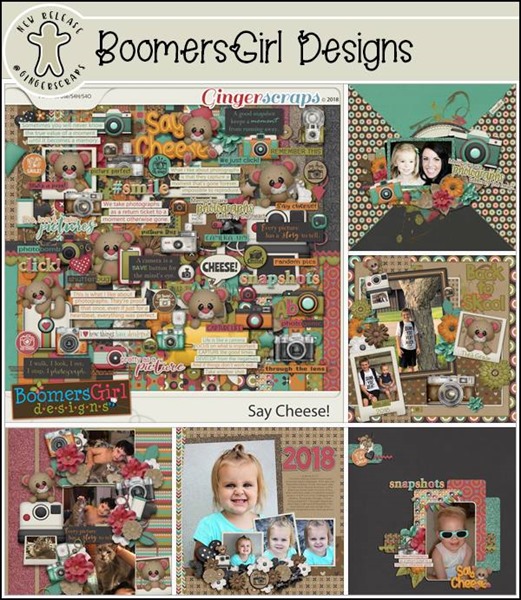
boomers
https://store.gingerscraps.net/Garden-Cottage-BGD.html

connie
Bundle Collection: https://store.gingerscraps.net/-2018-July-Bundle-Collection-by-Connie-Prince.html
Kit: https://store.gingerscraps.net/-2018-July-Kit-by-Connie-Prince.html
Mixed Media: https://store.gingerscraps.net/-2018-July-Mixed-Media-by-Connie-Prince.html
Snippets: https://store.gingerscraps.net/-2018-July-Snippets-by-Connie-Prince.html
Messy Papers: https://store.gingerscraps.net/-2018-July-Messy-Papers-by-Connie-Prince.html
Border Clusters: https://store.gingerscraps.net/-2018-July-Border-Clusters-by-Connie-Prince.html
Templates: https://store.gingerscraps.net/-2018-July-12×12-Template-Pack-CU-Ok-by-Connie-Prince.html
Extra Papers: https://store.gingerscraps.net/-2018-July-Extra-Papers-by-Connie-Prince.html
Alpha Pack: https://store.gingerscraps.net/-2018-July-Alpha-Pack-AddOn-by-Connie-Prince.html
Word Art: https://store.gingerscraps.net/-2018-July-Word-Art-Pack-by-Connie-Prince.html
Quick Pages: https://store.gingerscraps.net/-2018-July-Quick-Pages-by-Connie-Prince.html

krist
https://store.gingerscraps.net/CU-Speech-Bubble-Pocket-Cards-Bundle.html

linds
Page Borders Rec 17: https://store.gingerscraps.net/Page-Borders-Rec-17-by-Lindsay-Jane.html
Page Borders Rec 18: https://store.gingerscraps.net/Page-Borders-Rec-18-by-Lindsay-Jane.html
Page Borders Rec 19: https://store.gingerscraps.net/Page-Borders-Rec-19-by-Lindsay-Jane.html
Page Borders Rec 20: https://store.gingerscraps.net/Page-Borders-Rec-20-by-Lindsay-Jane.html

ad
https://store.gingerscraps.net/JoCee-Designs/

Remember, if you complete 10 challenges, just ten, you get a free kit as well!!   

cr_thumb_thumb_thumb_thumb
Get some memories of the simple moments in your life!

Sneak Peeks June 28th 2018

Happy Thursday! The end of the month is almost here which means I can show you a sneak peek of the buffet as well!!

First lets see some new goodies coming to the store tomorrow!

From Aimee Harrison

From Miss Fish

And now for a peek at the Buffet!!

Come back tomorrow and on Sunday to see all the new products!

Tutorial Tuesday – Scrapbooking

Where the Boys Are

Today I thought I’d do something just a little different. Rather than me showing you haw I do some of the things I do for my layouts, I thought we could have a chat about how to increase the value of our templates and kits by using them in unexpected ways. For another few weeks, I only have grandsons, and I love to create layouts about them with the photos their mom takes of them. (You might have noticed…) But how many templates are really boy-centric? There are lots of kits out there that are boy-centric, but they tend to have the same sorts of elements and similar papers. I don’t let that get in my way though! So let’s look at some ways to make the most of our stash to scrap photos of our favourite boys.

I don’t believe in rules when it comes to creativity. So when it comes to colour, anything goes! So many of the boy-themed kits have a navy/brown/forest green/gray palette and there’s nothing wrong with that, but I’ve used a feminine, pink-heavy kit for boy layouts without making them look overly foofy. It’s all in how you use colour. If you start with a neutral background, you can add colour in lots of ways. Because my little men are just 4 and 2 1/2, I tend to use a lot of primary colours, but not always! I like to use soft greens, aqua, lavender, coral and even fuchsia for my boy layouts. Here’s an example.

Here’s another example.

What about flowers? Do you feel like you can’t put flowers on your masculine layout? Well, of COURSE you can! I’ve used flowers on both those layouts. I tend to choose flowers that aren’t overly fluffy, and natural-looking. Daisies will always work with photos of children. Some designers create beautiful composite flowers and I sometimes create my own by putting a screw head, a plain button or a gear – or all three – in the centre.

But what can I do when looking at a template FILLED with flowers, and the photo(s) I want to use are either of my son or my grandsons? I substitute lots of things for those flowers. Gears, paper rosettes, tags and labels, stars, hearts, buttons, flair, bows, string, ribbons and word strips all can take the place of flowers.

Or like this…

Ready for some audience participation? Okay, now the ball is in YOUR court… What are some of the ways you scrap layouts of your boys and men? Please leave your tips in the comments! I appreciate it.


Fresh Baked: June 22, 2018

Things are about to get a big tail-waggingly good in your office right now! It’s Take Your Dog to Work Day. Ignore the kids! Take the pupper! If that doesn’t work for you, tomorrow is National Pink Day! All the pink! Everywhere!

Remember when you spend $10 in the store, you get a great new collab! This month, it’s time to celebrate the “Super Dad” in your life!

fwp_thumb_thumb_thumb
https://store.gingerscraps.net/GingerBread-Ladies-Collab-Super-Dad.html

magical_thumb
Bundle: https://store.gingerscraps.net/Coastal-Breeze-collection.html
Page kit: https://store.gingerscraps.net/Coastal-Breeze.html
Journaling Cards: https://store.gingerscraps.net/Coastal-Breeze-journal-cards.html
Shabby Wood Papers: https://store.gingerscraps.net/Coastal-Breeze-shabby-woods.html
Word Bits: https://store.gingerscraps.net/Coastal-Breeze-words.html
Glitter Pack: https://store.gingerscraps.net/Coastal-Breeze-glitter-pack.html

miss01_thumb[1]
https://store.gingerscraps.net/Painter-s-Paradise-Templates-by-Miss-Fish.html

miss02_thumb[1]
https://store.gingerscraps.net/European-Blended-Photo-Masks-by-Miss-Fish-Templates.html

scraps_thumb
https://store.gingerscraps.net/Be-Kind-kit-by-Scraps-N-Pieces.html

tinci_thumb[1]
https://store.gingerscraps.net/Moments-and-memories-vol.-6..html

aimee_thumb
Collection: https://store.gingerscraps.net/Weekend-Paradise-Collection-by-Aimee-Harrison.html
Kit: https://store.gingerscraps.net/Weekend-Paradise-Page-Kit-by-Aimee-Harrison.html
Alphas: https://store.gingerscraps.net/Weekend-Paradise-Alpha-Sets-by-Aimee-Harrison.html
Blooms: https://store.gingerscraps.net/Weekend-Paradise-Blooms-by-Aimee-Harrison.html
Borders: https://store.gingerscraps.net/Weekend-Paradise-Borders-by-Aimee-Harrison.html
Titles: https://store.gingerscraps.net/Weekend-Paradise-Titles-by-Aimee-Harrison.html
Journal Cards: https://store.gingerscraps.net/Weekend-Paradise-Journal-Cards-by-Aimee-Harrison.html
Messy Edges: https://store.gingerscraps.net/Weekend-Paradise-Messy-Edges-by-Aimee-Harrison.html

boomers_thumb
https://store.gingerscraps.net/Tropical-Tweets-BGD.html

connie_thumb[1]
Grab Bag: https://store.gingerscraps.net/June-2018-Grab-Bag-Independence-Day-by-Connie-Prince.html
WordArt: https://store.gingerscraps.net/Independence-Day-WordArt-Pack-by-Connie-Prince.html

jocee01_thumb
https://store.gingerscraps.net/Goal-Pink-Kit.html

jocee02_thumb
https://store.gingerscraps.net/Goal-Blue-kit.html

kristmess_thumb
https://store.gingerscraps.net/CU-UK-Layered-Templates.html

linds01_thumb
https://store.gingerscraps.net/so-many-stars-collection-by-Lindsay-Jane.html

linds02_thumb
https://store.gingerscraps.net/so-many-stars-by-Lindsay-Jane.html

Remember, if you complete 10 challenges, just ten, you get a free kit as well!!   

cr_thumb_thumb_thumb
Get some memories of the simple moments in your life!

Tutorial Tuesday (Photoshop Elements)

Still MORE Fun with FONTS!! 

We’ve done a lot of cool things with fonts, but I know there are still so many even cooler things to try. Last week I bought a new font bundle from The Hungry JPEG, a selection of vintage fonts for a smokin’ hot deal. It’s not as if I’ll ever have too many fonts, right?

Anyway, while I was downloading these fonts, several of which were actually font families, I looked at the samples the site uses for advertising and it hit me… Why not try layering two fonts from the same family and see what happens? Font families are a collection of very similar fonts with some subtle differences; there may be a regular, a bold, a light, an outline, a grungy and an italic version, for example. This tutorial was fun for me, because I really didn’t know what it would look like when I was finished, but the idea was firmly in my head and I had to try it. I impressed myself so much I needed to widen the doorways. But… it didn’t turn out the way I expected it to. It’s BETTER!

I went through my fonts, using High Logic’s Main Type, to find a font family that would hopefully give me the look I could see in my head. The one that looked most promising is called Nomos, by Cruzine Design. It has several variations on the basic font, so I went with it. I started with Nomos Regular Regular for my basic title. I selected a medium gray to be my starting colour from one of the papers I used in my layout. And I set the size at 100 pixels, knowing I’d probably resize it to fit my canvas. Remember, I usually create my title on its own canvas, sizing the basic working space to approximate the area I want it to fill. No distractions, nothing to work around. So once I decided on my font and colour, I opened a 5 1/2 x 1 1/2 transparent canvas on my workspace.

I typed out my one-word title, then resized it to almost fit my space. I made a careful mental note of the exact size of the final font so I wouldn’t have any guesswork for the next step.

Then I went back to my fonts and chose an outline version of the same font. It’s called Nomos Inline Inline. (I don’t know why the designer used so much repetition in titling…)

I Simplified the original layer then turned its visibility off. Why Simplify? When working with fonts in PSE, if you DON’T simplify the layer, then select a different font for your next text layer, that first layer will morph to that new font. And you might not notice it until MUCH later and have to go back and fix it. So don’t forget to Simplify once you’re satisfied with spelling, grammar and punctuation. After that, I typed out my title exactly the same as the first layer, only in white this time. And I resized it to the same size as my original layer. Here’s where the people really paying attention can give me the gears. My resized font is 114.31 pixels.

They weren’t in exactly the same place on the workspace, but it looks really cool just like this! If it was what I was after I’d just have gone with it. But I envisioned something more, so I kept going.

PSA: Simplify your text layers!!

I wanted the two layers stacked perfectly, white over gray, so I used the Move Tool Options to Align the layers, first by Center then by Middle.

I turned off the gray layer again and concentrated on the white outline layer. I clicked on the Layer thumbnail to select the edges of the letters as shown below.

I want the white sections to be thinner so more of the gray shows through, so I clicked Select>Modify>Contract. I didn’t want to lose too much, so I went with a single-digit shrink of 7 pixels.

If you look closely you can see where the new lines of marching ants have appeared. I’m now going to DELETE those sections. CTRL/CMD>X

Ah! Not exactly what I was expecting, but really, really neat!

I couldn’t wait to see what it looked like with the gray layer on. I wanted to add some dimension to the white layer, which I did by using a Simple Sharp Pillow Emboss bevel style, one of the integrated styles the software comes with.

It looked really good, but just a little TOO… too. Easily fixed by adjusting the bevel settings.

I clicked on the fx icon on the white layer and made the bevel much smaller. I think it looks like inlaid enamel and chrome, don’t you? Now I’m itchy to try this with other fonts and see what different effects I can achieve just by layering two fonts. Who knew it would be so much fun?

Here is my finished layout. It’s for the Designer Spotlight Challenge this month and was created with pieces of 3 kits by Connie Prince and a template from Trixie Scraps. The people in the photo are my grandparents; it was taken in the summer of 1961. By the following Easter he was gone; this is one of only 2 photos I have of him where he doesn’t have a cigarette in his hand. I see a little bit of my dad in each of them, and my sister’s eyes crinkle in the same way Grandma’s do. I’d never noticed it before, so this was a labour of love.

Fresh Baked: June 15, 2018

Things are starting to just get a little weird! Okay, Sunday is Father’s Day. That’s normal, right? But Sunday is also Global Garbage Man Day. Okay, okay. I can get behind that. Without garbage men, the streets would get pretty stinky. Just ask any town that’s had a garbage man strike. So, to honor the Garbage Men out there, take advantage of Thursday’s National Selfie Day and take a picture with the Garbage Man in your town. Or your dad. Your dad works too.

Ermergerd! It’s a Sale! Go! Have fun!

--01
https://store.gingerscraps.net/-Summer-Dreamin-65-OFF-SALE

Remember when you spend $10 in the store, you get a great new collab! This month, it’s time to celebrate the “Super Dad” in your life!

fwp_thumb_thumb
https://store.gingerscraps.net/GingerBread-Ladies-Collab-Super-Dad.html

lindz
https://store.gingerscraps.net/Lindsay-Jane/

lou01
https://store.gingerscraps.net/Be-A-Unicorn-Grab-Bag-by-LouCee-Creations.html

miss01
https://store.gingerscraps.net/Circle-Time-Templates-by-Miss-Fish-Templates.html

miss02
https://store.gingerscraps.net/Photo-Frenzy-Summer-Templates-by-Miss-Fish.html

miss03
https://store.gingerscraps.net/Story-Time-3-Templates-by-Miss-Fish.html

pony
Bundle: https://store.gingerscraps.net/Baby-You-Can-Drive-My-Car-Bundle.html
Kit: https://store.gingerscraps.net/Baby-You-Can-Drive-My-Car.html
Elements: https://store.gingerscraps.net/Baby-You-Can-Drive-My-Car-Elements.html
Journal Cards: https://store.gingerscraps.net/Baby-You-Can-Drive-My-Car-JC.html
Alphas: https://store.gingerscraps.net/Baby-You-Can-Drive-My-Car-Alphas.html
Papers: https://store.gingerscraps.net/Baby-You-Can-Drive-My-Car-Papers.html
Cardstocks: https://store.gingerscraps.net/Baby-You-Can-Drive-My-Car-Cardstocks.html

tinci
https://store.gingerscraps.net/My-life-in-photobook-24..html

aimee
Collection: https://store.gingerscraps.net/Garden-Time-Collection-by-Aimee-Harrison.html
Kit: https://store.gingerscraps.net/Garden-Time-Page-Kit-by-Aimee-Harrison.html
Alphas: https://store.gingerscraps.net/Garden-Time-Alpha-Sets-by-Aimee-Harrison.html
Titles: https://store.gingerscraps.net/Garden-Time-Titles-by-Aimee-Harrison.html
Blooms: https://store.gingerscraps.net/Garden-Time-Blooms-by-Aimee-Harrison.html
Frame Clusters: https://store.gingerscraps.net/Garden-Time-Frame-Clusters-by-Aimee-Harrison.html
Quotes: https://store.gingerscraps.net/Garden-Time-Quotes-by-Aimee-Harrison.html
Messy Edges: https://store.gingerscraps.net/Garden-Time-Messy-Edges-by-Aimee-Harrison.html

boomers01
https://store.gingerscraps.net/Who-You-Gonna-Call-BGD.html

boomers2
https://store.gingerscraps.net/Life-is-an-Adventure-BGD.html

dandelion
https://store.gingerscraps.net/Summer-Sunshine-Digital-Scrapbook-Kit-By-Dandelion-Dust-Designs.html

connie
Bundle: https://store.gingerscraps.net/Travelogue-Delaware-Bundle-Pack-by-Connie-Prince.html
Word Art and Flair Pack: https://store.gingerscraps.net/Travelogue-Delaware-Word-Art-and-Flair-Pack-by-Connie-Prince.html
Kit: https://store.gingerscraps.net/Travelogue-Delaware-Kit-by-Connie-Prince.html
Word Bits: https://store.gingerscraps.net/Travelogue-Delaware-Word-Bits-by-Connie-Prince.html
Templates: https://store.gingerscraps.net/Travelogue-Delaware-12×12-Temps-CU-Ok-by-Connie-Prince.html

krist01
https://store.gingerscraps.net/Kristmess/

krist02
https://store.gingerscraps.net/Tickled-Pink-Trio.html

cathy
https://store.gingerscraps.net/CathyK_65_Sale

connie2
https://goo.gl/DQK8T

lou02
https://store.gingerscraps.net/_LouCee_65

Ermergerd! There’s more! It’s Bake Sale time too!

--02

Remember, if you complete 10 challenges, just ten, you get a free kit as well!!

cr_thumb_thumb
Get some memories of the simple moments in your life!