Designer Spotlight: August 2026

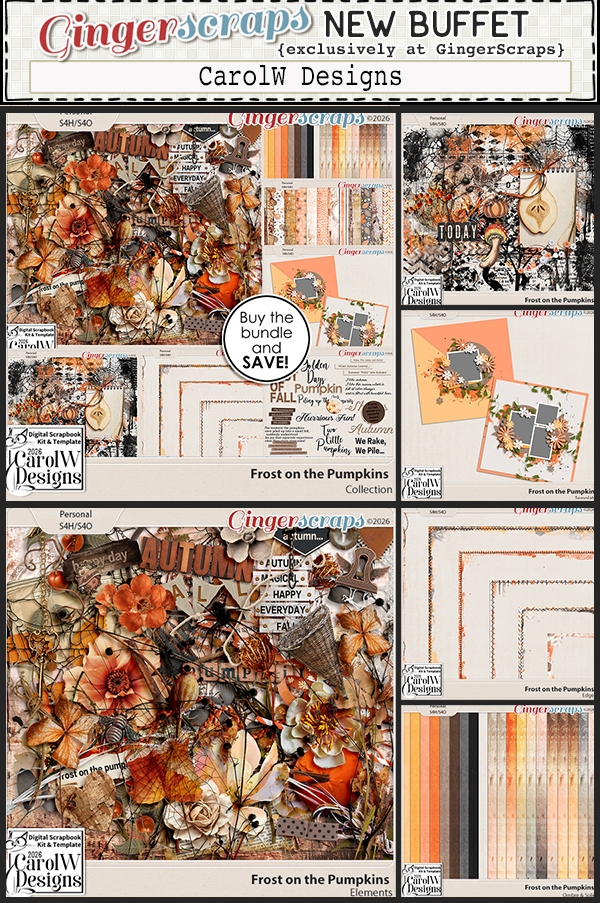
CarolW Designs

Our first Spotlight Designer for August is CarolW Designs. I had planned this conversation for yesterday, but ended up a little preoccupied by three wildfires that popped up in our area on Saturday. The evacuation notifications were coming thick and fast. We’re fine, not at risk from them other than some ash and a lot of smoke in the air, but my mind was definitely elsewhere yesterday. Carol was most accommodating. 😉 She’s quite chatty, as you may remember from her first Spotlight awhile back. A little insider info: the Designers have a long list of topics provided and they choose what we talk about. (I want them comfortable with sharing themselves with us.) So let’s get into it!

J: Carol, it’s nice to chat with you again! Shall we talk work first? I know we’ve covered this before, but let’s review. Is there a story behind your brand name?

C: Actually, I don’t have an English name. But Carol is the name given to me by my high school English teacher. I have been using it ever since. The “W” stands for the last letter of my surname – WEN. It also represents the feeling that my design is wonderful.

J: I remember you saying that last time too. Do you have a favourite colour or palette that you love to work with?

C: I really like purple. So when I see the purple color scheme, I will stay for a long time.

J: I love purple too! Just bought a purple tank top the other day. I choose to ignore those people who say women of a certain age and with a certain body type shouldn’t wear sleeveless tops. It’s too hot here in the summer! So is there a design element or style that you’re really attracted to but haven’t tried yet?

C: Chaotic line style. Hand-drawn style! ~ I’ve always wanted to try it. But I’m still in the exploration stage.

J: OMG! I think that would be a great addition to your style of design. I can’t wait to see what you come up with!! Now, I know how I define your design style, but I’d like to know what three words you’d use to describe what you do.

C: Beautiful. Exquisite. Traditional.

J: So we’re on the same page. Do you have a favourite season or holiday you like to create for? Bonus points if purple can be featured. 😀

C: I like the collections for summer and autumn. Because I have always loved these two seasons!

J: Well, they each lend themselves to both your particular style AND purple. What do you enjoy most about being part of the GingerScraps community?

C: Friend. I want to be friends with all the community members. Maybe we can’t meet in person, but we are friends!

J: I’ve always said that GingerScraps is the FRIENDLIEST digital scrapbooking community there is. I’ve been involved with quite a number of them, so I’m qualified to make that assessment. 😉 Can you share any sneak peeks or hints about what you might have planned for the coming months?

C: There will be monthly series coming up. And I’m also working on a series about giving something to my mother!

J: I just love monthly series! I’ve been collecting them from different Designers whose work I particularly admire. Can’t wait! Okay, enough about business. Tell me about Carol… if you could have any animal – real or imaginary – for a pet, what would it be?

C: Nine-tailed Fox. I really enjoy mythology. In ancient Chinese mythology, there is an animal that symbolizes good luck – the Nine-Tailed Fox.

J: Who couldn’t use some guaranteed good luck? Since you mentioned mythology, if you could time travel, would you? Would you go into the future, or back into the past?

C: I want to go back to the ancient times. Go and see the dinosaurs!! Jurassic!!

J: Take your Nine-Tailed Fox with you for protection. Is there a skill you’d love to pick up instantly?

C: Driving. Because of my car accident, I still haven’t dared to start learning to drive up to now. But I think I need this skill.

J: My mom didn’t learn to drive until she was 41 years old, so it can be done. PTSD is real… Don’t let fear make your choices. How do you unwind after a busy day?

C: Lying on the sofa, eating snacks and watching TV.

J: Yes! I don’t lie down but there’s nothing better than snacking in front of the TV. What’s your guilty pleasure?

C: Batman. I really love this series of movies. I love Gotham City!

J: Oh, dark! I’ve been gobbling up all the true crime lately. Goodness. Is that the time?! I need to make supper for the guys already!! They can wait a few minutes while I wrap up. Carol is providing us with one of the Daily Download kits for this month, and it looks like this:

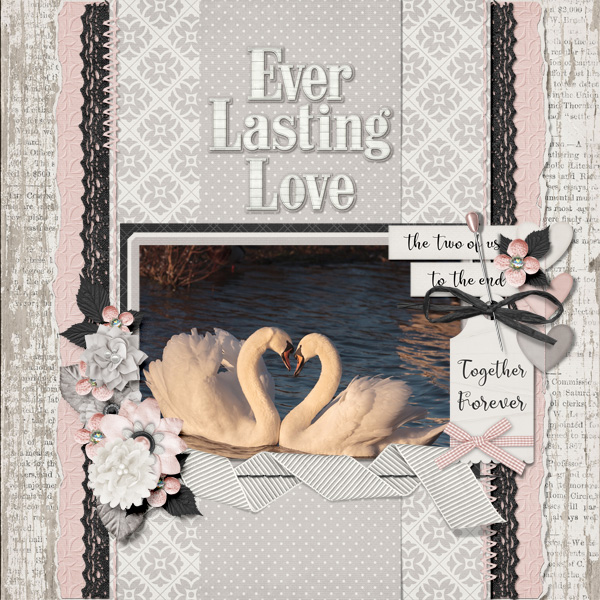
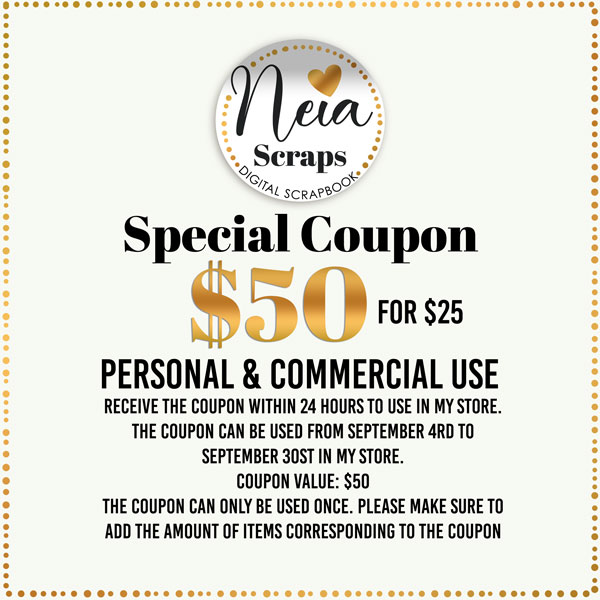
Coincidentally, she also hosts the Daily Download Challenge each month, as well as the Inspiration Challenge. And, of course, this month she’s also hosting one of the Designer Spotlight Challenges. Make sure you have a look! But there’s more… a coupon!

Your assignment, should you choose to accept it, is to play along with the Challenges AFTER you visit Carol’s Store.

August 1 2026: New Buffet, Scrap-a-Thon, Designer News and SO MUCH MORE!

Hello August and hello scrappy friends! A brand new month is here, and you know what that means at GingerScraps. Fresh inspiration, beautiful new goodies, and so many fun reasons to play with your photos and tell your stories.
This month is packed with everything you love. A brand new Free With Purchase collab, a gorgeous new Monthly Mix, and a colorful new Buffet filled with kits ready to spark your creativity. We also have a whole new batch of AMAZING challenges waiting for you in the forum, along with a brand new reward you can earn by completing just 10 challenges this month. PLUS today begins our SUMMER Scrap-A-Thon! See below for more details.
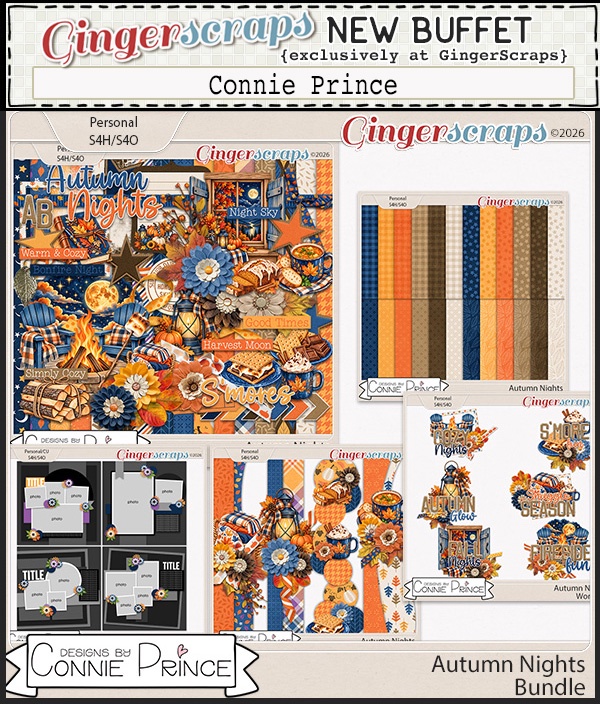
And that’s not all. Please help us give a big GingerScraps welcome to our two new Feature Designers, CarolW Designs and Designs by Connie Prince. They will be filling the blog with freebies EVERY day, giving you even more reasons to stop by, get inspired, and scrap along with us all month long.
August is here and Summer is almost over. We cannot wait to see what you create!

*A brand new Free With Purchase collab
*A gorgeous new Monthly Mix
*A colorful new Buffet that has a great mix of kits
…and so much more!


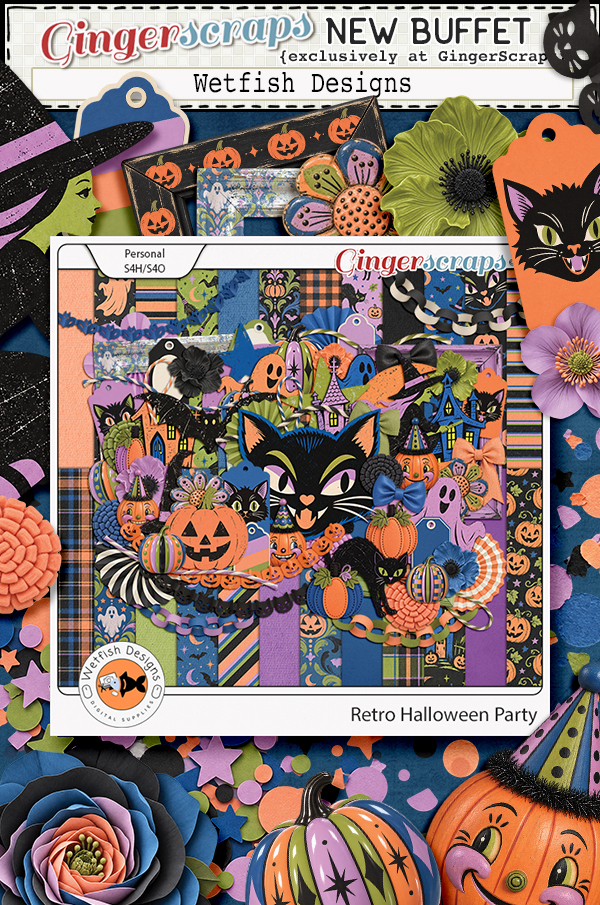
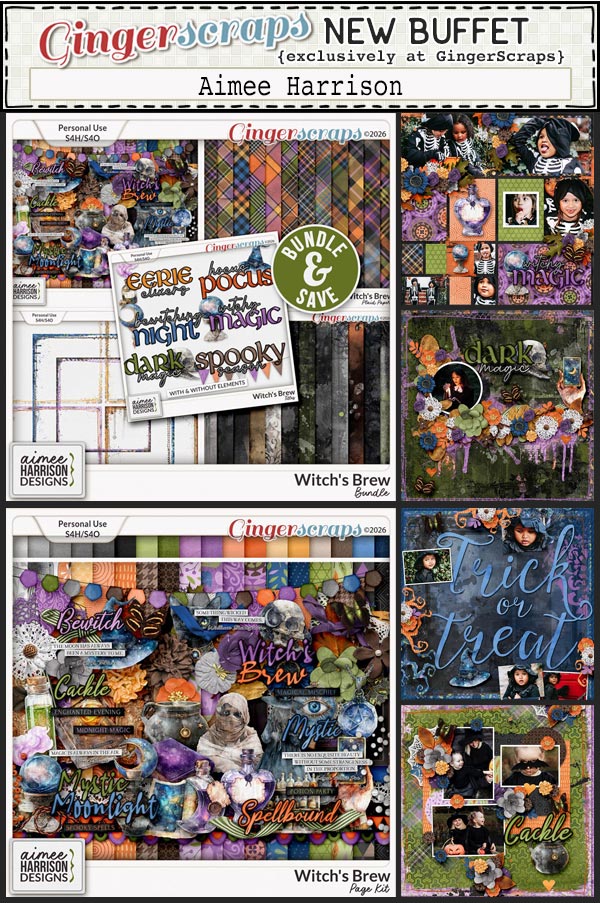
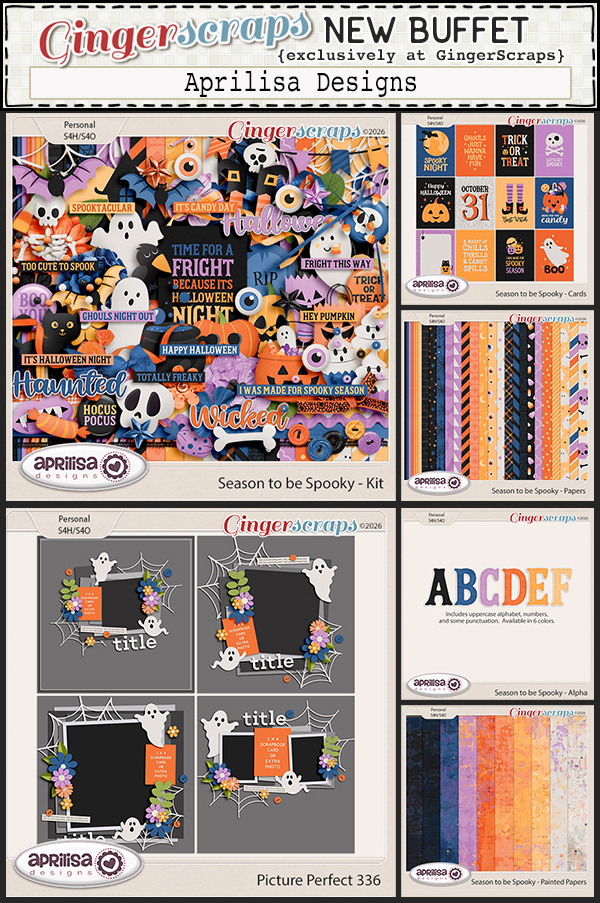
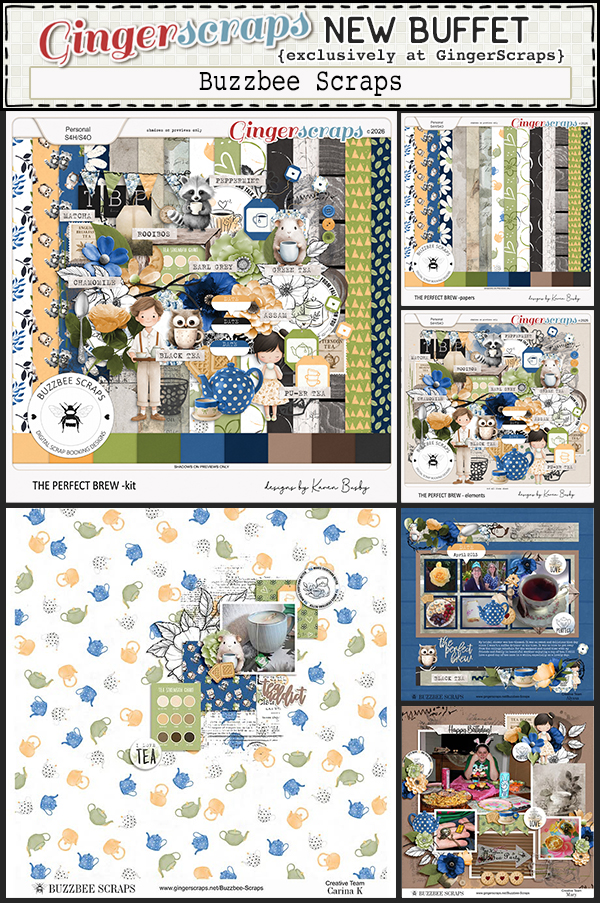
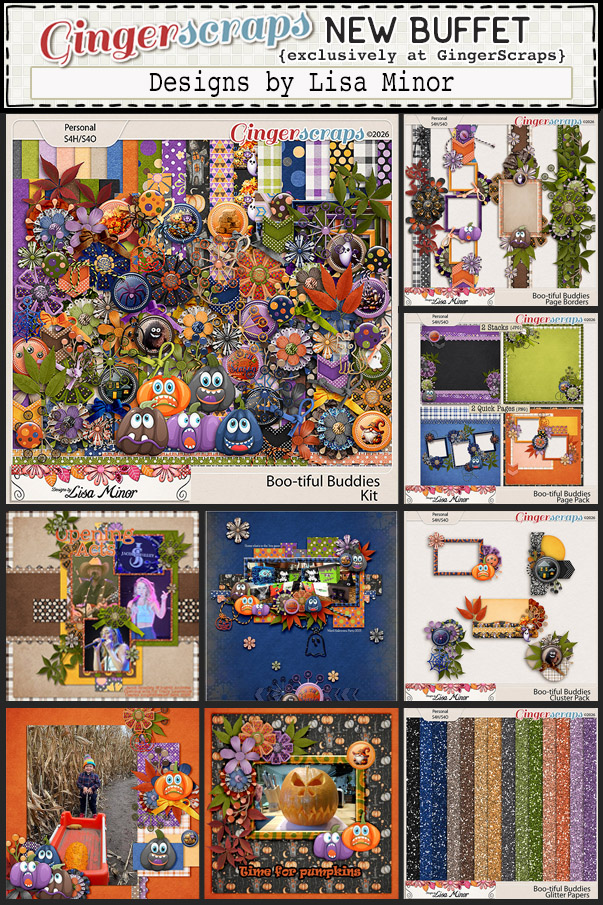
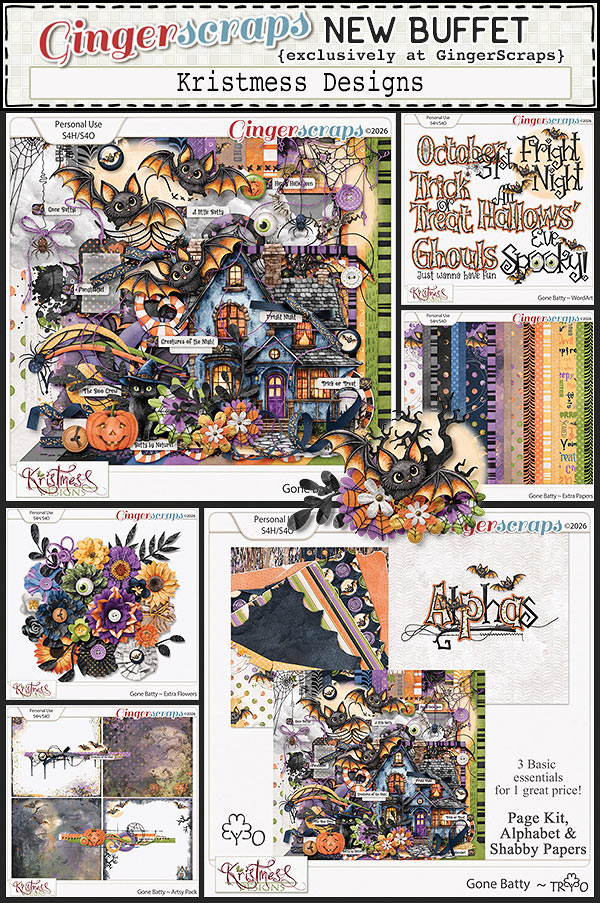
Next let’s look at the August Buffet. Don’t forget to check out the Buffet Bundles. One easy click to add bundles of Buffet goodies to your cart.

I know I say this every month but I just love these colors. Those pinks just pop out at me.

Sunwashed is a beautifully nostalgic collaboration inspired by the gentle beauty of a summer well lived. Softened by time and kissed by the sun, this collection features weathered wood, vintage postcards, wildflowers, sea glass, and the golden glow of long summer afternoons. Muted, sun-bleached tones and richly textured details create a relaxed, timeless feel that evokes treasured memories and carefree days. Whether you’re documenting beach vacations, quiet moments outdoors, family traditions, or the simple joys of summer, Sunwashed adds warmth, character, and vintage charm to every page.

This collab includes: 1 Alpha {Uppercase, Lowercase, Numbers & Punctuation}, 49 Papers, and 90 Elements.

This Free With Purchase was created by J. Conlon and Sons, JB Studio, Jumpstart Designs, and Kristmess.

Zoo-per Day! celebrates the excitement, wonder, and laughter of an unforgettable trip to the zoo. Filled with playful animals, zoo-inspired accents, and fun adventure themed elements, this collection is perfect for preserving memories of family outings and wildlife encounters. From majestic lions and towering giraffes to curious monkeys and colorful birds, Zoo-per Day! captures the joy of exploring the animal kingdom together. Whether you’re scrapping a day at the zoo, a safari park adventure, or simply celebrating your love of animals, this kit is packed with everything you need to tell your wildest stories.

This kit includes: 1 Alpha {Uppercase, Lowercase, Numbers & Punctuation}, 57 Papers, and 102 Elements.

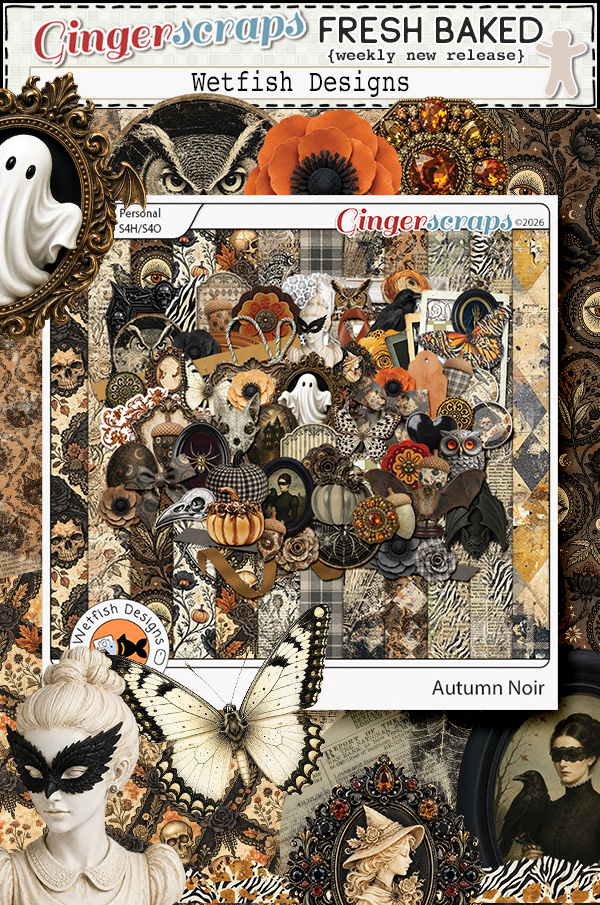
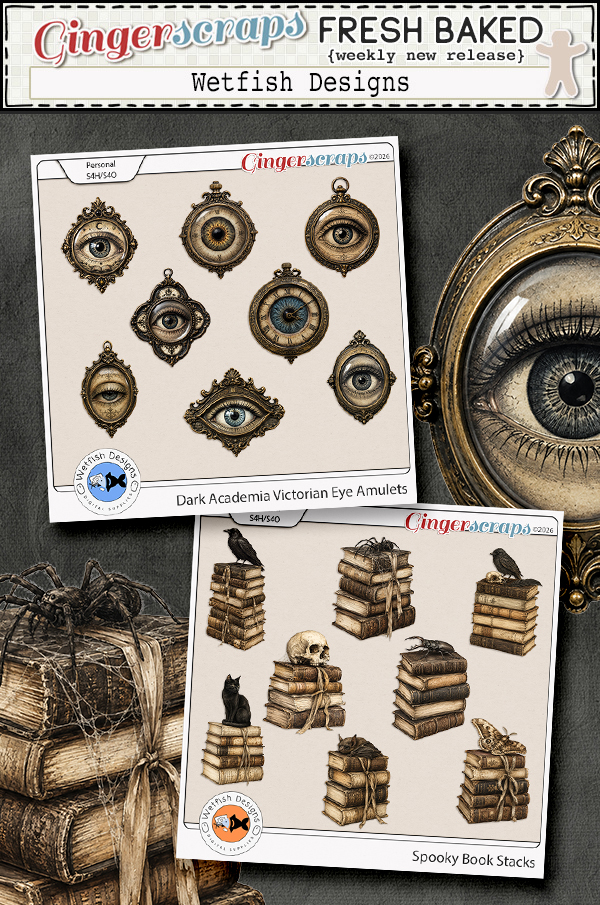
This Monthly Mix was created by Angelle Designs, Neia Scraps, Twin Mom Scraps, WM[squared] Designs, and Wetfish Designs.

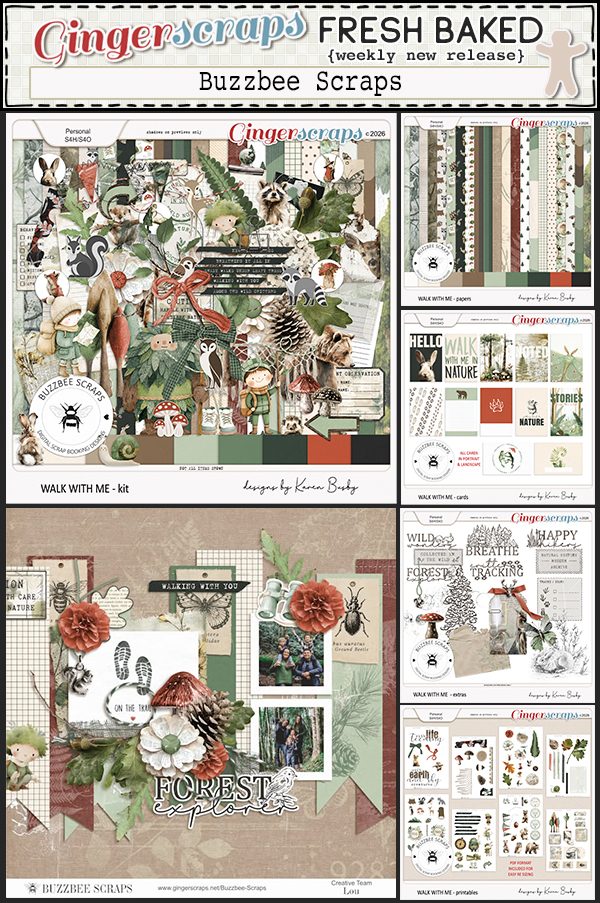
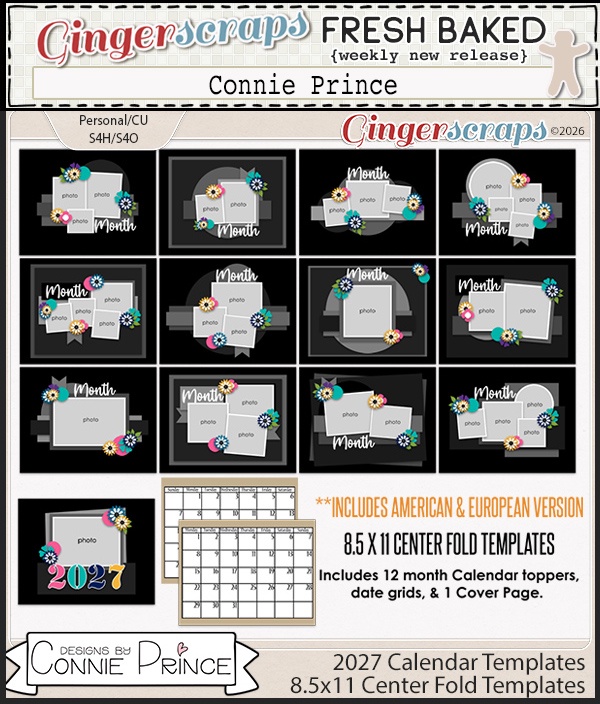
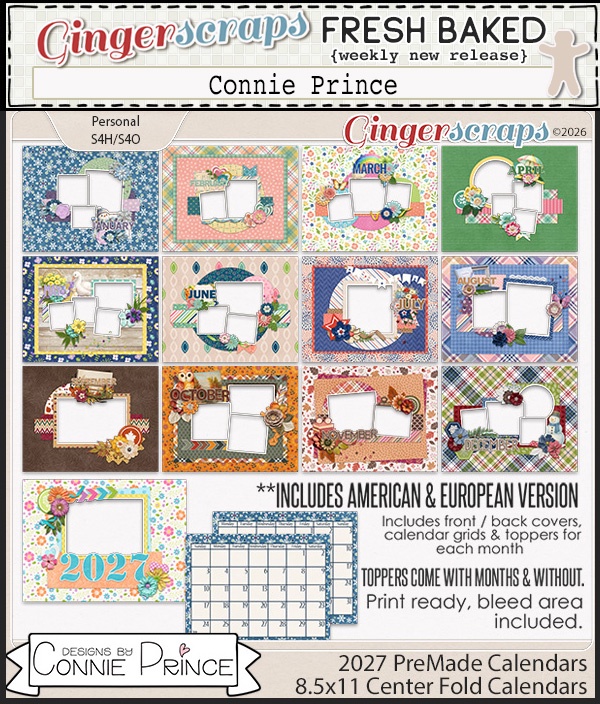
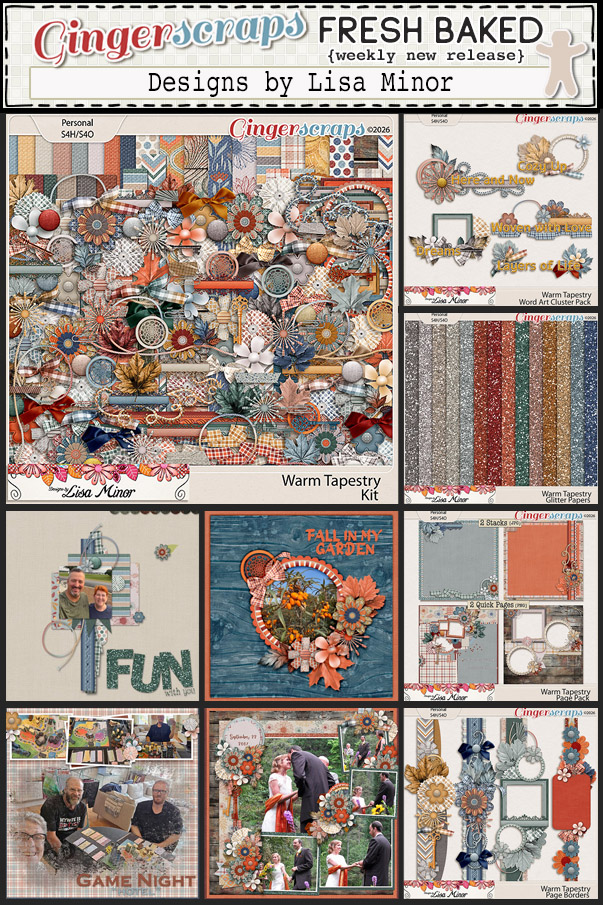
August’s Daily Download is provided by CarolW Designs and Designs by Connie Prince. Stop by the blog each day in June to collect pieces of these beautiful kits.
We are very excited to announce that GS Creations is staying on as a permanent designer at Gingerscraps. Let’s welcome her to the family!
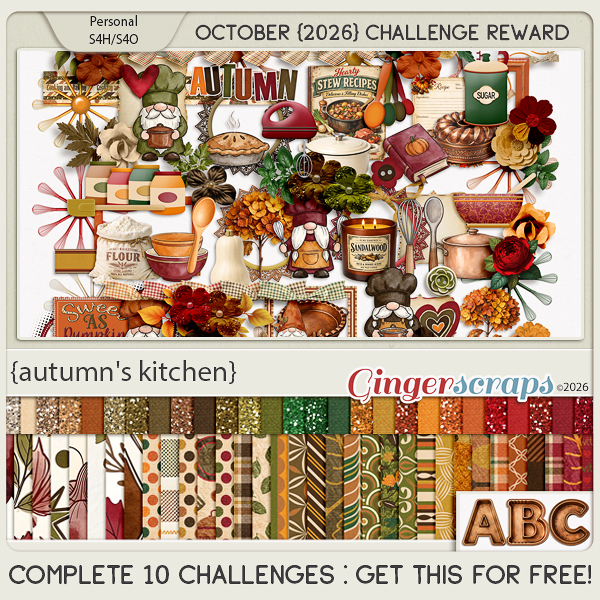
Take a look at the new challenge reward kit. If you complete any 10 challenges this month, you get this gorgeous collab (or a variety of other choices from previous challenge collabs) as a reward!

In The Forest invites you to slow down and explore the peaceful beauty of nature. Inspired by woodland trails, towering trees, and life beneath the forest canopy, this collaboration is filled with forest animals, hiking gear, camping essentials, rustic woodland accents, and natural scenery. Whether you’re documenting camping trips, scenic hikes, wildlife encounters, or quiet moments spent outdoors, In The Forest provides everything you need to preserve your favorite adventures. Rich natural details and earthy charm make this collection perfect for celebrating the beauty of the great outdoors.

This kit includes: 2 Alphas {Uppercase, Numbers & Punctuation}, 42 Papers, and 72 Elements.

This Challenge Reward was created by Aprilisa Designs, CathyK Designs, and Lisa Rosa Designs.

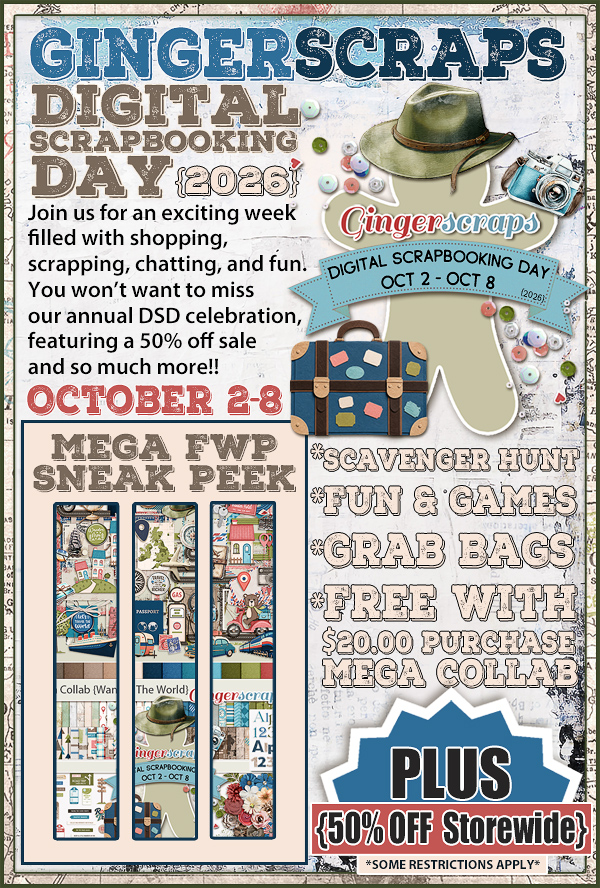
Also in August, we have our SUMMER Scrap-A-Thon! This is a relaxed and inspiring scrapping event with no pressure, no sign-ups, and no voting. Just scrap at your own pace, encourage one another, and have fun together in the forum. The whole event is built around our beloved Monthly Challenges throughout August, making it the perfect way to stay motivated and creative all month long.

Be sure to scroll down for all the exciting details and a peek at the AMAZING Mega Collab created by our talented GingerBread Ladies that you can earn during the month of August. Trust us, it is absolutely gorgeous! There are tons of rewards and prizes, and it is a super fun event you will not want to miss. We cannot wait to scrap along with you!

Fresh Baked Friday – July 31 2026

Happy Friday!

It’s time to say goodbye to July—this year is moving so fast!

Be sure to check out the new items in the shop, along with this month’s Free with Purchase kit and the Monthly Mix. There are lots of great additions you won’t want to miss.

It’s also time to wrap up your July challenges and get ready for the Summer Scrap-a-thon! Be sure to scroll down for all the details and get ready for another fun event.

Happy scrapping!

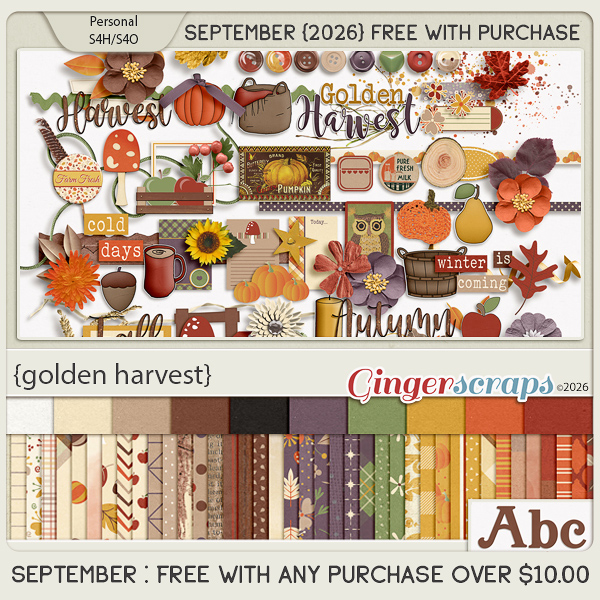
Remember if you spend $10 in the store, you get this great kit for free.

Now for what is new in the shop!

It’s time to wrap up your July challenges and get ready for the fun in August!! August is Summer Scrap-a-thon time.

If you complete any 10 challenges this month, you get this gorgeous collab (or a variety of other choices from previous challenge collabs) as a reward!

Coming up in August (starting tomorrow), we have our SUMMER Scrap-A-Thon! This is a relaxed and inspiring scrapping event with no pressure, no sign-ups, and no voting. Just scrap at your own pace, encourage one another, and have fun together in the forum. The whole event is built around our beloved Monthly Challenges throughout August, making it the perfect way to stay motivated and creative all month long.

Be sure to scroll down for all the exciting details and a peek at the AMAZING Mega Collab created by our talented GingerBread Ladies that you can earn during the month of August. Trust us, it is absolutely gorgeous! There are tons of rewards and prizes, and it is a super fun event you will not want to miss. We cannot wait to scrap along with you!

Tutorial Tuesday (Potpourri)

Digi-Scrapping Decoded (Updated)

I know we’ve got quite a few new folks joining our community lately. I won’t assume that you’re all newbies to digi-scrapping; that would be presumptuous.  But if you ARE a newbie, I’ve created a little glossary of digi-scrapping terms and acronyms for you. I think I’ll start with some generalities then move on to more specific stuff. (Updated from the original post dated 17 September 2019)

Let’s start with Software related terms.

PS : Photoshop – the most versatile and flexible graphics and image-editing software, from Adobe; expensive with a steep learning curve

PS CC : Photoshop Creative Cloud – a software package that is subscription based, on a monthly basis paid annually; identical to Photoshop above also includes access to online storage (at extra cost). If you don’t renew your subscription or miss a payment, you lose the license for using the software.

PSE: Photoshop Elements – a more economical choice of software, with many shared features with PS but a slightly less-steep learning curve; the most common software in use for both photo editing and digital scrapbooking according to several polls I’ve seen

Gimp: Gnu Image Manipulation Program – a free, cross-platform raster-based image editing software, also quite popular in the digi-scrapping world; it doesn’t allow for non-destructive editing. When using commercial templates, the PSD, TIFF and PNG  formats are compatible (see below)

Artisan: Forever’s digital scrapbooking and photo editing software – less versatile than either PS, PSE or Gimp; close in price to PSE. Autopopulates pre-designed layouts; no ability to use layered templates but is compatible with most digi-scrapping kits. Forever has a small selection of digi kits and a line of photo-based products similar to ShutterflyMy Memories Suite is comparable, but less costly.

Canva: Free online graphic arts application with on-screen step-by-step instructions. It has an AI component for those who don’t see themselves as artistically gifted. I haven’t test-driven it, so can’t comment on ease of use or versatility. I did try it for vector creation and didn’t love it. I felt like it had a pretty steep learning curve.

Layout: an arrangement of images – photos, papers, elements and text – for artistic or documentary purposes. Also LO.

Template: a file containing multiple layers; the layers build a layout from the background up, indicating where paper, elements and text will go. Templates speed up your workflow by eliminating much of the decision-making necessary for positioning items on your layouts, but still allowing for a lot of originality.

Clip: visually altering a photo or paper by attaching and “cutting” it to fit inside a specified outline. (Think multiple layers of paper in different sizes and shapes.)

Clipping mask: a defined shape with uniform or variable opacity, to which papers or photos may be clipped.

Brush: the digital equivalent of rubber or acrylic stamps

Stroke: a customizable outline around an object; options are colour, width, transparency and whether it goes inside, right over or outside the edge of the object

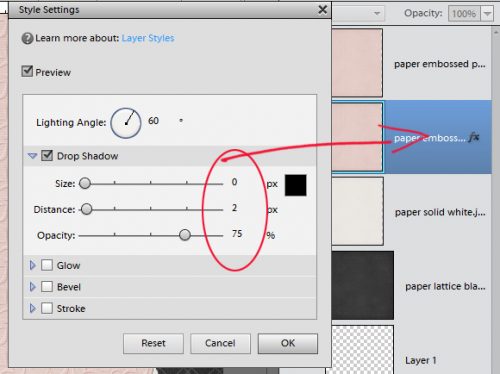
Style: a method of altering the appearance of an object that may include bevel (gives the look of thicker or embossed material), drop shadow (darker, semi-transparent outline), inner glow (highlighted area inside the outline) and outer glow (highlighted area outside the outline) and colour (variably transparent, often completely covers the underlying colour)

Filter: adjusts the appearance of objects or surfaces to resemble other media such as watercolour, mosaic or texture; also includes some options for blurring

Action: a series of automated commands that instruct the software to make adjustments to photos or other images; actions “run” on the image to edit them quickly and easily with some options for manual tweaking. There are a number of sources for actions, including a bunch of free ones from the Coffeeshop blog. They take your really nice photo and elevate it to outstanding in less than a minute!

Extraction: digitally removing the background from a photo or scan; the equivalent of using cuticle scissors to cut out a face or other image from a “real” photo

PNG: Portable Network Graphic – a raster-based object with a transparent background, the format which allows resizing without loss of detail; the most common use of this is for digital elements.

Raster: Bit-mapped images – a grid of individual pixels that together form an image

PSD: Photoshop Document – the entire collection of layers which have been created or altered in the creation of an image; the format for PS and PSE friendly templates

TIFF: Tagged Image File Format – another way of saving a compressed multi-layered document like a template without losing detail; creates a file smaller than a PSD but larger than a JPEG

JPEG: Joint Photographic Expert Group – a compressed image file with some loss of detail, but generally not noticeably so; the most common file type for storage and sharing of digital photos and other images

Are you thoroughly confused? Wait… it’s about to get worse! We’re moving on to digi-scrapping community acronyms and terms.

GSO: Gallery Stand Out – a term first coined by the digi-scrapping blog Fingerpointing; the blog began as a way for new digi-scrappers to learn how to grow their skills through example and constructive criticism. Now it’s more of a place for digi-scrappers to reap the rewards and accolades afforded to excellence. A team of respected digi-scrap artists browse through digital galleries for the major online digi-scrapping communities then post a mini-gallery of their picks for the day with a description of what drew them to the layouts. I’ve had the huge honour of having TWO layouts so recognized this summer.

LOTD: Layout of the Day – some online communities include a layout chosen by the staff of their store as layout of the day according to criteria they determine for their particular community

LOTW: Layout of the Week – here at GingerScraps, we have a weekly GSO that is selected by the community itself. And that segués into the GS-specific stuff…

(inter)National Scrapbooking Day: Traditionally the first Saturday in May (right around my birthday!) (i)NSD is a celebration of our communities, with sales, games, prizes and lots of fun. (Pro tip: clear some space on your hard drive!)

Digital Scrapbooking Day: Originally DSD was the first Saturday in November, but with most of the digital shops located in the US, it ran uncomfortably close to Thanksgiving, so it was moved to the first Saturday in October. (Canadian Thanksgiving isn’t much of a to-do.) Very similar to (i)NSD.

Sugar Cookie: a member of the GS praise team. These ladies have a responsibility to make sure ALL people who post their layouts in the GS Gallery are seen and commented upon, part of our friendly, welcoming attitude. So the Cookies spend time looking at layouts, sometimes dissecting them for special techniques (right glee?), then leaving some love for the scrapper. Another one of their responsibilities is to choose the contenders for LOTW through…

Baker’s Best: a layout that makes a special impact on the viewer. Anyone can make a nomination for Baker’s Best by indicating it in a comment left under the layout then posting in the Baker’s Best forum thread. The Cookies must choose one each week. And as a former Cookie, I’ll tell you… IT’S HARD to pick just one!! Karen Diamond manages the BB program; she notifies each of the contenders for LOTW so they can check out their competition and ensuring their layout gets at least one vote.

Fresh Baked: GingerScraps’ name for the weekly new releases.

The Buffet: all designer kits created using the colour palette of the month, as chosen by Ginger; they release on the first day of the month. These kits/collections are on sale for the first 5 days of each month then go to regular price.

Bake Sale: a selection of kits chosen by the designers that are on sale for just a SINGLE DOLLAR for 5 days, from the 15th to 20th each month.

Monthly Mix: a huge collaboration collection created by the GingerBread Ladies team of designers that is only $5.25 for the entire month it’s released in, after which it goes to the regular price of $7. This month’s Monthly Mix is Under the Stars. You still have a couple of days to grab it before it hits the regular price.

Cookie Jar: where you keep track of your Challenge layouts so you can win the Challenge Reward kit. You will receive this Reward kit, created by the GingerBread Ladies, in the month where you reach 10 challenges completed. Some people get in 10 challenges almost every month and have a ginormous stash of these awesome kits. <hides in the corner>

Scrapathon: GingerScraps‘ twice-a-year no-pressure, no sign-up, no-judging scrapping festival (replacing Scrapping Survivor, which was ALL of those adjectives). Scrapathon is basically GingerScraps Challenges but with a goal of completing more than just 10. There are some rules, which you can read here. The Summer Scrapathon starts on August 1, 2026. Why participate?

{Scrap-A-Thon Challenges Rewards}​

Earn rewards by completing challenges and spreading love in the gallery during the month of August:

  • Tier 1 : Complete 10 challenges
    • Earn the usual August Challenge Reward
  • Tier 2 : Complete 20 challenges
    • Earn the usual August Challenge Reward
    • Plus: Life In Color MEGA Collab
  • Tier 3 : Complete 31 challenges
    • Earn the usual August Challenge Reward
    • Life In Color MEGA Collab
    • $7.00 coupon good toward ANY GingerBread Ladies Collab

But wait! There’s more!! You can earn rewards for leaving (meaningful) comments in the Gallery! All of that is explained in the Forum, linked above.

And there you have it, my friends. A short (by Jan standards, and hardly complete) glossary for digi-scrapping the GingerScraps way!

CHRISTMAS IN JULY and Fresh Baked @ Gingerscraps – July 24

Is anyone ready for Christmas? How about a Christmas in July sale? From today until 11:59 pm EDT on July 30 we are having our big Christmas in July sale.

Remember if you spend $10 in the store, you get this great kit for free.

We have so many beautiful new kits this week.

How are your July challenges going? If you complete any 10 challenges this month, you get this gorgeous collab (or a variety of other choices from previous challenge collabs) as a reward!

Tutorial Tuesday (Individual Style)

Challenge Spotlight: Memory Mix-Up

Before I launch into this month’s Challenge Spotlight… anybody else out there getting body-slammed by Mercury in retrograde? I don’t usually pay attention to that kind of thing, but this time it’s inescapable. I found myself suddenly locked out of half the websites I use for various purposes and was told the only solution was to change browsers. Which meant setting up a new one, complete with having to reset at least a dozen passwords – including this one. I’m over it!! With that on top of my suddenly garbage vision, I’ve hardly accomplished anything this month. However, I have persevered and DO have a Challenge Spotlight for you. And this month, it’s the Memory Mix-Up Challenge, hosted by Twin Mom Scraps. The prompt for this month’s Challenge was a phrase: a day at the zoo. So far, there are 9 layouts posted to the Gallery and I’ll share them all with you. As usual, each layout will be linked to its spot in the Gallery so you can take a closer look and/or leave a comment. Just click on the Scrapper‘s user name.

First up is this layout from scrapmevrouw. Her photos are precious! Each one shows a mom and baby pair. The layout itself is well-composed, with a strong diagonal aspect between the photos and the large cluster of animal elements. I like how the paint element behind the cluster grounds it perfectly.

GrannyNKy has created two layouts for this Challenge. Her photo focus is on the family outing, rather than primarily the zoo angle, and that’s a perfect definition of scrapbooking right there… Preserving memories! To tie in with the prompt she has some prominent critter elements. LO 2 can be found here.

For her layout, jenniferl75 described how their visit to the zoo came to be, and included some exotic animal photos to document the event. She used the very same collection as the previous two Scrappers, a detail that escaped me until I took a better look. I like that she framed her photos with black, making them draw the eye.

CathyS has created a grid-style layout filled with photos of the inhabitants of Kruger Park. Her title is smashingly well-done! And I enjoy how she’s used matching animal elements to draw attention to some of those inhabitants.

Look at the animal print papers sarahm172 has used to anchor her photos. They really carry the layout. Don’t you love that little rhino element?

Tbear‘s layout is about a zoo I’ve actually seen with my own eyes. I appreciate the way she’s used a large photo as her background and has the elephants appearing to be walking out of another photo. The out-of-bounds treatment of the giraffe actually leads the eye to that little vignette. Clever!

I’m glad RobynC included a bit of journaling to clarify which zoo has sabre-toothed tigers. 😉 The cheetah print background paper and small slices of other animal print papers definitely whisper “zoo”, don’t they?

Our last layout is from twizzle. The little man in her photos enjoyed the inanimate animals a lot. I like the distressed animal print alpha she’s used for her title, but I swear I’ve seen that monkey somewhere before. 😀

If you’re new to GingerScraps and haven’t participated in any of our Challenges, you really MUST check them out! They’re like an instant shot of inspiration and there’s a lovely bonus kit every month for everyone who completes 10 Challenge layouts in that month. This month’s Challenge Reward is this beaut…

Fresh Baked Friday @ Gingerscraps – July 17, 2026

Happy Friday friends. I hope you have all had a good week and have had plenty of opportunities to take photos to scrap.

If you spend $10 in the store, you will get this beautiful collab for free.

Time to see what is new in the store today.

Also in the store is the July Bake Sale. A lot of full kits and template packs for just $1.50.

How are your July challenges going? If you complete any 10 challenges this month, you get this gorgeous collab (or a variety of other choices from previous challenge collabs) as a reward!

Tutorial Tuesday (Photoshop Elements)

Paper Folds with a Twist

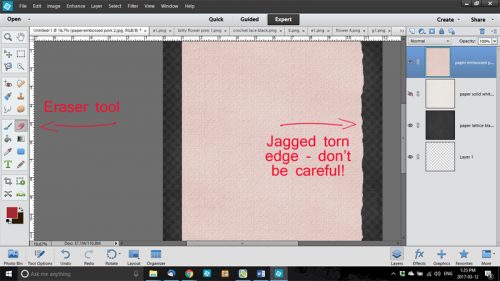
Alright, you can pick your jaws up off the floor. Yes, I’m here with FRESH content! And I’m late… So. Many. Appointments this month! Anyhoo, Ginger got in touch with me about a tutorial request she received. The GingerScrapper asked about creating a paper fold, but to give the appearance that the paper is double-sided with patterns on both sides. I don’t know who made the request, but I’m happy to refresh a previous tutorial on paper folds for double-sided paper. This is the image the GingerScrapper shared with Ginger.

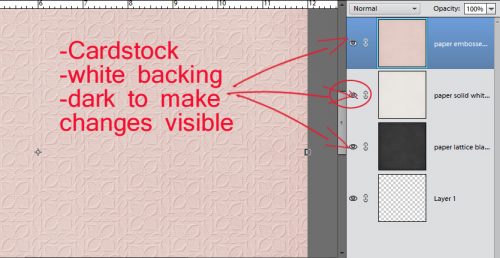
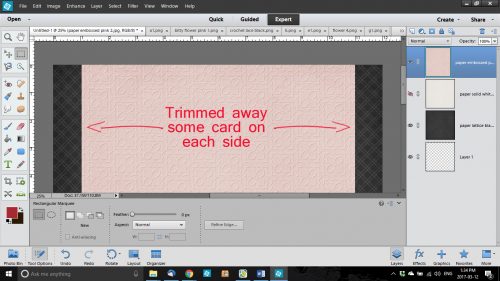
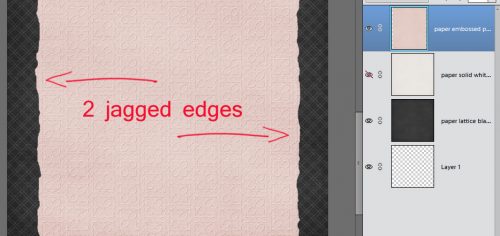
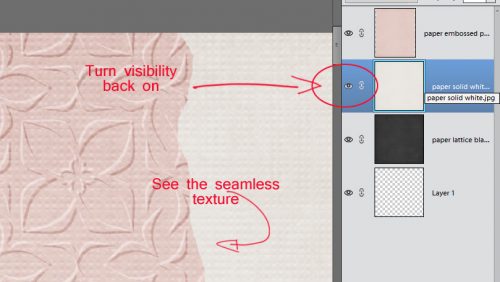
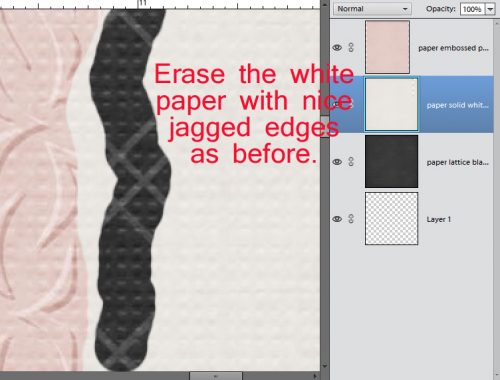
Let’s get on with it! The screenshot says what to do…

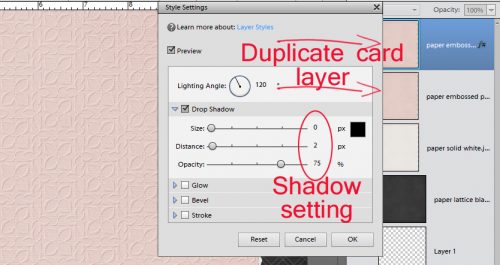
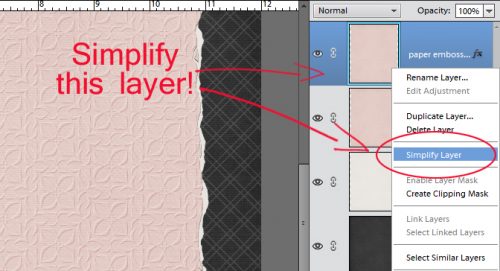
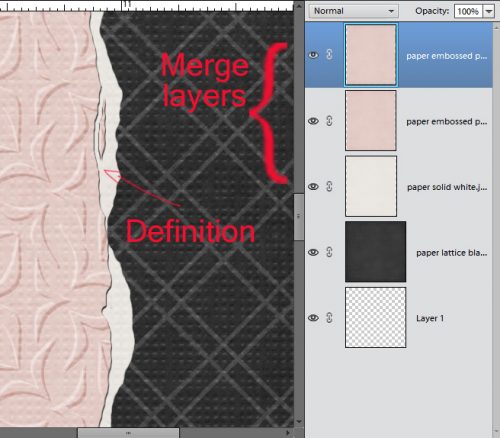
It would be so wonderful if Elements could read our minds and just give us what we want. 😀 The default for three-sided Polygons is to give you an equilateral one. So we’ll have to force it to make a right-angled one. As always, remember to Simplify your Custom Shapes so that you can manipulate them.

In the screenshot below, I’ve Rotated and Moved the shape over so that one edge is (almost) parallel with the right side of the canvas. It’ll make sense when you see how the next steps work. Click Image>Transform>Skew to change the angles.

To make the Transformation, grab the handle – the little square at the upper left corner of the Bounding Box – and drag it down toward the bottom of the canvas. You’ll see the bottom right corner gradually shift to a right angle.

So. The base of the triangle is a LOT wider than the one in the sample layout. So to fix that, go back to Image>Transform>Distort.

Now grab the bottom left handle and drag it down and toward the right corner of the canvas. That move squares up the angle and narrows the fold.

Don’t fret if the triangle isn’t perfectly square. That’s an easy fix. Move the shape right into the corner and let it hang over the edges of the canvas. Then use the Crop Tool to make it perfect.

Drag and drop your background paper onto the canvas underneath the shape layer. I’m using Magical Scraps Galore’s Best of Canada papers.

Then the foreground paper goes ON TOP of the shape layer.

With the foreground paper layer active, Select the edges of the shape by CTRL/CMD>clicking on the shape layer thumbnail. The marching ants will appear. Then Edit>Cut [or CTRL/CMD>X]

Move the foreground layer underneath the shape layer. Then drag the right bottom corner over to the left. Using the Tool Options make sure the triangle is the same size both horizontally and vertically, but flipped. Then line the two long edges up as shown.

The sample layout shows the backside of the foreground paper as a newsprint. Logically, the print should be backwards but we’re going to ignore that. Drop the paper you’ve chosen for the reverse onto the canvas on top of the shape layer.

Once again, Select the edges of the shape layer, but this time, go up to Select>Inverse so that when you Edit>Cut, you’re removing the rest of the paper, leaving the triangle shape there.

There. Now it looks like the tan pattern is on the reverse side of the black diamond patterned paper. Don’t Delete the shape layer though! It’s going to become the shadow layer!

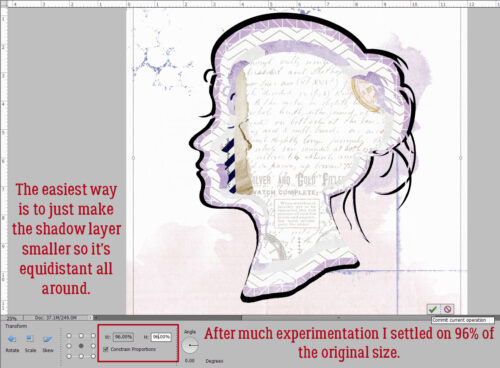
Use the Paint Bucket to Fill the shape layer with the shadow colour of the Style you’re using. (To find out that colour, right-click on the fx icon on any shadow layer of your template or layout then click on the Color Picker box that appears. CTRL/CMD>C will Copy the hex code.) My shadows are black so I used the hex code 000000. Then I nudged the shape so it creates a border as shown.

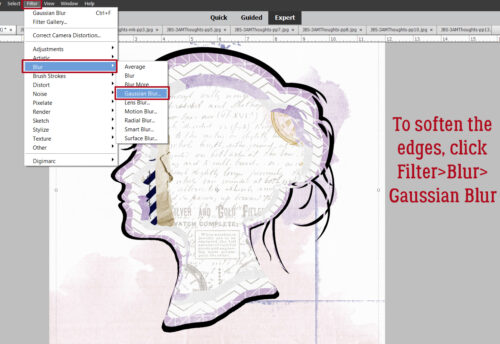
For a realistic shadow, the shape needs to be softened a bit. To do that, click Filter>Blur>Gaussian Blur.

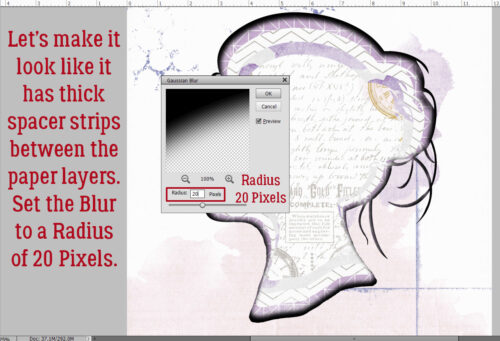
This dialog box opens. I pulled my Radius slider over to the right and stopped at 11 pixels.

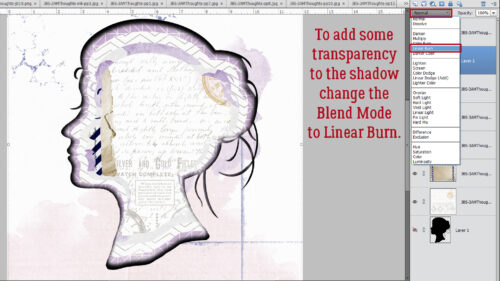
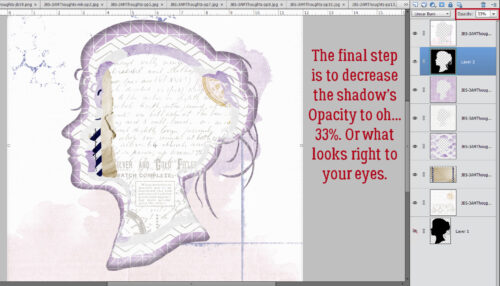
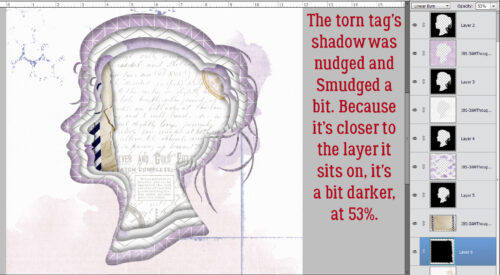
Shadows don’t completely obscure whatever is under them. To achieve that transparency, change the Blend Mode to Linear Burn by clicking on that bar labeled Normal just at the top left of the Layers Panel and scrolling down.

Adjust the Opacity. I went to 50% here.

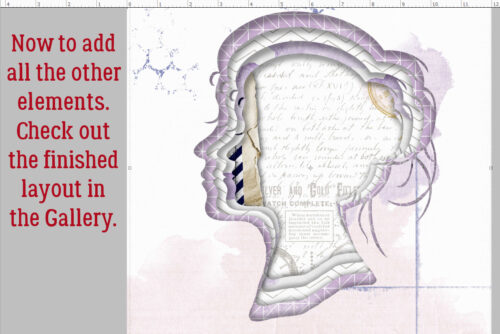
Just for fun, I added a couple of buttons so this looks more like the sample layout. Now, wasn’t that easy?

Next week is Challenge Spotlight Tuesday! See you then.


Fresh Baked Friday @ Gingerscraps – July 10, 2026

Welcome to another beautiful Friday, my scrapping friends!

I’m not sure what inspired the designers this week, but they’ve definitely captured the feeling of a day at the coast. Many of the new kits are filled with gorgeous colors and beautiful beach-inspired elements that are perfect for showcasing all of your favorite summer memories. Whether you’re scrapping a family vacation, a relaxing day by the water, or simply dreaming of the beach, you’ll find plenty of inspiration in this week’s designs.

Happy scrapping!

If you spend $10 in the store, you will get this beautiful collab for free.

Now let’s take a peek at some of the kits new this week in the store.

How are your July challenges going? If you complete any 10 challenges this month, you get this gorgeous collab (or a variety of other choices from previous challenge collabs) as a reward!

Designer Spotlight: July 2026 – Part 2

Cindy Ritter Designs

Are you all recovered from yesterday’s bisesquicentennial celebrations? (That’s 250, if you’re furrowing your brow.) We did our part and had hotdogs for dinner last night. 😉 If you’re wondering, we had homemade poutine for Canada Day. 😀

Cindy and I had a little visit recently; it was lovely chatting with her again. We did squeeze in some business talk at the beginning and then got on to the fun stuff.

J: Cindy, tell me about how you chose your designer name and logo.

C: The name is simple enough, but if you look closely you’ll find a zebra hidden in my logo. The zebra is the mascot for people with rare medical conditions. I have 3.

J: Ah yes, the old “when you hear hoofbeats, think horses and not zebras”, or “common things are common”. I’m sure there are a bunch of our readers who have walked the same path, having their symptoms downplayed and their concerns ignored before finally having a diagnosis. I see you. I feel you. <screech> Back to business. Do you have a favourite colour or palette that you like to use for your designs?

C: I love the colors of summer! Warm, sunny, happy colors. Green, yellow and orange are my favorite colors.

J: There was a lot of smoke in the air last night from a wildfire some distance away, so everything took on a warm, red-orange glow. That’s what summer here usually looks like. It’s still early in fire season, and we’re holding our own for now. Now, what are the 3 design tools you never want to be without?

C: Photoshop, Acrylic paint, scanner.

J: Your use of paint sets you apart a bit from most other digital designers. It’s something I appreciate about your collections. Has your approach to designing evolved over the years?

C: I’ve fallen in love with the Art Journal style and love making really artsy, messy, unique designs filled with color and feeling.

J: I feel like getting it right with Art Journaling is a real skill. Good for you! It must be quite therapeutic too. Do you have a favourite kit or collection? One that makes you really proud?

C: I’m torn between “Not Today” (hyperlink!!) and “Reflections” (hyperlink!!) -both are part of my personal journey to mental wellness. Art therapy in digital form.

J: Well, I have BOTH of those collections in my stash, so clearly I agree with you! So, they both lead to this: if you could instantly acquire a new skill, what would you want it to be?

C: How to let myself relax and be comfortable with not being productive.

J: Oh… you must be an eldest daughter. I SO relate! I sometimes wish I could just switch places with my husband, who happily amuses himself for hours without giving a thought to things that must be done. Or become one of those Real Housewives who sit around gossiping all day. It’s just not how I’m made. But hey, if you could live in a fictional universe – let’s face it, RH is a make-believe world – which would you choose?

C: That’s easy! Discworld!

J: Lemme just look that one up. <plays intermission music> Okay, I can see the attraction! Who wouldn’t want to have magical powers? The premise sounds like it was built on North American aboriginal beliefs. Fascinating! If you had the magic, and could teleport anywhere, whare would you go?

C: A remote tropical island. I need a vacation!

J: Hmm. Yeah! Maybe if you had the chance you could take up paragliding! I remember you mentioned wanting to try it. I don’t like heights, so it would be a hard pass for me. You know those silly social media quizzes like “how many of the things on the list have you done”? I can usually check off most of them. The ones I’ve never done include paragliding, ziplining, bungee jumping… there’s a definite theme. I’m not much of a daredevil, but I have done some… um… risky things in my life. And eaten some odd things. What’s the weirdest food combo you’ve ever partaken of?

C: Green olives & Jelly Belly jellybeans. I was pregnant. 😀

J: I just had a handful of Jelly Bellies before we sat down. Without the olives. Were you peeking? Thanks for the chat, Cindy! I’m just going to wrap things up and check on my friend’s cats – I’m cat-wrangling while she polices the World Cup events in Vancouver. Have a great Spotlight month, Cindy!

M’kay. Of course, Cindy‘s hosting the other of the July Designer Spotlight Challenges, and also of course, providing us with a Daily Download kit. I hope you’ll check out her store, since it’s on sale this month AND she has a coupon code too!

What are you waiting for? Go check it out!