Focus On – Pop Culture

Happy Saturday scrappers! Just as promised in last week’s post with those free pop culture fonts, we are back this week with some digital scrapbooking supplies with the same theme. Now, this is just a tiny glimpse into what the store has to offer. We went along with the themes of the fonts from last week. Check back on later posts for more pop culture fonts and digital scrapbooking supplies. You can also check the store out for more. If these are not what you are looking for.

Galactic Heroes by BoomersGirl Designs >> Don’t go to the dark side! Join these galactic cuties as you celebrate all of the “out of this world” fun in your life. Whether scrapbooking your favorite movies, little (or big) heroes of your own or the magic of the universe, this kit has it all – cute characters, beautiful colors and tons of themed (and non-themed) goodies! The vibrant color palette includes oranges, yellow, green, blues, purple, gray, black and white.

A Far Away Galaxy by Scrap N Pieces >> While some people’s favorite stories start “once upon a time,” other stories begin with “a long time ago in a galaxy far, far away…” If you are already picturing the scrolling crawl, this kit is for you. A Far Away Galaxy pays tribute to Star Wars including light sabers, insignias, and a galactic alphabet. This kit also contains other nods to a love of space, including planets, moons, and galaxies. A Far Away Galaxy also contains traditional elements and patterned papers versatile enough to be used for every occasion, helpijng to stretch your stash. Whether it’s blue milk for breakfast or the Jedi training academy, tell your stories with A Far Away Galaxy…


Space Wars by Laurie’s Scraps and Designs >> Cherish those memories from a galaxy far, far away with this intergalactic collection. Perfect for any space layouts!

[Read more…]

Tutorial Tuesday (A Little Departure)

The EYEs Have It

This week, I’m going to go a little off-script, but in the end I think you’ll agree it’ll make for better layouts. So let’s talk about taking better photos. There are some really simple tips coming up that will make your photos so much more interesting and by default, your layouts will benefit too. I’m not going to baffle you with a lot of technical jargon, just some hints on things like composition, vision and mindfulness. The main component of great photos is light. If you train your eye to look at light as an extension of the image you’re planning to capture, you’ll be halfway there!

Oh, and taming that photo-destroying camera shake is an absolute must! If you’re going to be moving around and don’t want the encumbrance of a tripod to keep that camera stock still, you’ll need to brace your arms to minimize movement. If you WANT blurry, out-of-focus photos, hold your camera at arms’-length and snap away. If you don’t, hold your camera in both hands, tuck your elbows in against your trunk, take a deep breath, let it out slowly while you compose your shot and hit the shutter button as you get to the end of your exhale. This stays the same whether you’re shooting with a wildly expensive DSLR with a 300mm lens on it (although if you’re doing that, I’m going to bet there’s a tripod in there too) or if you’re snapping away with a cell phone camera.

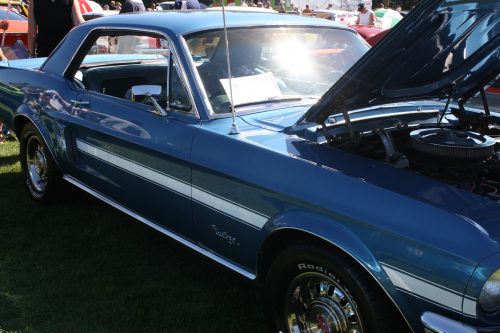
This past weekend I went to a local festival I try to attend every year. Photo ops are everywhere at events like this, as long as you can be patient. If you can wait even a couple of minutes until the people clear out, you’ll get better shots. I have an abundance of patience and if I’m by myself, I take all the time I need to get what I want; I left the menfolk at home this year! So anyway, this festival is a classic-cars-and-classic-rock event that actually runs over 4 days. The weather is usually stellar for the Saturday show-and-shine and this year was no exception. Taking photos of cars in bright sunshine presents some particular difficulties and you’ll see how I addressed them when I show you my examples. All the photos I’m going to show you are SOOC… straight out of the camera and shot using the same lens. I haven’t made any adjustments.

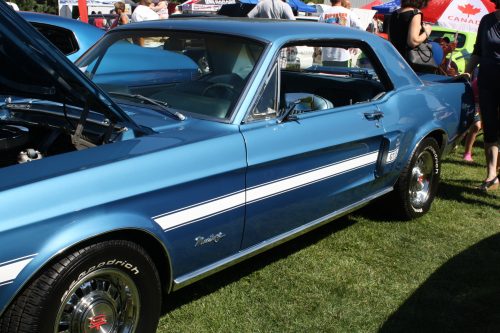
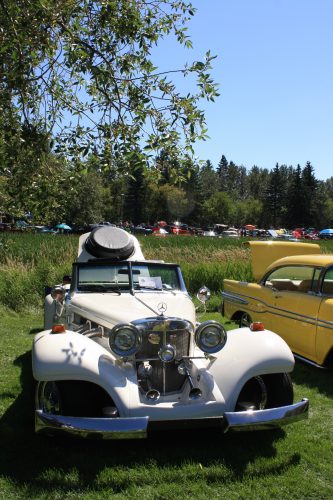
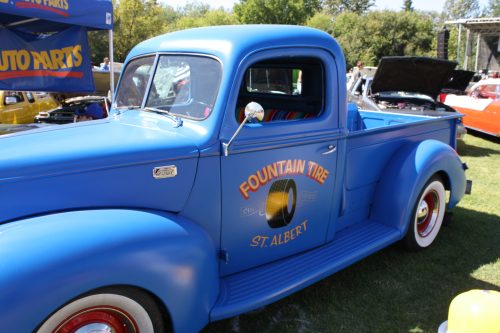
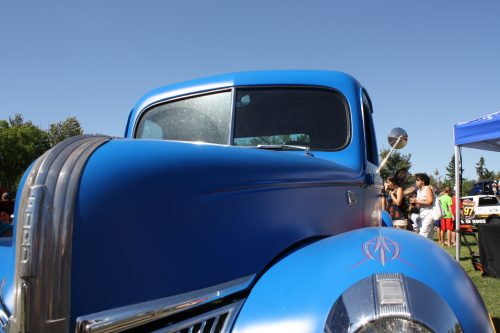
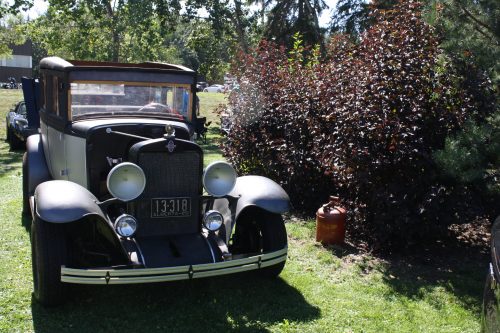
Let’s start with exposure. Using the light that’s available to your advantage is going to make your photos look a lot better. In this first photo I was shooting toward the light, so the fender and door area are a lot darker than I’d like. There’s also a LOT of glare from the windshield. Sure, I could fix it with PSE, but why not try to minimize how much tweakage will be needed right from the start? (A little WSNH tip. 😉 )

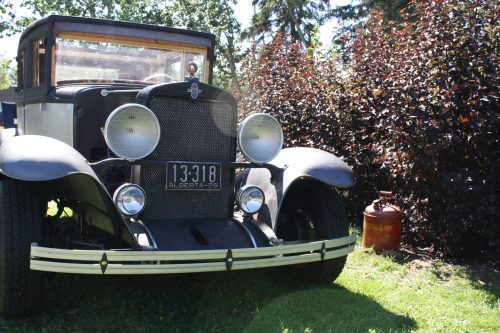
By going around the car and shooting from the other side, the exposure is much more even and the glare is gone.

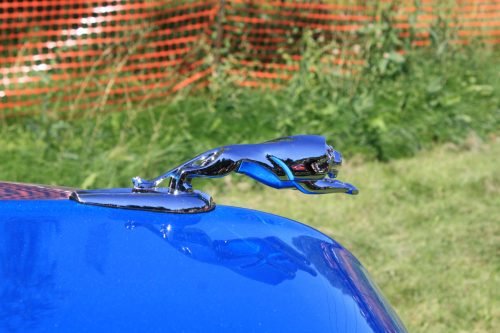
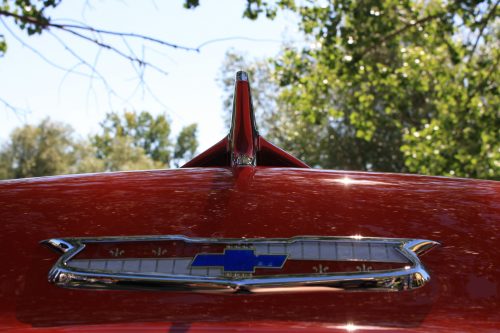
Think about what’s actually in your viewfinder – or on your LCD screen – and try not to have objects growing out of people’s heads or otherwise messing up your shot. Pay attention to what’s in the background. If you have to move a little, it’s not a bad idea. In this first image, that snow fence is just NASTY! I could crop it out, but…

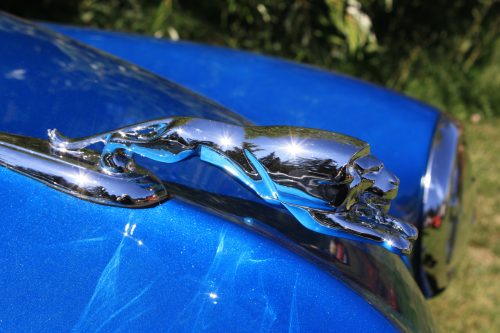
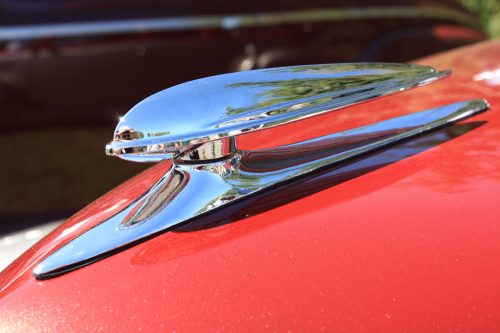
by just moving a couple of feet and changing the angle of approach, I caught a couple of sweet little sunflares and the hood ornament’s details are much more visible. At this angle the chrome reflects less of the paint colour and the crowds are still reflected but undefined.

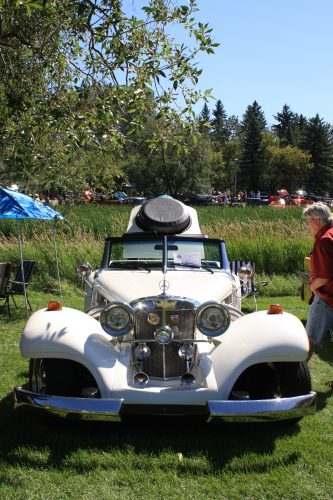
Another example of how simply changing your point of view improves your shot… if I wait a minute the guy will move. But the lawn chair and the sun canopy? Doubtful.

So I moved. Lawn chair? Gone. Sun canopy? Gone! Dude in the rust coloured shirt? Also gone!

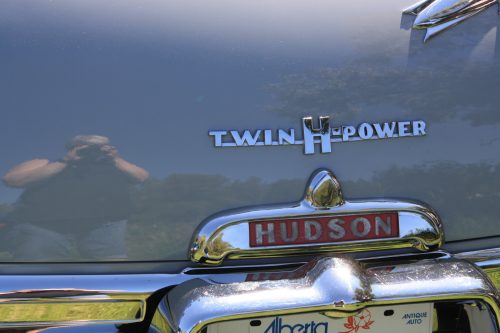
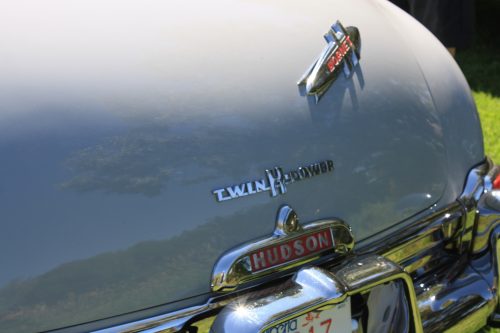
Reflections and shadows can make or break a photo. I often think details are more interesting than whole objects so I wanted to get a shot of the tail end of this Hudson. Oh dear… who is that old woman reflected in the paint? Oh yeah. Me.

I took a step to my left, reframed and took this one. Much better!

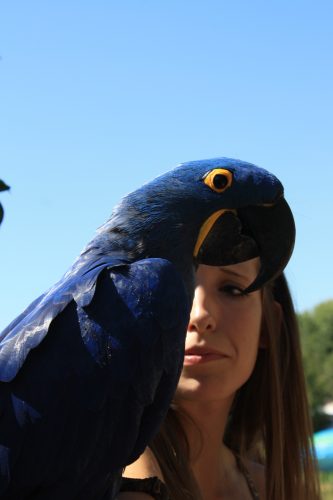
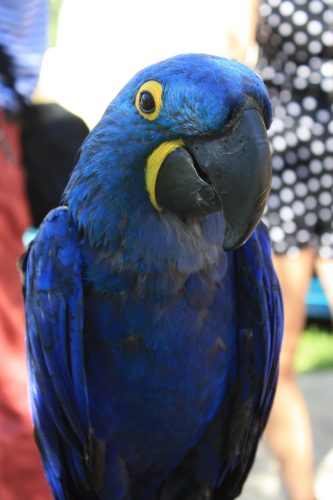
I think this photo can be redeemed a little (dodging and burning perhaps); I do like the way the woman’s face is framed by the parrot’s beak and breast, but the shadows are so overwhelming. Some judicious editing – and cropping – in PSE might make it useable.

Fortunately, I was able to move a couple of steps to my left and got this one! Get a load of that depth of field. What a handsome bird. Fancy name too… hyacinthine macaw.

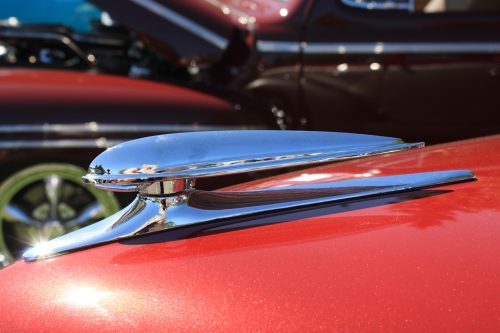
Another example of both attending to reflections and cropping in the viewfinder follows. The hood ornament is the subject here, but it’s a bit distracted from by the car behind it.

A slightly different angle and moving a bit closer captures nice reflections in the chrome, and plays up the detail a bit.

I’ve seen a lot of photos of ridiculously cute kids and pets that could be made really special just by getting down to their level. See the difference between these two photos? I think we’ll all agree that the second one is the more interesting one… even with the people in the background.

This shot is also taken from a crouch.

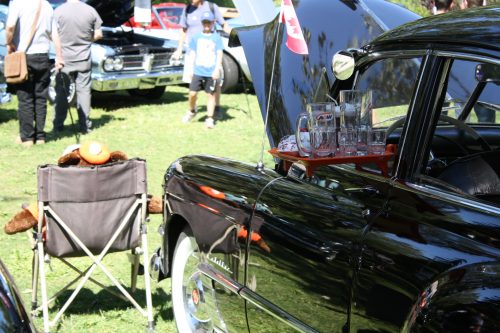
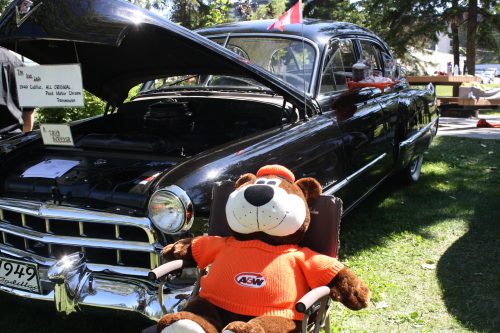
The next two examples show how the point of view makes or breaks your shot. This Caddy has been part of the show-and-shine for as long as I can remember. It’s one of my favourite cutesy touches so I usually take at least one snap of it. This is the first one I took. Kinda ho-hum. The exposure isn’t particularly great – the tray is underexposed and the Root Bear is overexposed. If I was telling a story with this photo, it would have put people to sleep in a heartbeat.

So I moved around, Now the Bear is the story. I could have done a better crop in my viewfinder, but that’s a really easy fix.

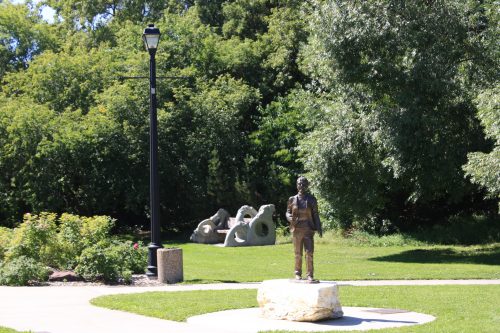
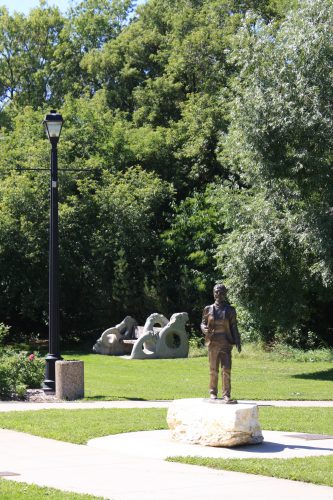
When I’m shooting points of interest like this view of one of our parks, I try and get the most effective shot I can. Sometimes that means ditching the good old landscape orientation.

Beauty is in the eye of the beholder and to my eyes, this portrait-oriented shot is better.

Before I forget… when you’re shooting photos of water – rivers, lakes, oceans – remember that water will ALWAYS be level! There are few things more visually jarring than a tilted horizon with water in it, unless there’s something or someone in the foreground that provides the subject and the angle of the horizon is an artistic statement.

I think this pair of photos brings everything I’ve just suggested together in one. Cropping in the viewfinder, shooting up rather than down, taking advantage of the light and paying attention to the background are all aspects of the better shot. And I can’t wait to play with it!

Ooh, I caught a little bit of bokeh in these. Sweet!!

I hope you’ve found something useful in there and that I haven’t come across as bossy. I wanted to keep it simple and achievable for everybody. Let me know what you think!


Be Pinspired – Creative Photos

How insane is it that we are half the way through 2017. I swear it seems just a few weeks ago we were starting this year! That just blows my mind. Anyway, team member La’Shawn here to bring you some fun inspiration for your digital scrapbooking this Saturday.

I am not going to lie. Pinterest is one of my favorite go-to sources for inspiration. I thought it would be fun to take a look at some creative photo ideas for our layouts. I found ten out-of-the-box ideas when it comes to photos on pinterest. All images are linked as well!

You can take this idea and run with it in so many ways! Moons, stars, hearts, and so much more! I absolutely will be using this on a future layout.


I love stitches on a layout. To me they add depth to it. I like the almost quilt like look of this! Taking whatever stitches, ribbons, or paper strips and using them to outline paper and photos.


This one is adorable! We have a lot of great expecting items in the store as well. I know a few of them have the silhouette you can do this with.


I am not much of a traveler myself. This is super cool to me though. Taking photos and clipping them to a state shape for each one you have visited. So cool!


You cannot go wrong with some good ol blocking!


I just love the idea of taking photos and building them into a shape to go along with a theme. Miss Fish Templates actually has one in her store to get you going with this idea!


This one would be pretty easy to do. Some cleverly placed triangles. Really makes those b&w photos pop with all that pretty paper.


I absolutely love this idea and will be recreating it. It would be another one pretty simply created. You know what though? Check out this template from Craft-tastrophic!


Like I mentioned before, I am not much of a traveler. If I ever take an out of county trip though, this will be in my book! This collab has a template that would work for this perfectly!


I have done something like this with my son’s initial and age. I love this idea. Check out these number templates from Connie Prince!

Creative Style | The Color Green

GS_blog_CreativeStyle_Header

Hello scrappers. Today we are going to take a look at a creative style. Well, let me honest. It isn’t really a style so much as getting some inspiration from color.

There are many things that can make a layout stand out in the gallery. What grabs one person’s attention might not grab another’s. I could write multiple blog posts about what grabs mine. That being said, seeing a layout that has predominantly one color always grabs my attention.  Since we are edging up on St. Patrick’s Day, I thought it would be fun to get some inspiration from the color green.

We are going to take a look at some pretty green images, some great digital scrapbooking layouts done up in green, and round it up with the latest green filled goodies from the store.

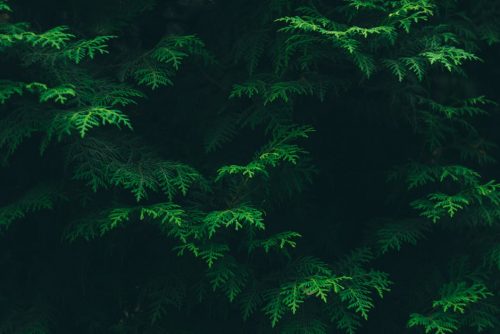
Now, here are some lovely images to get those creative juices flowing. Did you know there was a place you could get pretty nice stock photos for free? These images are from Pexels. (All photos on Pexels are licensed under the Creative Commons Zero (CC0) license. This means the pictures are completely free to be used for any legal purpose.) I use them on my personal blog. I thought I would share with you guys while we get some inspiration for scrapping with green.

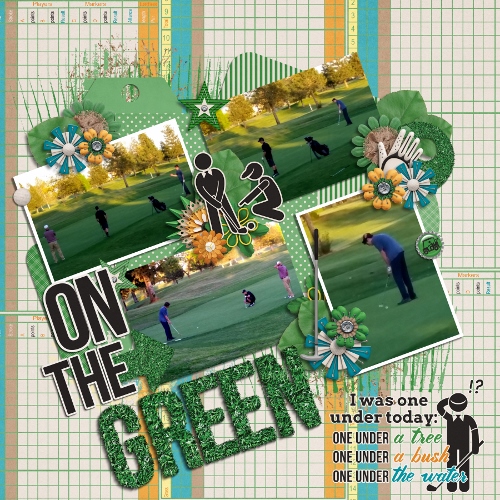
Fantastic right? I find inspiration for layouts in all kinds of places. Looking at beautiful photos are one of them. Want a bit more inspiration? Here are some layouts that are predominantly green. You know, to help get those ideas flowing! (all images are linked to their counterpart in the gallery. Go leave some loving!)

by meagan43


by LindsayJane


by pixleyyy


by Jill

Are these not some lovely layouts! I know part of that is the great designers we have here at GingerScraps. These layouts are beautifully scrapped though. I hope you found at least some inspiration from today’s post. I will leave you with some great designs to get those green filled layouts scrapped. As usual, all images are linked to their counterpart. We actually have an entire location in the store just for GREEN items.


If none of these are what you are looking for when it comes to scrapping green, make sure you check out the section dedicated to it. There are hundreds…literally hundreds of pages of choices. Have fun!

GS_footer_LaShawn

Creative Style | Scrapping with Hearts

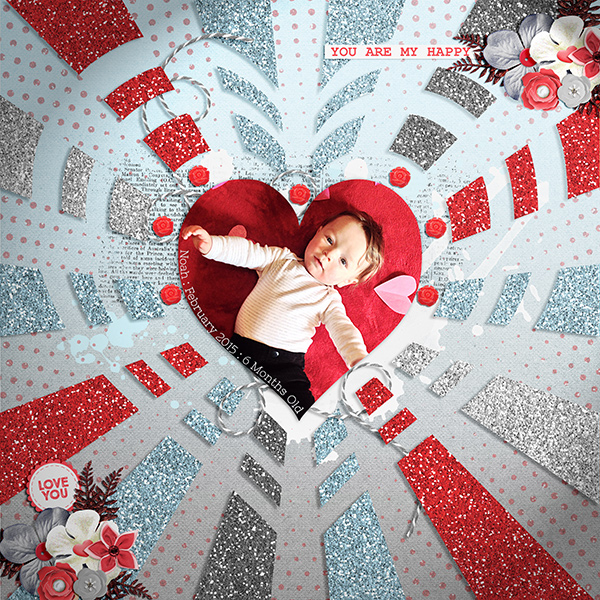
Good morning scrappers. Valentine’s Day is next week. For those who celebrate, or for those who just want to scrap about love and hearts… We are going to do just that today! (If hearts are not your thing, check out scrapping with triangles!) I am pretty much a square and rectangle scrapper. Every once in a while I will throw in a circle…exciting…I know!! lol. I love to see digital scrapbooking layouts that differ from how I scrap. It is a great way to get inspiration. Today we are going to look at some layout examples, template and digital scrapbooking supplies. All to help us get an idea how to scrap with hearts.


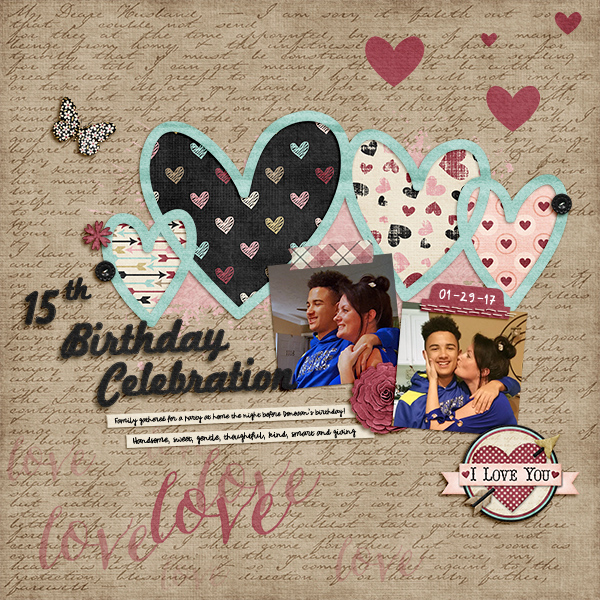
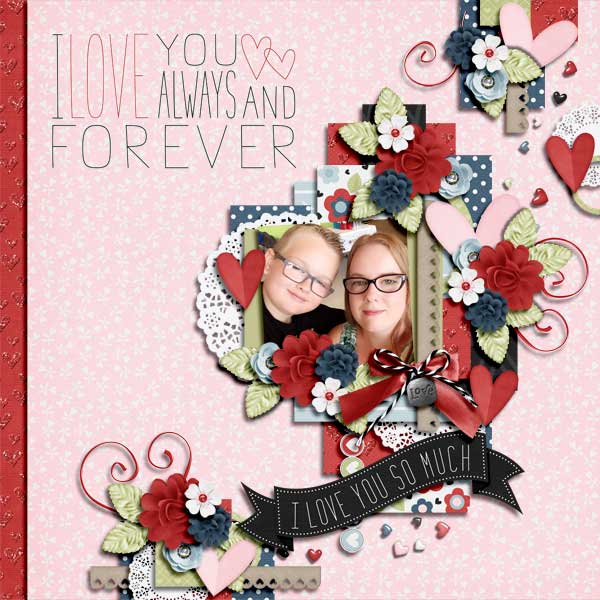
There are so many things you can do with hearts! Huge heart photos, heart patterned papers, papers cut into hearts, and heart elements. The list could go on-and-on. These are just a few examples that I found while looking through just one day’s of layouts on the gallery. If you would like further layout examples, go exploring! 🙂

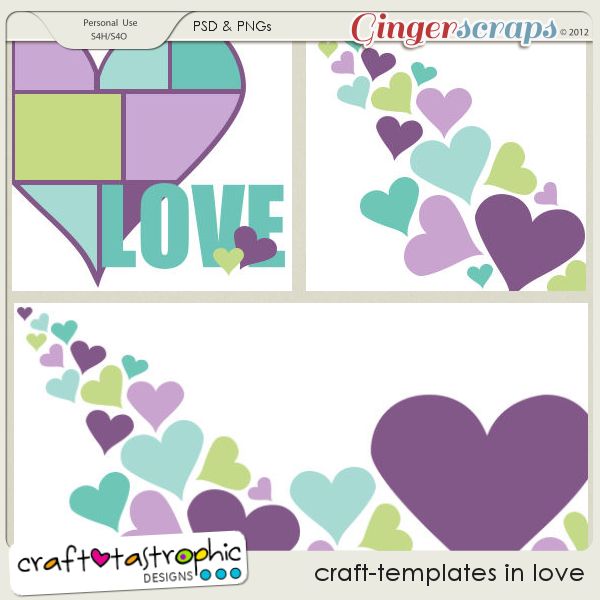
Now, we are on to look at some template examples to scrap with hearts. There were so many examples. (All images linked!)


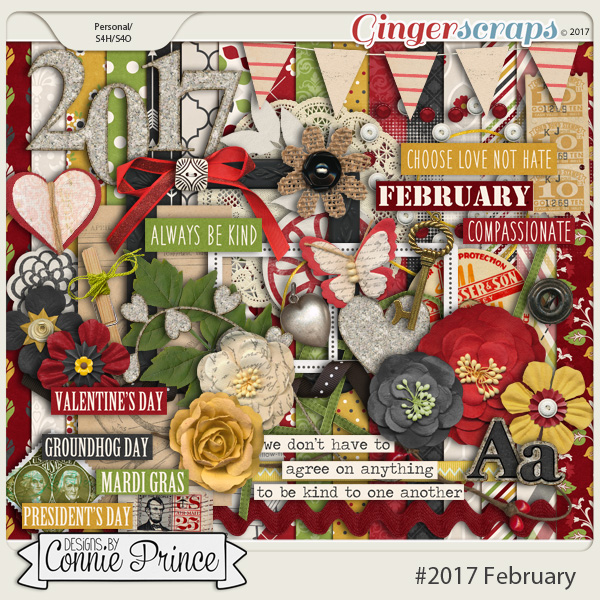
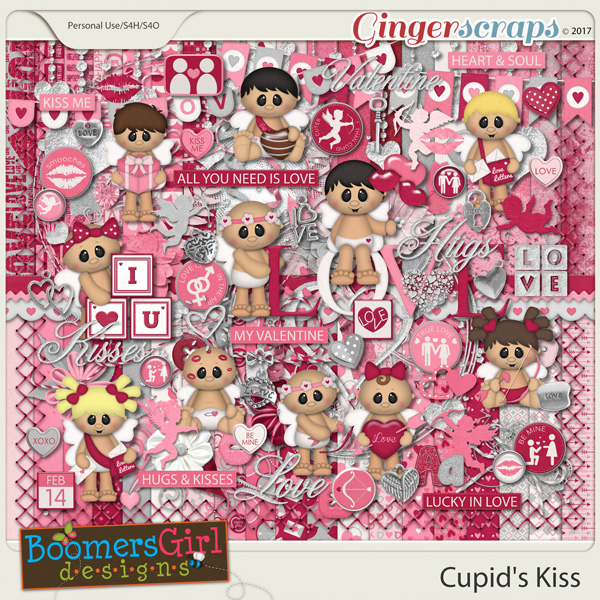
I told you there were so MANY great heart templates to be found in the store. I know that I have bombarded you with images and ideas. I am not going to stop there though! I showed you some great ideas to scrap your Valentine’s Day layouts the other day. I am going to add a few more items to that list. Mostly geared towards hearts. On to kits and others to scrap with hearts. (images linked)


Creative Style | Purple

GS_blog_CreativeStyle_Header

Hello scrappers. Today we are going to take a look at a creative style. Well, let me honest. It isn’t really a style so much as getting some inspiration from color.

There are many things that can make a layout stand out in the gallery. What grabs one person’s attention might not grab another’s. I could write multiple blog posts about what grabs mine. That being said, seeing a layout that has predominantly one color always grabs my attention. There really is no reason that I picked this color, except that I like it. Let us get some inspiration from the color purple.

We are going to take a look at some pretty purple images, some great digital scrapbooking layouts done up in purple, and round it up with the latest purple filled goodies from the store. If those do not do it for you, make sure you check out January’s Buffet. A lot of those have purple all through them!

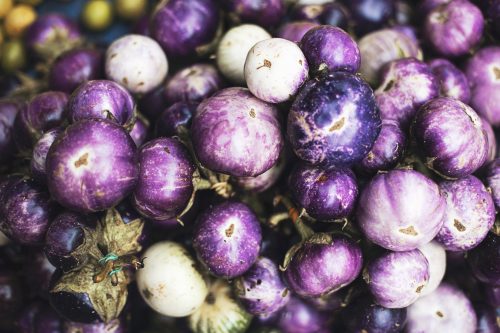
Now, here are some lovely images to get those creative juices flowing. Did you know there was a place you could get pretty nice stock photos for free? These images are from Pexels. (All photos on Pexels are licensed under the Creative Commons Zero (CC0) license. This means the pictures are completely free to be used for any legal purpose.) I use them on my personal blog. I thought I would share with you guys while we get some inspiration for scrapping with purple.


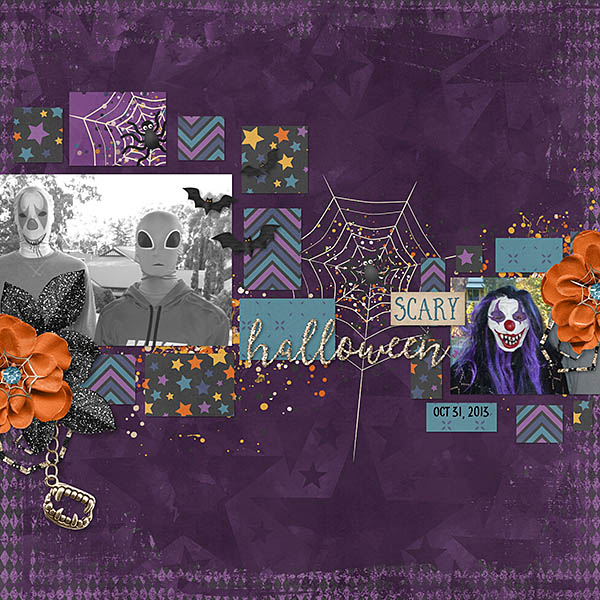
Fantastic right? I find inspiration for layouts in all kinds of places. Looking at beautiful photos are one of them. Want a bit more inspiration? Here are some layouts that are predominantly purple. You know, to help get those ideas flowing! (all images are linked to their counterpart in the store. Go leave some loving!)


Are these not some lovely layouts! I know part of that is the great designers we have here at GingerScraps. These layouts are beautifully scrapped though. I hope you found at least some inspiration from today’s post. I will leave you with some great designs to get those purple filled layouts scrapped. As usual, all images are linked to their counterpart. We actually have an entire location in the store just for purple items.


Creative Style | Project 52/365

Happy 2017 everyone! I got a bit overwhelmed at the start of the year; and I failed to bring you your weekly inspiration. Even though we are two weeks into 2017, it isn’t too late to start on our photo projects. I am talking about Project 365 and Project 52. What are those? According to Google

Simply put, Project 365 is committing to taking one photo a day for a year. Whether you’re using a fancy DSLR, or simply using your phone, there is no wrong or right way to put together your own Project 365.

Basically a photo a day for project 365 and a photo a week for project 52. You can capture it however you want, post it however you want (or not at all)…or scrap it! I personally post them on Instagram with my personal hashtag, as well as scrap them.

To help you on your way (and to keep going) GingerScraps has a challenge area just for this, as well as a section in the store dedicated to the products you can use on your layouts. Today we are going to showcase a few of those items.


Focus On : Masks

Welcome to December! Of course it has been December for nearly two weeks. I missed last week’s blog post; and was unable to say welcome. 🙂 We are going to stray away from all things December today. No holiday talk! Today we are going to focus on one aspect of digital scrapbooking. More like focus on one of the great items you can use to scrap your digital scrapbooking pages.

Today we are going to Focus On….Masks. While looking around the gallery, I find that not many people use them. When they are used though, they really make a layout pop! So, what are masks?

In hands-on artistic works, a mask is a protective shield that keeps an area from being affected by an appplied medium.

For digital creations, that “shield” can end up being the very shape to which a medium is applied. What’s more that medium can be your photo. – via debbiehodge.com


I am no good at tutorials. That is why you always find me bring you great creative ideas and motivation. You should check out our Tutorial Tuesday posts for great how-to’s!….not written by me. lol. There are some great tuts in there on how to “clip”; which is what you do when using a mask.

Today though, we are going to take a look at what the store has to offer on masks! I love shopping. I even love digital window shopping. 🙂 I get to have the fun of looking around the store and bringing you some great GingerScraps digital scrapbooking supplies. Here are a few of those (all images linked to the store).


GS_footer_LaShawn

Creative Style – Scrapping with Leaves

Here in the states it is technically Autumn. Although, in the south eastern side of things it doesn’t feel like it. We had summer temps last week. No joke! The hot weather I am dealing with aside, it is Autumn none the less.
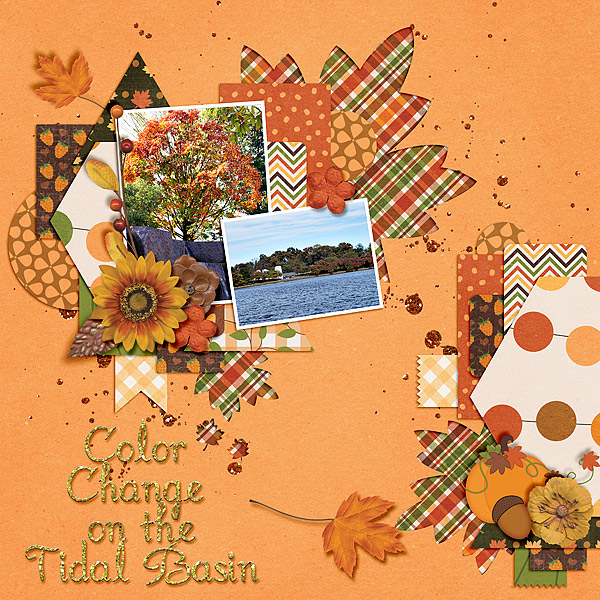
To me, when I think Autumn, I think leaves!…and well scrapping. Hands-down this time of year brings my favorite digital scrapbooking supplies to the stores. I just love the colors of the Autumn kits, all the leaves, and the nature feel to it all.

Today though we are going to talk about scrapping with leaves. Digital scrapbooking with leaves to be more precise. I will show you some fun examples here in the store I found that should get those creative juices flowing. We will end today’s post with some great digital scrapbooking supplies from here at GingerScraps to get those leave inspired layouts scrapped. (All images are linked to either their counterpart in the store or the gallery.)

One of my favorite things to do with leaves on a digital scrapbooking layout is to cut them out into the page with a patterned background behind it. This is a great example of that! You could also get this effect by overlaying your favorite paper on top of a leaf you like in a kit (or shape in your program). Then shadow it to look like a cut out.

One of my favorite things to do with leaves on a digital scrapbooking layout is to cut them out into the page with a patterned background behind it. This is a great example of that! You could also get this effect by overlaying your favorite paper on top of a leaf you like in a kit (or shape in your program). Then shadow it to look like a cut out.


One of my favorite things about digital scrapbooking (besides actual scrapping) is the online community. Siggies in forums are a fun part of that!

One of my favorite things about digital scrapbooking (besides actual scrapping) is the online community. Siggies in forums are a fun part of that!


You can also take fun photos with leaves, to scrap. Here are two great examples of that. One of them being super fun; and the other one showing the beauty that is nature.


You can also use a cut out to make a great focal point or background to a title for your layout. See below for this exact template!

You can also use a cut out to make a great focal point or background to a title for your layout. See below for this exact template!


Leaves are also one of the best (in my opinion) items to use for clustering. Framing a photo or anything really is another great use for leaves. Let us not forget the beautiful leaf-patterned papers and more.


There are a lot of uses for leaves in digital scrapbooking. The examples above are just a slight glimpse into what you can do. Now that your mind is thinking about leaves and how to scrap them, here are some great items from the store to scrap with!


Scrapping with Pumpkins

Are you in full scrapping mode today?! Today is the official day of DSD. I have been scrapping like mad. Do you know what October also brings with it? All things pumpkins! That is what we are going to talk about today. Scrapping with Pumpkins.

I was looking around on Pinterest and found some really cool ideas on inputting pumpkins in your digital scrapbooking layouts. Here are just a few of them that I love. (Images are linked to source.)

Scrapping with Pumpkins

You will be hard pressed to find any digital scrapbooking kit without at least one button in it. Take a look through your stash. FInd all those orange, yellowish, brown, and green buttons. How cool would this be on a digital scrapbooking layout?


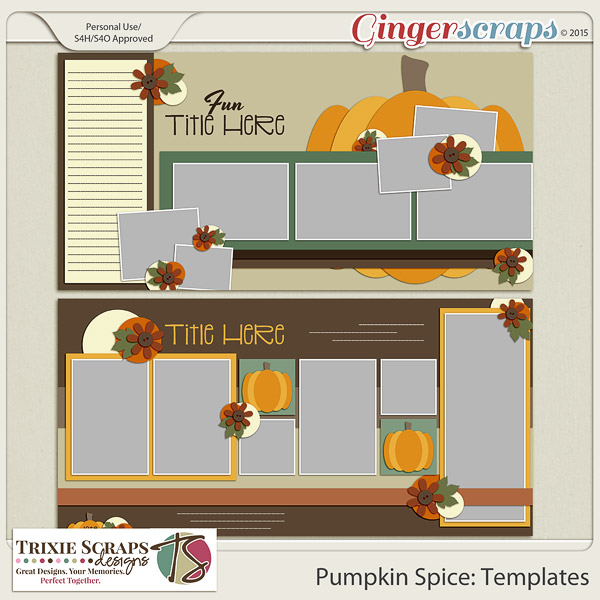
I am absolutely going to do this on one of my digital scrapbooking layouts for my sister's book. This is such a cute idea. You can find a lot of pumpkin templates out there (see below) to accomplish this. You can also cut your photos whatever shape you want and just place them on your pumpkin paper with the right shadow work to look like they are cut out.

I am absolutely going to do this on one of my digital scrapbooking layouts for my sister’s book. This is such a cute idea. You can find a lot of pumpkin templates out there (see below) to accomplish this. You can also cut your photos whatever shape you want and just place them on your pumpkin paper with the right shadow work to look like they are cut out.


Another great example of a pumpkin shaped scrapping. Just cut out your papers/ photos the size you want and arrange them to look like a pumpkin!

Another great example of a pumpkin shaped scrapping. Just cut out your papers/ photos the size you want and arrange them to look like a pumpkin!


There are so many great ideas you can do when it comes to scrapping with pumpkins. I found some great ideas right here at GingerScraps! Our gallery is filled with some of the best layouts around digital scrapbooking town. Here are some lovely ideas you can scrap lift!


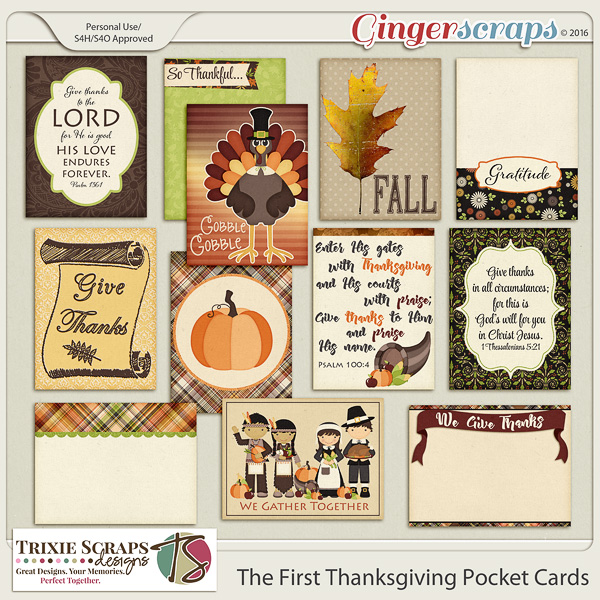
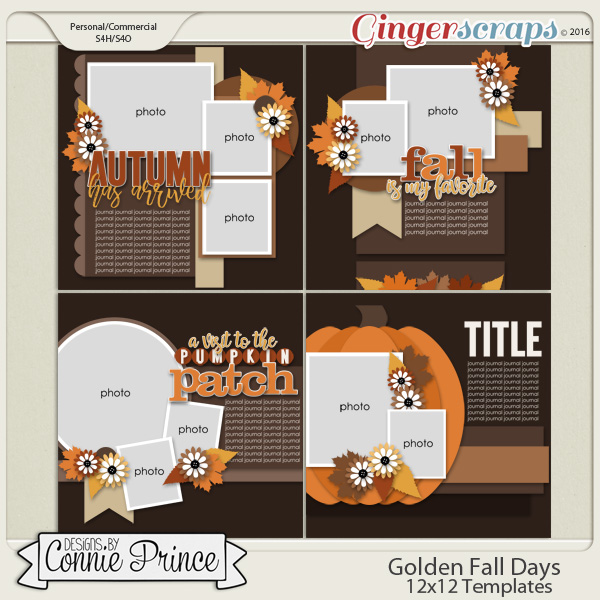
Wonderful, right? You know what is next!! Here are some great items from here at GingerScraps to scrap all things pumpkin. Like the images above, they are linked to their counterpart in the store.