Fresh Baked: October 20, 2017

Can you believe that we only have ten days left in the month? That’s crazy right? The designers are gearing up with some great designs for November, but that doesn’t mean that they’re slacking this week! Quite the opposite, in fact! They have some amazing new stuff out this week!

Remember when you spend $10 in the store, you get a great new collab!

fwp_thumb_thumb_thumb
https://store.gingerscraps.net/GingerBread-Ladies-Collab-Boys-To-Men.html

Before I start with the beautiful kits and products that the designers have created for you, I just have to share this awesome news with you, a new Welcome Wagon kit has been released! If you do not know about our Welcome Wagon area, you should go check it out right away! Once you register in the forum, you will have access to the Welcome Wagon area. The designers create wonderful goodies and give them to you for FREE! The Welcome Wagon has been up and running, for over a year, so our designers are changing their goodies! New goodies, Free goodies!

Today, you’re being given a new lovely gift by Neverland Scraps!

001
https://forums.gingerscraps.net/forumdisplay.php?499-The-GingerScraps-Welcome-Wagon

Let’s see what our designers are offering in the Bake Sale this month. All of these kits are available for $1 through Friday the 20th.

Looks like there are some gorgeous fall and Halloween kits in the offerings this month. Head over and load up. Make sure to share what you create with us in the Gallery and the GingerScraps Facebook Group!

tinci
https://store.gingerscraps.net/My-life-in-photobook-22..html

aimee01
Collection: https://store.gingerscraps.net/Morning-Heather-Collection-by-Aimee-Harrison.html
Kit: https://store.gingerscraps.net/Morning-Heather-Page-Kit-by-Aimee-Harrison.html
Alphas: https://store.gingerscraps.net/Morning-Heather-Alpha-Sets-by-Aimee-Harrison.html
Borders: https://store.gingerscraps.net/Morning-Heather-Borders-by-Aimee-Harrison.html
Blooms: https://store.gingerscraps.net/Morning-Heather-Blooms-by-Aimee-Harrison.html
Plaids: https://store.gingerscraps.net/Morning-Heather-Plaid-Papers-by-Aimee-Harrison.html
Messy Edges: https://store.gingerscraps.net/Morning-Heather-Messy-Edges-by-Aimee-Harrison.html
Glitters: https://store.gingerscraps.net/Morning-Heather-Glitters-by-Aimee-Harrison.html

boomers01
https://store.gingerscraps.net/The-Woman-at-the-Well-BGD.html

boomers02
https://store.gingerscraps.net/The-Life-of-Moses-BGD.html

clevermonkey
https://store.gingerscraps.net/autumn-birthday-by-Clever-Monkey-Graphics.html

connie
Bundle: https://store.gingerscraps.net/Travelogue-West-Virginia-Bundle-Pack.html
Word Art and Flair Pack: https://store.gingerscraps.net/Travelogue-West-Virginia-Word-Art-and-Flair-Pack.html
Kit: https://store.gingerscraps.net/Travelogue-West-Virginia-Kit.html
Word Bits: https://store.gingerscraps.net/Travelogue-West-Virginia-Word-Bits.html
Templates: https://store.gingerscraps.net/Travelogue-West-Virginia-12×12-Temps-CU-Ok.html

dagi
https://store.gingerscraps.net/Gotcha-Covered-1.html

dandelion
https://store.gingerscraps.net/For-Kicks-By-Dandelion-Dust-Designs.html

dearfriends
https://store.gingerscraps.net/Blessed-by-Dear-Friends-Designs.html

heatherz
Bundle – https://store.gingerscraps.net/Hallow-Kitty-BUNDLE-by-Heather-Z-Scraps.html
Kit – https://store.gingerscraps.net/Hallow-Kitty-KIT-by-Heather-Z-Scraps.html
Borders – https://store.gingerscraps.net/Hallow-Kitty-BORDERS-by-Heather-Z-Scraps.html

kristmess01
https://store.gingerscraps.net/Kristmess/

kristmess02
https://store.gingerscraps.net/Kristmess/

kristmess03
https://store.gingerscraps.net/Kristmess/

laras01
https://store.gingerscraps.net/Laras-Digi-World/

lauries01
https://store.gingerscraps.net/Passport-NYC-GrabBag.html

lauries02
Bundle: https://store.gingerscraps.net/Cajun-Princess-Bundle.html
Kit: https://store.gingerscraps.net/Cajun-Princess-PageKit.html
Flairs: https://store.gingerscraps.net/Cajun-Princess-Flairs.html
Clusters: https://store.gingerscraps.net/Cajun-Princess-Clusters.html
Ombre Papers: https://store.gingerscraps.net/Cajun-Princess-OmbrePapers.html
Grunge: https://store.gingerscraps.net/Cajun-Princess-Grunge.html
Titles: https://store.gingerscraps.net/Cajun-Princess-Titles.html

lindsay01
https://store.gingerscraps.net/Page-Borders-23-by-Lindsay-Jane.html

lindsay02
https://store.gingerscraps.net/Page-Borders-24-by-Lindsay-Jane.html

missfish01
https://store.gingerscraps.net/Fall-Singles-Templates-by-Miss-Fish-Templates.html

missfish02
https://store.gingerscraps.net/Pumpkin-Love-Templates-by-Miss-Fish.html

neia
https://store.gingerscraps.net/Neia-Scraps/

neverland02
https://store.gingerscraps.net/Neverland-Scraps/

patty01
https://store.gingerscraps.net/autumns-in-the-air-bundle-collection-by-paty-greif.html

patty02
https://store.gingerscraps.net/Color-Me-autumn-bundle-collection-by-paty-greif.html

patty03
https://store.gingerscraps.net/Cozy-days-bundle-collection-by-paty-greif.html

ponytails
https://store.gingerscraps.net/Harvest-Bundle.html

ad01
https://store.gingerscraps.net/Laras-Digi-World/

Remember, if you complete 10 challenges, just ten, you get a free kit as well!!

cr_thumb_thumb_thumb

Fall is the perfect time to indulge! Join me in completing some challenges!

Sneak Peeks October 19,2017

Happy Thursday! How is everyone enjoying Autumn? I am still waiting for it to show up here in Florida. The weather is still in the 80’s most of the time. We have a great mix of fall themed kits coming out this week. Check out some of the awesome layouts made by the CT

From Mis Miss

From Dagi

From Tinci

From Heather Z

\

From Clever Monkey Graphics

From Neia Scraps

From Ponytails


From Aimee Harrison
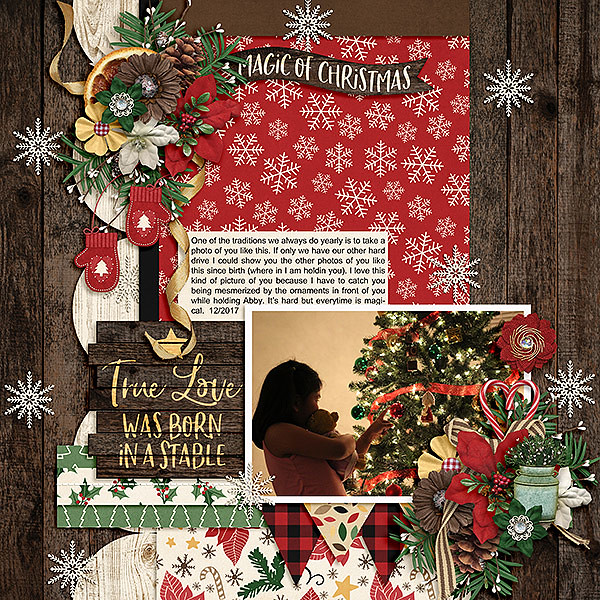
From Pretty in Green

Have a Wonderful weekend!

October Bake Sale

Can you believe it’s already October? Where is 2017 going? Here in the Carolinas, fall has finally arrived (I think). It was 85° a few days ago and this morning I actually had frost on my car. I’m excited as fall is my favorite time of the year. All things pumpkin spice, the colors, the crispness of a morning and comfortable temperatures in the afternoon. And did I mention all things pumpkin spice? (heehee).

Let’s see what our designers are offering in the Bake Sale this month. All of these kits are available for $1 through Friday the 20th.

Looks like there are some gorgeous fall and Halloween kits in the offerings this month. Head over and load up. Make sure to share what you create with us in the Gallery and the GingerScraps Facebook Group!

Tutorial Tuesday (Photoshop Elements 15)

More FUN with FOTOS

I hope everybody’s having a good week. I’ve been crazy-busy almost every day of my “vacation”, which around here just means I don’t go to my job. This time of year there’s always so much to do and I’m tired of looking at leaves. All over the yard. In the flowerbeds. On the sidewalks. On the porch floor. Stuck to my dog… But for today, I’m going to pretend I love them. (I do, when they’re in photos!)

This week we’re going to play with another Fun Edit menu in the Guided Edits tab of PSE 15. I originally planned to do something with the Out Of Bounds menu, but really wasn’t happy with the results so I scrapped that and chose to go with Painterly. Don’t be alarmed by the number of screenshots in this tutorial. The technique literally takes minutes to achieve fabulous results. (I know, I’ve redone this one about 6 times.) Here’s the photo I played with, courtesy of Pixabay.

In Guided Edit section, I went to the Fun Edits tab and looked at my options. The neat thing about this version is that if you roll your cursor over the images in the menu you can see each of the effects in action.

The Painterly menu looks like this. We’re going to work through the technique step by step, starting with the Paint Brush. Down at the bottom of the menu there are two buttons, a Next and a Cancel. DON’T use the Cancel button to undo something you don’t like, because it will undo EVERYTHING and close your photo!

Depending on the size of your screen and your personal workflow, you can choose the view you’ll see as you work. Because I work on a 15 inch laptop I like to zoom in and out a lot and I like to see what’s happening as it happens, so the only view that really works for me is the After Only setting. Play with them and see what works best for you. To Zoom you can use the Magnifying Glass or CTRL/CMD>+ or -.

With this technique you can work from either a negative or positive effect. That is, you’re either revealing (Show) or concealing (Hide). I opted to Show the parts of the photo I wanted to have the focus. The software then applied this mask to the photo.

There are only a few tools available to you in these menus. Painterly uses a handful of brushes you can adjust for Size, Opacity and Angle. The first brush on the list is called Bold Strokes. The settings I used are shown below.

Then I just randomly clicked the brush over the areas of the photo that I wanted to reveal. I like to go with a lowish Opacity so I can build the effect as I go along. It’s a lot easier to achieve a soft look if you take your time.

I selected the next brush on the list and uncovered more of my photo. Don’t move on to the next step until you’re sure you’re done.

Make good use of the few controls you have.

I worked my way down the list of brushes, adjusting the size and opacity as I went. If you do something that looks funny, Undo it with CTRL/CMD>Z.

Each brush does something a little different. I had the little girl revealed with a soft, moody look. It was time to bring up some of the leaves. For that I used the Rough Bristles brush with a lower opacity.

The next brush on the list is called Confetti and I love it! This is where you really start getting an artsy look. This brush randomly places squares and rectangles of your chosen effect over your image. I just scattered random clicks over the whole photo.

The Confetti effect isn’t obvious but it really adds something to the overall image. The last brush is called Round Rhythm. It’s not perfectly round, like a Basic Brush is, but neither is it grungy, so use it judiciously. I took it over areas of the photo that I wanted revealed almost completely.

You’re thinking right about now that to get to this point had to take hours. But it took mere minutes!

The second step in the technique is to choose a background colour. The defaults are Black and White. You can also choose a colour from your photo simply by clicking on Select Custom Color then clicking on an area in your photo. You’ll see instantly what it looks like. This is what White looks like.

Black could be really effective for certain images and moods.

For my example I went with White. When I redid it (laptop froze in the middle and I lost the whole shebang) I chose a colour from the photo, as you’ll see in my finished layout.

Step 3 lets you add Texture to the image. If you don’t want to add texture, just go to the bottom of your workspace and click on Next.

The next 6 screenshots show what each of the textures look like at 30% opacity. You can see the Confetti effect a lot better in these ones!

Step 4 is to add some Painterly Effects.

There are again 6 choices for Effects. Hovering your cursor over each one will show you the label for the effect.

The next 6 screenshots show you what they look like.

Each of the effects changes the image noticeably, some very obviously. I chose Rough Pastels for my layout, but I can think of ways to use all of them. When you’re satisfied with the way your image looks, clicking on Next will take you to some options for using your masterpiece. You can Save it, Save As something specific, change to another Edit mode or Share it. Then click Done down at the bottom of the workspace.

Once you’ve selected Expert edit mode to use your creation for a layout, you can see what the software has done with the original photo. There are 5 layers here, and you can manipulate each one further. Feel free to play around with them, because you can always Undo. When you’re happy, you can Merge the layers, or leave them as is so you can make more adjustments within your layout. If you choose to do that, I recommend creating a Group with the layers so they don’t get separated accidentally. To do that, you first have to Unlock the Background layer by clicking on the little padlock icon on the layer. Select all the layers then either click on the Group icon (a stack of papers, second from the left at the top of the Layers panel), right-click and select Group From Layers or CTRL/CMD>G. (You know how I do it…)

If you don’t want to make any more changes to your image, select all the layers as shown below then right-click>Merge Layers or CTRL/CMD>E. Then you treat it just like any other photo.

I used my finished sample for my October Mix It Up Surprise Challenge layout. The theme this one is Change, which this photo captures in several ways. I used a template (with some modifications) from Heartstrings Scrap Art‘s Mix It Up V.5 collection (not found in the store) and Ooh La La Scraps‘ beautiful Falling Slowly kit that I got through the Bake Sale for $1 (!) You can get it for $1 too, if you hurry… the sale runs until midnight MDT on October 20th.

Oh wait. I bet you want to see my layout. Right? Here you go!

Fresh Baked: October 13, 2017

They say that Friday the 13th is bad luck. Well, today, you’re in luck! We have some awesome new stuff available in the store! Oh, that’s not it! We also have a new designer joining the store!

Remember when you spend $10 in the store, you get a great new collab!

fwp_thumb_thumb
https://store.gingerscraps.net/GingerBread-Ladies-Collab-Boys-To-Men.html

I did mention a new designer, didn’t I? Well, it’s Patricia of Paty Greif Design Studio!

001

She went above and beyond when giving us a bio! She created a beautiful graphic for it!

002

Here are just a few things in her store!

003
https://store.gingerscraps.net/Paty-Greif-Design-Studio

004
https://store.gingerscraps.net/Paty-Greif-Design-Studio

005
https://store.gingerscraps.net/Paty-Greif-Design-Studio

And she has a great sale going on as well!

006
https://store.gingerscraps.net/Paty-Greif-Design-Studio

tinci01
https://store.gingerscraps.net/All-about-autumn.html

tinci02
https://store.gingerscraps.net/Jump-into-fall-1..html
https://store.gingerscraps.net/Jump-into-fall-2..html
https://store.gingerscraps.net/Jump-into-fall-3..html
https://store.gingerscraps.net/Jump-into-fall-4..html

aimee01
https://store.gingerscraps.net/Brushed-3-Template-Set-Templates.html

aimee02
https://store.gingerscraps.net/Simply-2-Template-Set-Templates.html

boomers01
https://store.gingerscraps.net/David-and-Goliath-BGD.html

boomers02
https://store.gingerscraps.net/Daniel-in-the-Lions-Den-BGD.html

cathyk01
https://store.gingerscraps.net/Time-for-Wine-Bundle.html

cathyk02
Kit: https://store.gingerscraps.net/Time-for-Wine-Kit.html
Word Bits: https://store.gingerscraps.net/Time-for-Wine-Word-Bits.html
Wood Papers: https://store.gingerscraps.net/Time-for-Wine-Wood-Papers.html
Extra Papers: https://store.gingerscraps.net/Time-for-Wine-Extra-Papers.html

connie
https://store.gingerscraps.net/October-2017-Template-Bundle.html

dagi01
https://store.gingerscraps.net/Landscapes-2.html

dagi02
https://store.gingerscraps.net/Pocketful-Of-Love-4-Spookalicious.html

dandelion
https://store.gingerscraps.net/Layers-Of-Fall-By-Dandelion-Dust-Designs.html

heartstrings
https://store.gingerscraps.net/Believe-in-Magic-Page-Kit.html

heather01
Bundle – https://store.gingerscraps.net/Road-Trip-BUNDLE-by-Heather-Z-Scraps.html
Kit – https://store.gingerscraps.net/Road-Trip-KIT-by-Heather-Z-Scraps.html
Journal Cards – https://store.gingerscraps.net/Road-Trip-JOURNAL-CARDS-by-Heather-Z-Scraps.html
Accents – https://store.gingerscraps.net/Road-Trip-ACCENTS-by-Heather-Z-Scraps.html
Street Signs – https://store.gingerscraps.net/Road-Trip-STREET-SIGNS-by-Heather-Z-Scraps.html
Word Bits – https://store.gingerscraps.net/Road-Trip-WORD-BITS-by-Heather-Z-Scraps.html

heather02
Bundle: https://store.gingerscraps.net/Wicked-Sisters-BUNDLE-by-Heather-Z-Scraps.html
Kit: https://store.gingerscraps.net/Wicked-Sisters-KIT-by-Heather-Z-Scraps.html
Accents: https://store.gingerscraps.net/Wicked-Sisters-ACCENTS-by-Heather-Z-Scraps.html
Flairs: https://store.gingerscraps.net/Wicked-Sisters-FLAIRS-by-Heather-Z-Scraps.html

heather03
Bundle: https://store.gingerscraps.net/A-Pirate-s-Life-BUNDLE-by-Heather-Z-Scraps.html
Kit: https://store.gingerscraps.net/A-Pirate-s-Life-KIT-by-Heather-Z-Scraps.html
Solids: https://store.gingerscraps.net/A-Pirate-s-Life-SOLIDS-by-Heather-Z-Scraps.html
Weathered Wood: https://store.gingerscraps.net/A-Pirate-s-Life-WEATHERED-WOOD-by-Heather-Z-Scraps.html
Journal Cards: https://store.gingerscraps.net/A-Pirate-s-Life-JOURNAL-CARDS-by-Heather-Z-Scraps.html
Borders: https://store.gingerscraps.net/A-Pirate-s-Life-BORDERS-by-Heather-Z-Scraps.html
Paint and Scribbles: https://store.gingerscraps.net/A-Pirate-s-Life-PAINT-AND-SCRIBBLES-by-Heather-Z-Scraps.html

jocee01
https://store.gingerscraps.net/Months-Of-The-Year-Photo-Masks.html

jocee02
Bundle: https://store.gingerscraps.net/October-Bundle.html
Kit: https://store.gingerscraps.net/October-Kit.html
Photo Masks: https://store.gingerscraps.net/October-Graffiti-Photo-Masks.html
Journal Cards: https://store.gingerscraps.net/October-Journal-Cards.html
Ombre Papers: https://store.gingerscraps.net/October-Ombre-Papers.html
Basic Papers: https://store.gingerscraps.net/October-basic-Papers.html

kristmess01
https://store.gingerscraps.net/Kristmess/

kristmess02
https://store.gingerscraps.net/Kristmess/

kristmess03
https://store.gingerscraps.net/Kristmess/

laras
https://store.gingerscraps.net/Laras-Digi-World/

lauries01
https://store.gingerscraps.net/Cajun-Princess-GB.html

lauries02
Bundle: https://store.gingerscraps.net/Explore-The-Lake-Bundle.html
Kit: https://store.gingerscraps.net/Explore-The-Lake-PageKit.html
Flairs: https://store.gingerscraps.net/Explore-The-Lake-Flairs.html
Grunge: https://store.gingerscraps.net/Explore-The-Lake-Grunge.html
Ombre Papers: https://store.gingerscraps.net/Explore-The-Lake-OmbrePapers.html
Titles: https://store.gingerscraps.net/Explore-The-Lake-Titles.html
Clusters: https://store.gingerscraps.net/Explore-The-Lake-Clusters.html

lindsay01
https://store.gingerscraps.net/Halloween-Eve-Collection-by-Lindsay-Jane.html

lindsay02
https://store.gingerscraps.net/Halloween-Eve-by-Lindsay-Jane.html

littlerad
bundle: https://store.gingerscraps.net/Be-Silly-bundle.html
kit: https://store.gingerscraps.net/Be-Silly-full-kit.html

mags01
Bundle: https://store.gingerscraps.net/Family-Fun-Day-BUNDLE-by-MagsGraphics.html
Kit: https://store.gingerscraps.net/Family-Fun-Day-KIT-by-MagsGraphics.html
Flair: https://store.gingerscraps.net/Family-Fun-Day-FLAIR-by-MagsGraphics.html
Journal Cards: https://store.gingerscraps.net/Family-Fun-Day-JOURNAL-CARDS-by-MagsGraphics.html
Word Art: https://store.gingerscraps.net/Family-Fun-Day-WORD-ART-by-MagsGraphics.html

mags02
Bundle: https://store.gingerscraps.net/Wicked-Adventures-BUNDLE-by-MagsGraphics.html
Kit: https://store.gingerscraps.net/Wicked-Adventures-KIT-by-MagsGraphics.html
Alpha: https://store.gingerscraps.net/Wicked-Adventures-ALPHA-by-MagsGraphics.html
Journal Cards: https://store.gingerscraps.net/Wicked-Adventures-JOURNAL-CARDS-by-MagsGraphics.html
Word Art: https://store.gingerscraps.net/Wicked-Adventures-WORD-ART-by-MagsGraphics.html

missfish01
https://store.gingerscraps.net/Tuck-It-2-Templates-by-Miss-Fish.html

missfish02
https://store.gingerscraps.net/Simply-Autumn-Templates-by-Miss-Fish.html

Remember, if you complete 10 challenges, just ten, you get a free kit as well!!

cr_thumb_thumb

Fall is the perfect time to indulge! Join me in completing some challenges!

Sneak Peeks October 12, 2017

Happy Thursday! Did you enjoy DSD week? My wallet is significantly lighter! This week the designers outdid themselves again. There’s so much awesomeness coming out tomorrow! Check out some of the layouts our CT made with the new releases!

From Dagi

From JoCee

From Lindsay Jane

From CathyK

From Miss Fish

From Tinci

From Aimee Harrison

From Heather Z.

Have a great weekend!

Tutorial Tuesday: Digital Scrapbooking

I Feel the Need… the Need for SPEED (Scrapping)!

Did anybody join in on the Digital Scrapbook Day (week) activities? I was so pleased to see not one but TWO speed scraps included. I LOVE speed scraps! But I know they can be really intimidating, especially for the novice digi-scrapper. Since both Lori from Scraps N Pieces and Aimee Harrison have indicated they’d like to run monthly speed scraps, I thought I would share some tips for making speed scraps a fearless and fun way to document your life.

Let’s talk about speed scraps in general first. When I first became a digi-scrapper, I knew nothing about anything. Nada. Zip. Zilch. I had a sale-priced Photoshop Elements 5 CD that I bought at a business supply store and nothing to work with but a lot of photos. So I started downloading freebies. Just like a lot of others do when they’re getting started. The first online digi-scrapping shop I actually spent money at had a series of monthly challenges that were intended to stimulate people to become competent digital scrapbooking artists so I began playing along with them. Soon I was pulled into my first speed scrap… and I was terrified! I could barely make PSE do anything at all and now I was going to have a stopwatch running? But I jumped in. Some of my favourite layouts of all time are those I’ve created for speed scraps.

Speed scraps are time-limited events; depending on who’s in charge they can go only 2 hours before the gate comes down while others are a little more generous and allow several hours after the last set of instructions for participants to post their layouts in the gallery. Here’s the basic scoop: The facilitator for the scrap has already put together a layout and written 7 sets of instructions to guide participants in creating their layouts. The first set of instructions is posted at the top of the hour, followed by the rest at 10 minute intervals, the final set being posted at the end of the hour. Participants then (usually) have one more hour to finish the layout and get it posted into the gallery and the speed scrap thread. For those whose creative process takes days, this can be really stressful. But you know what else it can be? Liberating! Think of it as a mental template.

Now for some tips…

  • When you’re planning to participate in a speed scrap, have some specific photos in mind. You won’t know until the instructions are posted how many you’ll need, but if you have a couple or three already chosen you’ll be ahead of the game before it starts.
  • Try to choose photos that will lend themselves to different shapes or formats. I like to have 3 in my speed scrap folder: a portrait format, a landscape format and one that can be either a square or a circle. Then I’m ready for anything!
  • When you’ve selected your photos, think about which kits might work well with them and have them in your memory. I loved the speed scrap Aimee hosted on Saturday, for which she generously provided a free mini-kit for those who chose to work with it. I did. Having that for inspiration I was able to narrow my photo choices down nicely.
  • Have both your software and your digi-supplies open on your desktop so you’re already in working mode. Open a new canvas on your workspace, in whatever size you normally work with. I do 12×12, and in PSE 15 there’s even an option for making a preset for that. The more prepared you are going in, the easier it’ll be to work along with the group.

  • Make use of the keyword search when you’re looking for something in particular. If the instructions call for a bow, but the kit you’re using doesn’t have one, you can run a search for one that will look good with your kit while you do something else.
  • Use the tools that come with your software. The grid is one of the most useful ones of all for speed scrapping. Sometimes the instructions will be very explicit: “Place your photo 1 1/2 inches over from the right edge of your background and 4 inches up from the bottom edge.” Popping a grid over your background (View>Grid or CTRL/CMD>’) makes doing that a cinch. (Kat Hansen wrote the book on detailed instructions for speed scrapping.)
  • If your instructions say to “center a large flower over the left edge of your photo”, you can use the Move tool option for centering objects by selecting both layers then clicking on Align>Center.
  • Don’t freak out at how fast time is passing. Take a second to read the instructions carefully so you can save time actually doing what they say. By the time the last set of instructions – usually to add shadows, a title, a date and some journaling – you’ll be close to finished anyway. The last hour is to pretty everything up and make sure it all looks good.
  • Don’t feel like you have to chat while you’re working. No one expects that. Multitasking is hard enough when you’re not racing against the clock.
  • I use purchased shadow styles a lot, and they’re especially handy for speed scraps. You can select all of your paper layers holding down the Shift key as you click on the layers, then shadow them all with one click. Same for flowers and other items. It really saves a lot of time. If you’re close to finished and still have time left, then you can create some custom shadows if you want, but you won’t necessarily need to.
  • Don’t panic if you’re short on time and don’t think you’ll get your credits down with your layout in the Gallery before you post it and copy it to the thread. You can go back into the Gallery after your layout is posted into the thread and add them in. Just don’t forget to put them in there!
  • Also don’t be upset when your layout looks similar to all the rest of them. They were all working with the same set of instructions you were, so they SHOULD resemble each other.
  • Last but not least, don’t sweat the petty stuff (or pet the sweaty stuff!). It’s not the end of the world if you’re not finished when the clock runs down. You’ve made a great attempt and now that you’ve gotten warmed up, next time will be better. If you’re like me, you’re participating for the challenge and not for the prize, nice as those are. No one can manage absolutely everything all the time. There will be interruptions – the dog needs to go out, the phone rings and it’s your mom, the baby wakes up and wants Mommy NOW… There may be a screen freeze or your software may shut itself down on you without warning… and you didn’t save your work. All of these have happened to me (except the baby part… no babies here!) and I just got back in the game. If you’re so stressed out by speed scrapping that it isn’t fun, DON’T try to get it all done in 2 hours. No judging!

Here’s the layout I speed-scrapped with Aimee on Saturday. I’m really happy with it. And I had it done with 20 minutes to spare… so it CAN be done!

How do you feel about speed scraps? What are your favourite challenges? Personally, I love them all!

Gingerscraps Is Celebrating Digital Scrapbooking Day {2017"}!

It’s 2017 DSD {Digital Scrapbooking Day}, but one day just is not enough… so we have a week jam packed full of fun!!
Join us October 6-12, 2017 and let the celebration begin!
HUGE sales, $5.00 Grab Bags, A Facebook Freebie Hop, A Scavenger Hunt and lots of Fun & Games happening in the forum!
Of course we also have fabulous prizes and goodies being passed out all week long!
Keep an eye on this special DSD sub-forum… it will be full of posts from our designers, that you will NOT want to miss!

I look forward to seeing all of you!! Run to the store, grab some snacks and your favorite beverage. Then get some comfy clothes on, settle into your favorite spot, and get ready for wonderful week! I hope to see a gallery full of layouts!
Our SITE-WIDE 50% off sale is underway!!! *some restrictions apply*

https://forums.gingerscraps.net/showthread.php?40031-DSD-2017-*Official-Welcome*-READ-ME!

Remember when you spend $10 in the store, you get a great new collab!

fwp_thumb
https://store.gingerscraps.net/GingerBread-Ladies-Collab-Boys-To-Men.html

[Read more…]

Sneak Peeks DSD edition!

Hello! One of the best scrapbooking weekends is HERE!!! It’s DSD and Gingerscraps will be loaded with awesome grab bags, sales and games! There’s so much awesomeness to show you!

From Ponytails

From JoCee Designs

From Tinci

From Heather Z.


From Aimee Harrison

From Dagi


From Heart Strings Scrap Art

From Little Rad Trio

From Miss Fish

From Joyful Expressions

Come back tomorrow to see ALL the awesome new releases!

Designer Spotlight: CONNIE PRINCE!

Have you met Connie Prince yet? She’s our GingerScraps October Designer – and one of my favourites! I had the great good luck of obtaining a mini-interview with this busy designer and this is what I’ve learned:

1… How long have you been designing?

I have been designing for 11 years now!

2… What is your design process?

I typically start with a theme or kit idea then pick colors to match the mood.

3… What do you use to create your designs? (software, hardware, etc)

I use Photoshop & Illustrator for the bulk of my design work.

4… Describe your design workspace.

I work at a desk on a PC with three monitors which is pretty much the best thing ever. Lots of space to multitask!

5… What motivates and inspires you as a designer?

Typically I try to stay within the seasonal trends and when I need inspiration I’ll visit Pinterest or Etsy or even the local craft stores.

6… What kit currently available in your GingerScraps store is your favourite? Why?

This question is almost as hard as picking which child is your favorite lol. Currently, I LOVE Fall Fun. Autumn is absolutely the best season for beautiful hues and I love Autumn decor. Here is a link: Fall Fun

7… Do you craft outside the digital world?

I do a lot of other craft projects, everything from painting/drawing to wreath making.

8… What is the last book you read?

Game Of Thrones

9… Tea or coffee?

Coffee

10… Do you have a guilty pleasure?

Definitely watching television, I love it!

11… If time travel were possible, where would you go and why?

Back to my childhood to spend time with loved ones who are no longer with me.

12… What’s your favourite thing about GingerScraps?

The people! It is such a great community and Ginger is absolutely a wonderful person / store owner / boss lady. She makes it fun!

13… If you could have any super power, what would it be?

Hmm maybe the ability to control time, I could definitely squeeze in a few extra minutes here or there to get things done.

Thanks for talking with me Connie! Based on your responses to my nosy questions, I think we should be friends. I’m going to love creating a new layout with your designs. Oh, ladies… before I forget… Connie is giving us all a deep discount on her goodies until October 12th – NO coupon code required!! Check it out!


Well, that’s it from the Designer Spotlight for October 2017. Watch this space for November’s featured designer.