Sneak Peeks March 9, 2017

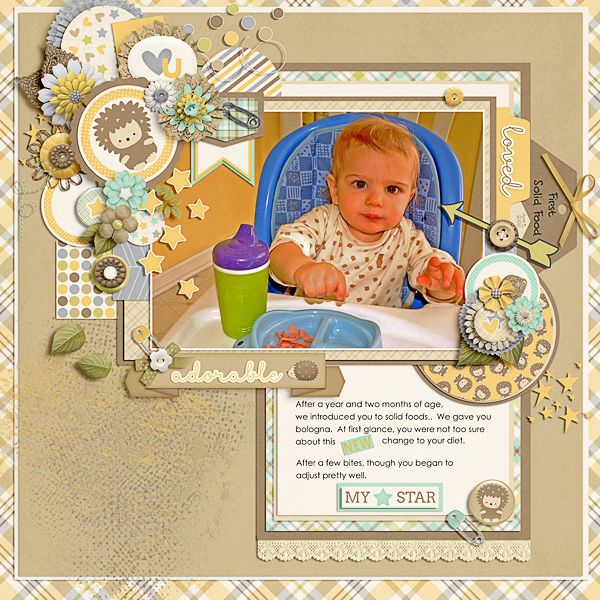
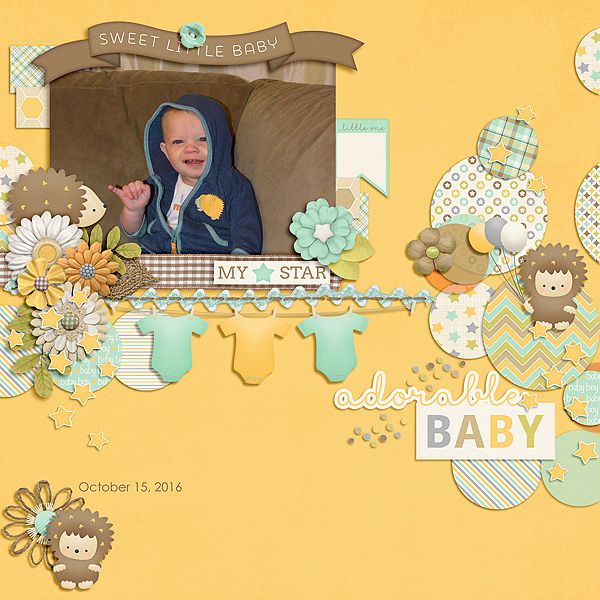
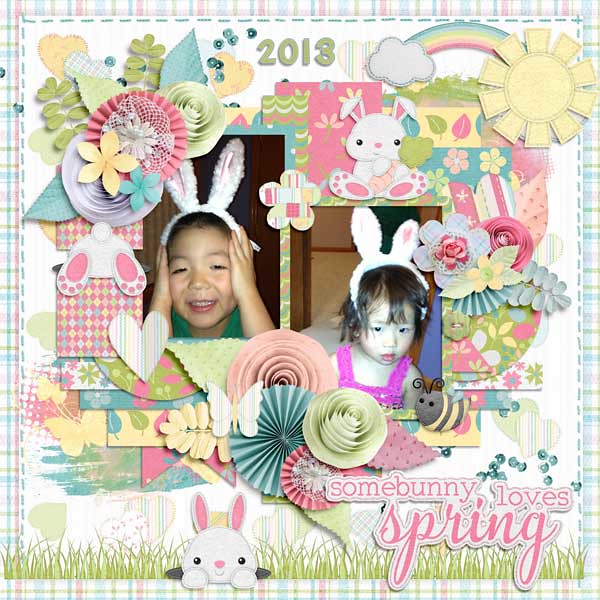
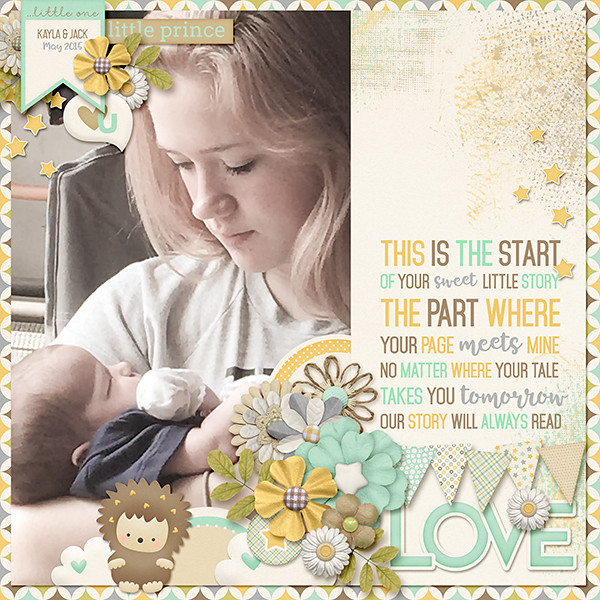
Happy Thursday! Have any good weekend plans? Well if you don’t, you should plan on scrapping with this weeks new releases! they are awesome and I have a sneak peek just for you!

From Ponytails

From Aimee Harrison

From Amy Stoffel

From JoCee Designs

From Tinci

From Blue Heart Scraps

From Miss Fish

From Neverland Scraps

Have a wonderful weekend!

GingerBread Ladies Sneak Peeks – 3/10/17

Happy Wednesday! 🙂 Just stopping by with a few sneak peeks for this week. Let’s see what our wonderful designer’s have for us this week.

Watch the blog tomorrow for some Sneak Peek layouts from our fabulous store CT and then head over to the GS Store on Friday to do some shopping.


Tutorial Tuesday (Photoshop Elements)

Down on the Border (not the Little River Band version)

A while back some of my fellow Sugar Cookies (praise team members) and I were kicking around ideas for tutorial topics. I usually have some ideas about what I can show you, but coming up with new, fresh lessons every week isn’t as easy as it sounds. So my Cookie gals gave me a couple of ideas that I could use for quick tuts, and this was one of them. Well, not precisely what was suggested, but I think it’s even better! I’m going to show you how to build a border, using repeating shapes. I could have taken the easy route and showed you how to make a simple scalloped border that some template designers use routinely, but I thought, no… let’s do something with a little more vision. And here we are…

I didn’t do the Signature Challenge in February (it’s a difficult month for me and I can’t get excited about it) so it was time for a new siggie. March doesn’t mean spring in this part of the world – we still have snow well into April most years – but March has other wonderful implications. Both my daughters were born in March, and St Paddy’s Day is right in the middle. Since I’m mostly Irish by ancestry, my March siggie will always include some reminders of those good things. And that led me to create a border of shamrocks, using the Custom Shape tool.

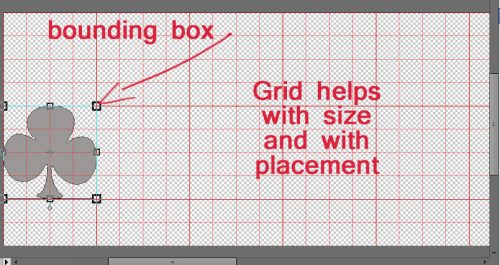
The first task before you can get going is to open a new file work space in PSE. If you want your border to extend from edge to edge on your layout, choose that measure for one of the dimensions, and go with 1 or 2 inches for the other. Because I was doing a siggie, I selected the same dimensions I described in the tutorial on signatures. I also added a grid so my shape could be easily sized. But you can do that even more simply by setting Defined Proportions. When you use this setting your Custom Shape tool will automatically give you a shape in exactly those dimensions.

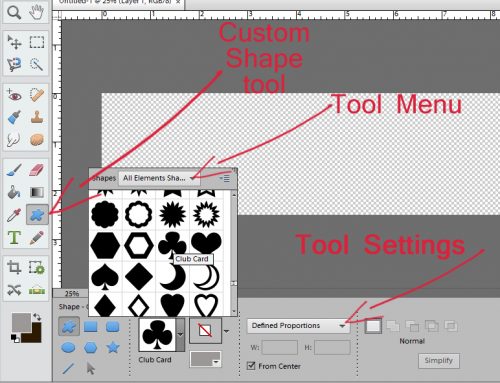
I usually select All Elements Shapes from the pop-up menu when I open up the Custom Shape tool so I have a wide variety of choices. I know there are all four playing card suits represented as standard shapes, so I went right there and chose the CLUBS shape – which is a shamrock! (Real shamrocks have three leaves, not four.)

Once I had all that figured out, I went ahead and made a shamrock shape on my canvas. You can use the grid, or not. I’ve played around with using the grid and and without – either method will work just fine.

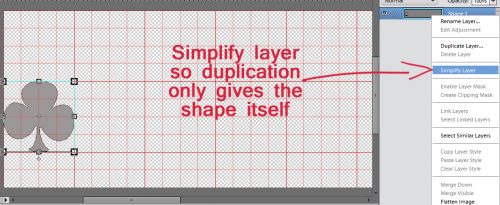
I knew I wanted the shamrock border to extend from one side of my canvas to the other, so I Simplified my shape to get rid of the extraneous stuff the software puts on a shape layer.

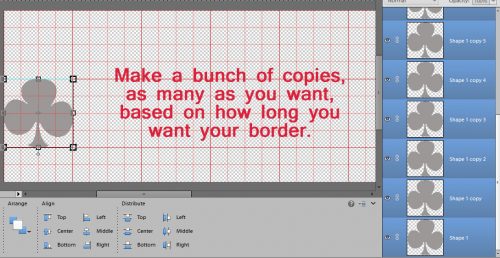
Then I made a stack of copies, all identical to my first shape. [Work Smart Not Hard tip: CTRL/CMD>J duplicates your layer.]

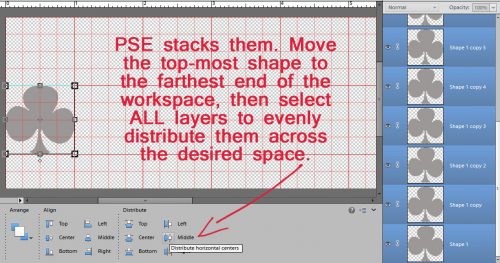
The software stacks them one on top of the other, so when I had as many copies as I thought I’d need, I selected only the top-most shape and moved it all the way to the other side of my canvas. Once I had shapes at each side, I selected ALL the shape layers. Then I went down to the Tool Options menu and clicked on Distribute>Middle.

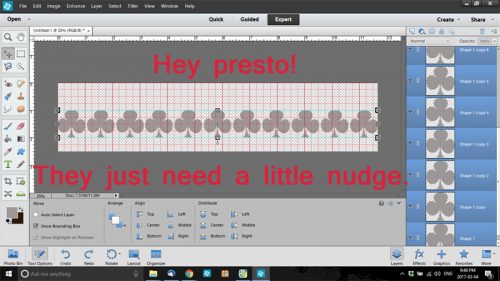
Whoa! All my shapes lined themselves up in a nice, tidy, evenly-spaced line! (This is a fabulous tip to use when you’re putting buttons in a row, or lines of stitches, or almost any objects you can come up with.)

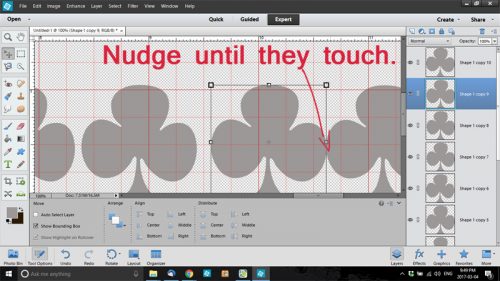
There was some space in between my shapes, which won’t work well for a continuous border, so I nudged them until they were all very slightly overlapping. Then I resized the whole group of them to regain my edge-to-edge border.

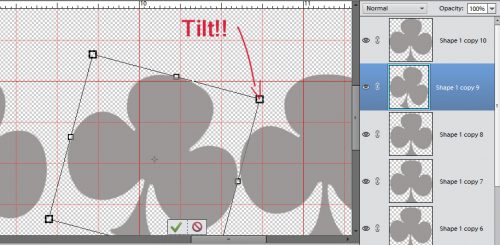
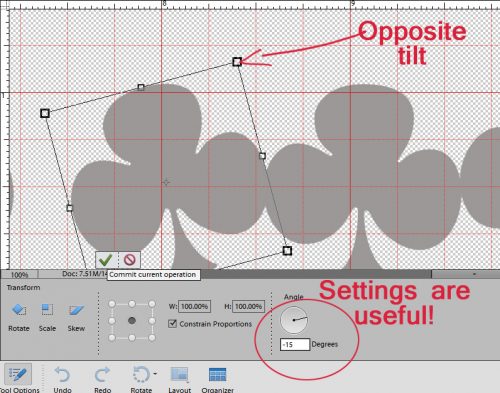
Then I decided to get fancy. So I tilted some of them to the right, and others to the left. If you’re a little OCD (like I am) you can use the tool settings to make the tilts uniform, simply by keying in the angle you want. Tilting to the right uses a positive number, to the left a negative.

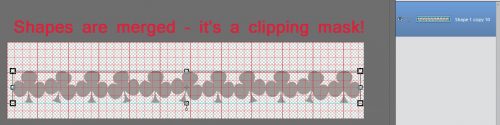
Once I was happy with the way it all looked, I merged the layers. [WSNH tip: Select all the layers you want to merge, then CTRL/CMD>E] And now I had a clipping mask!

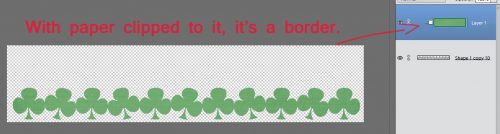
Once I clipped a paper to it, my border was done! (Almost…) [WSNH tip: CTRL/CMD>G to clip the current layer to the layer below it.]

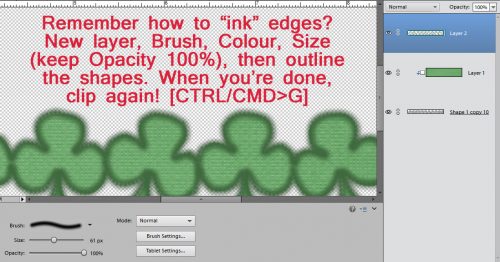
I looked at my border for a couple of minutes and decided it needed some inked edges. Keep your brush size a little bigger than you think you want, because otherwise it won’t fade away into the paper in that nice way you want it to.

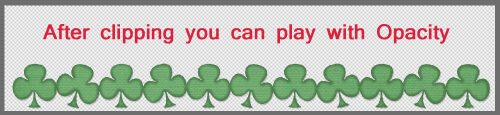
When your edges are all inked, create another clipping mask [CTRL/CMD>G] and cut away the brush edges that extend past your border.  Then you can adjust the Opacity of your brush until you like the way it looks. Finish up by merging [CTRL/CMD>E] the ink mask with the border. And you’re done!

Remember, if you’ve used a technique from these tutorials, post your finished layout in the GingerScraps Facebook Tutorial Tuesday Challenge Gallery for an opportunity to have YOUR chance to challenge me. If you’re not a Facebooker, you can post a link to the layout you’ve created with the tutorial you used in the comments section here on the Blog. I’ll get a notification and will then enter you into the draw. The first week of each month I’ll have a random draw of all entries and the winner will be announced at the end of the first tutorial of that month.

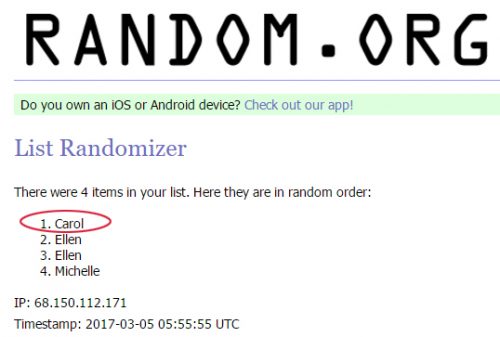
At the end of February there were 4 names on the list of people who had either posted a layout to the Tutorial Tuesday Challenge Gallery on Facebook or posted a link to a layout in the Blog comments section. Mr Random chose Carol’s name (gnana96) … Carol!! Think about what you’d like me to show you and your peers for next week, send me a PM and I’ll get right on it!

GS Book Club – March – The Wave at Hanging Rock

For the month of March, we will be reading:

The Wave at Hanging Rock by Gregg Dunnett

The e-book is currently FREE on both Amazon and Barnes and Noble. I’m very hopeful that this will allow several of you will to read along with us (or join us for the mid-month discussion, if you’ve read the novel before).


March Feature Designer – Mags Graphics

Welcome to March. This month our Feature Designer is Maggie from Mags Graphics. She was wonderful about answering my questions so that all of you could get to know her a little better.

How did you get started in digital scrapbooking?

I’ve been scrapbooking in some form or another since I was 15 years old. My very first albums were made with construction paper albums, Elmer’s Glue, and quotes from magazines. When I went to my first Creative Memories party, I bought just about everything, ripped apart my old albums, and re-made them in acid-free, lignon-free, Creative Memories products!

In 2001, I became a stay-at-home-Mom. I started learning Paint Shop Pro to make animated graphics and stumbled upon the now-defunct Digital Scrapbooking Place and realized that I could merge my computer skills with scrapbooking!

What made you decide to design?

Once I realized that I could use Paint Shop Pro to make layouts, I wanted to figure out how to make the kits that I needed for my own layouts. Those early “kits” were, honestly, TERRIBLE, but I kept at it, joining small stores to get better and better. I’ve been designing as my “job” since 2009.

What do you use to create your designs (program, additional tools, etc.)?

I use Paint Shop Pro and CS2 to design. I use MyMemories Suite 8 for my own personal layouts – because it’s fast.

Describe your design workplace.

Why don’t I show you… I have my office in our basement – filled with my favorite NERD TOYS!

What is your favorite thing about designing?

I scrap with the kits I make so I love to be able to know that when my kids look through their albums, that most of the kits in there were created by me.

What is your favorite kit currently in your GS store and why?

I love the “NERD” kits – “Across The Galaxy” is a Star Wars-themed kit, “Wizard World” is a Harry Potter-inspired collection, and “Go! Catch ‘Em All” is a Pokemon Go set!

What was your first job?

Technically, I started babysitting when I was 9 years old. I made most of my spending money babysitting all the way up through high school and college.

How many languages do you speak? What are they?

Just English

What’s your favorite holiday?

Christmas. I could listen to Christmas music and watch Hallmark Christmas movies all year around.

What is your favorite family holiday tradition?

I love celebrating Christmas with my family.

What three things do you think of most each day?

My family, my scrap business, and whether I can take nap.

If you had a warning label, what would yours say?

WARNING: UNFILTERED!

Is there anything you wished would came back into fashion?

Peg-rolled jeans, and big 80’s hair 😉

Do you collect anything?

Um… Yeah! I’m a HUGE Buffy the Vampire Slayer Fan as well as a fan of Harry Potter, The Walking Dead, Outlander, Orphan Black, etc. I have over 100 Funko Pop characters and was one of Funko’s Fanatics of the week back in November.

IMAGES of my collection:

If you were a super-hero, what powers would you have?

Telekinesis and I want to be able to fly.

Aside from necessities, what one thing could you not go a day without?

My cell phone.

How would your friends describe you?

Loyal, quirky, definitely unfiltered!

If you were a fruit or vegetable, which one would you be?

Neither. I’d be dessert!

What would you prefer as a second home: Mountain cabin, beach house, or big city condo?

Mountain House

Thanks Maggie. These answers are just delightful and make me smile reading them.

Make sure to check out her GS Store, her FB page, and her FB group. Also, make sure you are grabbing the daily download from the blog each day. She has a few coordinating packs in the store that go with the daily download.

And – now that you’ve read this far, I have a treat for you. Her store is on sale plus she is sharing a coupon with us.

I hope you have enjoyed getting to know Maggie as much as I have. Happy Scrapping!

Creative Style | The Color Green

GS_blog_CreativeStyle_Header

Hello scrappers. Today we are going to take a look at a creative style. Well, let me honest. It isn’t really a style so much as getting some inspiration from color.

There are many things that can make a layout stand out in the gallery. What grabs one person’s attention might not grab another’s. I could write multiple blog posts about what grabs mine. That being said, seeing a layout that has predominantly one color always grabs my attention.  Since we are edging up on St. Patrick’s Day, I thought it would be fun to get some inspiration from the color green.

We are going to take a look at some pretty green images, some great digital scrapbooking layouts done up in green, and round it up with the latest green filled goodies from the store.

Now, here are some lovely images to get those creative juices flowing. Did you know there was a place you could get pretty nice stock photos for free? These images are from Pexels. (All photos on Pexels are licensed under the Creative Commons Zero (CC0) license. This means the pictures are completely free to be used for any legal purpose.) I use them on my personal blog. I thought I would share with you guys while we get some inspiration for scrapping with green.

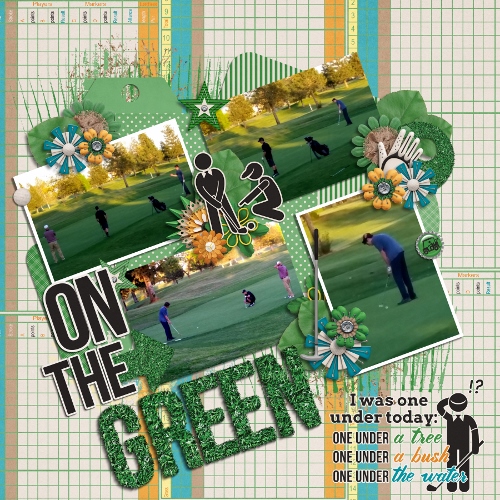
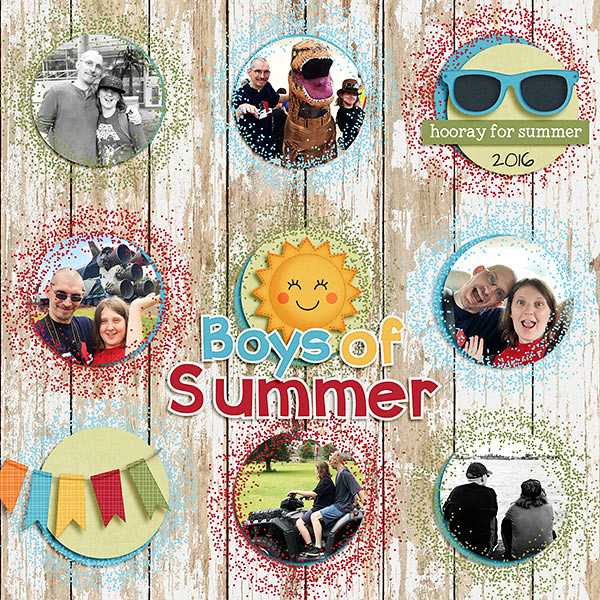
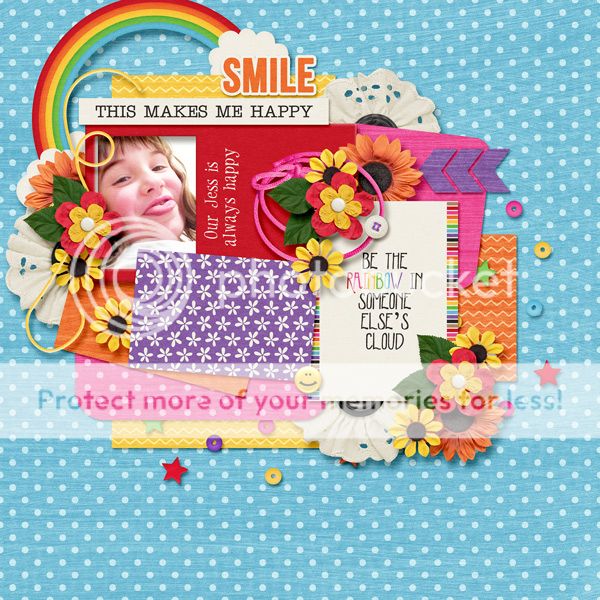
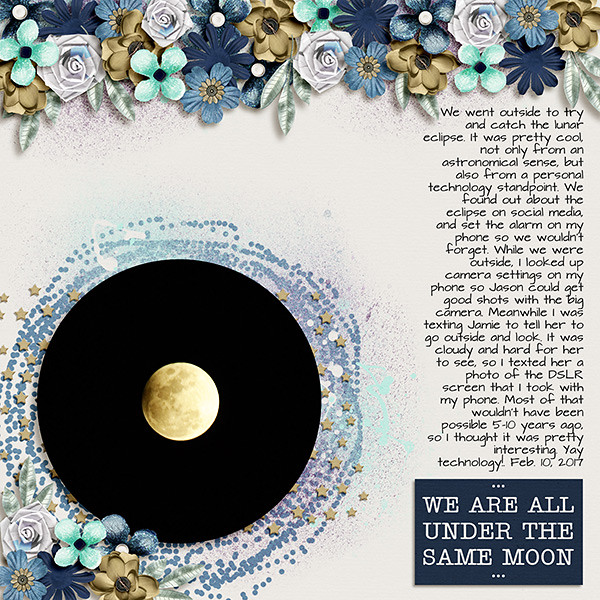
Fantastic right? I find inspiration for layouts in all kinds of places. Looking at beautiful photos are one of them. Want a bit more inspiration? Here are some layouts that are predominantly green. You know, to help get those ideas flowing! (all images are linked to their counterpart in the gallery. Go leave some loving!)

by meagan43


by LindsayJane


by pixleyyy


by Jill

Are these not some lovely layouts! I know part of that is the great designers we have here at GingerScraps. These layouts are beautifully scrapped though. I hope you found at least some inspiration from today’s post. I will leave you with some great designs to get those green filled layouts scrapped. As usual, all images are linked to their counterpart. We actually have an entire location in the store just for GREEN items.


If none of these are what you are looking for when it comes to scrapping green, make sure you check out the section dedicated to it. There are hundreds…literally hundreds of pages of choices. Have fun!

GS_footer_LaShawn

Fresh Baked: March 03, 2017

Spring is coming soon. You can feel it in the air!  The designers are enjoying the soon to be crisper and warmer air! They have some gorgeous designs out this week!

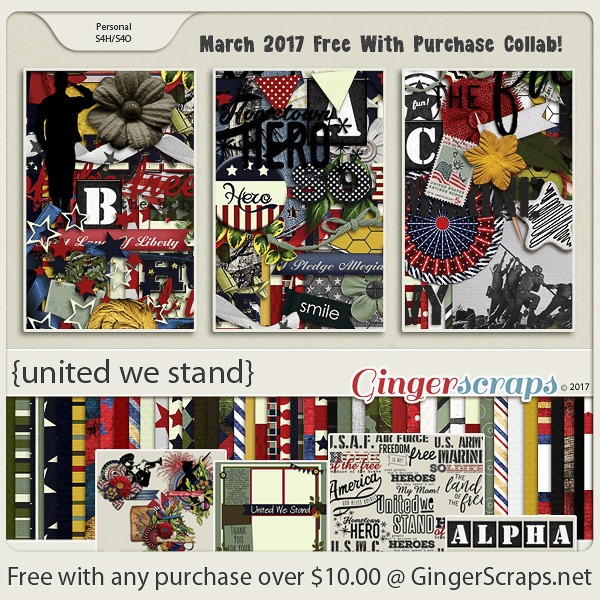
Remember when you spend $10 in the store, you get a great new collab!

fwp3 https://store.gingerscraps.net/GingerBread-Ladies-Collab-United-We-Stand.html [Read more…]

Sneak Peeks March 2, 2017

Happy Thursday! Are you ready for the weekend? I am! I can’t wait to scrap my Survivor Layout! If you still haven’t completed the LO yet, check out some of the awesome new releases. Maybe they will get your creativity flowing!

From Craft-tastrophic

From Dagi’s Temp-tations

From Tinci

From Lindsay Jane

From Blue Heart Scraps

From Pretty in Green

Fresh Baked: March 01, 2017

The month of pinks and reds has completed and it’s time for the month full of sunshine and rainbows. And little green leaved items decked with gold. March is here, and it’s time to celebrate!

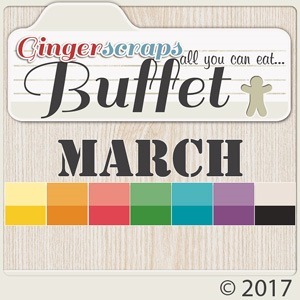
It is the First of the month, and that means the revel of our new Buffet!!

Don’t forget to check out the Buffet Bundles, one easy click to add bundles of Buffet goodies to your cart, and an amazing value too!

buffet

The designers all had their own take on what the colors and theme said to them! I love the variety!

The designers definitely each made the palette their own and came up with some gorgeous designs, each unique but working so well with the other designers’ creations

The CT did such a great job showing how well all of the kits blend. They all did wonderful work!

This is just a few of the layouts. Keep an eye out in future newsletters to see more. Maybe even one of yours, if you make sure you put it into the Buffet section of the gallery!

Remember when you spend $10 in the store, you get a great new collab!

fwp
https://store.gingerscraps.net/GingerBread-Ladies-Collab-United-We-Stand.html

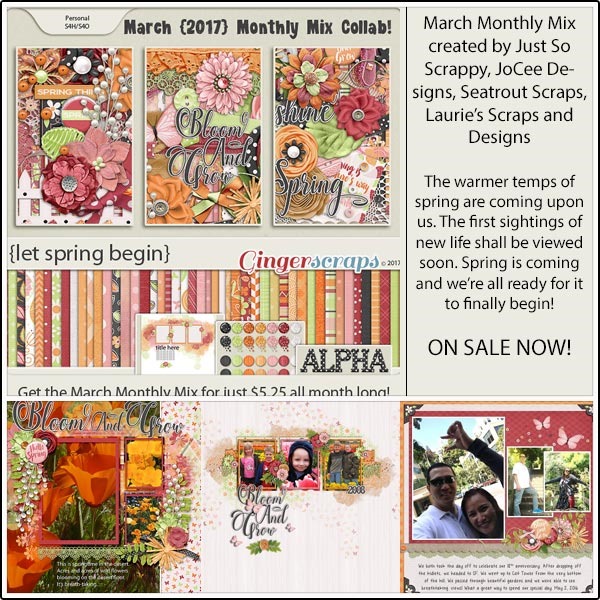
This month’s Monthly Mix is called “Let Spring Begin”! It is a gorgeous kit created by Just So Scrappy, JoCee Designs, Seatrout Scraps, Laurie’s Scraps and Designs. Go have fun in the snow!

mm 
https://store.gingerscraps.net/Monthly-Mix-Let-Spring-Begin.html

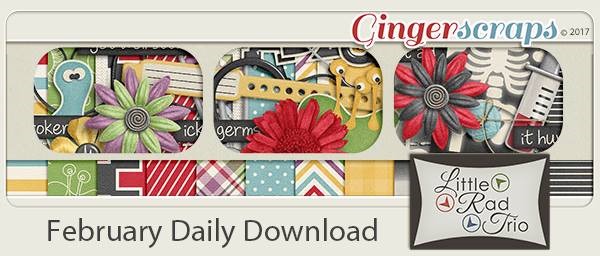
The new daily download is here!

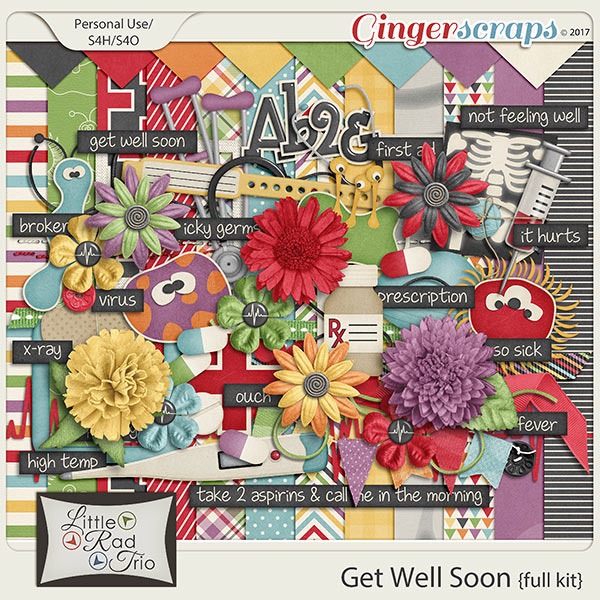
Before I show it, here’s last month’s:

dd-feb
https://store.gingerscraps.net/Get-Well-Soon-full-kit.html
And here’s this month’s:

dd
https://gingerscraps.net/gsblog/2017/03/dd-mar-01-3/

This month’s is fitting as the winter is the time when everyone gets sick!

dd
https://gingerscraps.net/gsblog/2017/02/dd-feb-01-4/

Remember, the download is kept up for 5 days, and then it is taken down. If you miss pieces, the kit will be available for purchase on the first day of the following month.

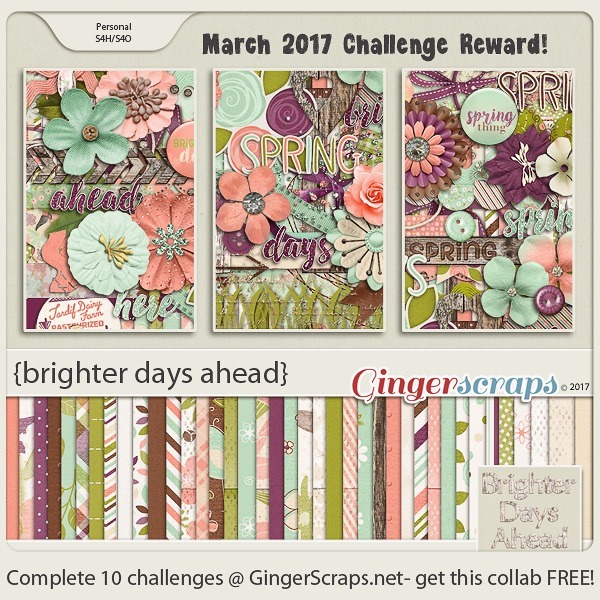
Remember, if you complete 10 challenges, just ten, you get a free kit as well!!

cr

I know I’m going to make sure I do my 10 challenges for THIS, that’s for sure

DD: Mar 01

The new month is upon us! The new daily download is here!

Before I show it, here’s last month’s:

dd-feb
https://store.gingerscraps.net/Get-Well-Soon-full-kit.html
And here’s this month’s:

dd
https://bit.ly/2lE7JV5

Remember, the download is kept up for 5 days, and then it is taken down. If you miss pieces, the kit will be available for purchase on the first day of the following month.