Sneak Peeks December 21st, 2017


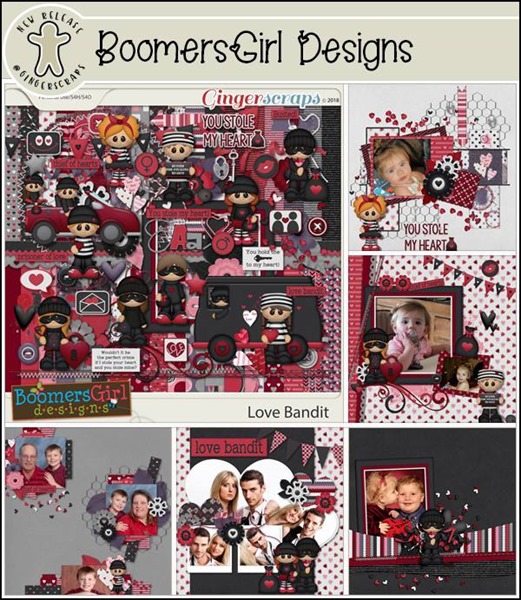
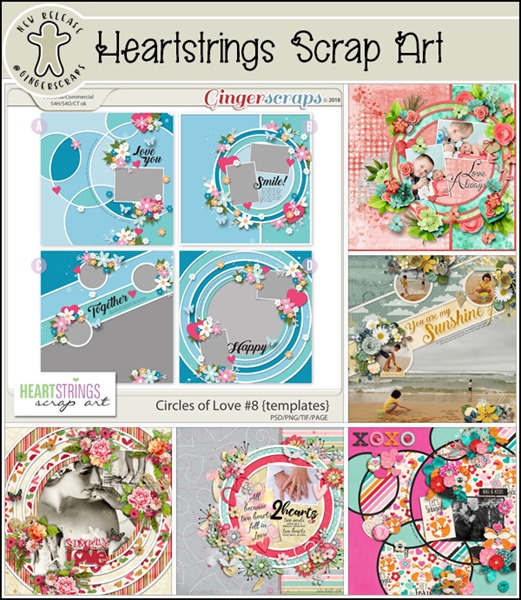
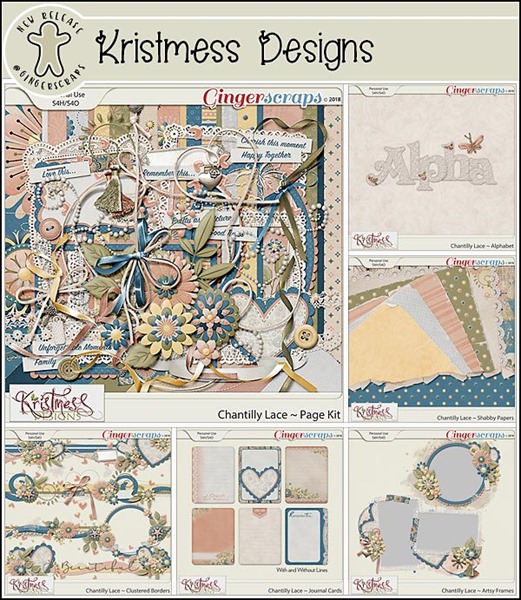
Happy Thursday! Even though the big holiday is on Monday, the designers were busy getting new releases out for tomorrow! Lets see a peek of what’s releasing!

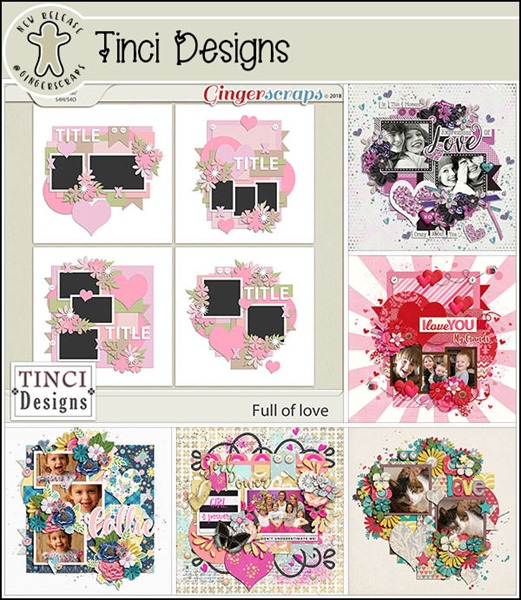
From Tinci

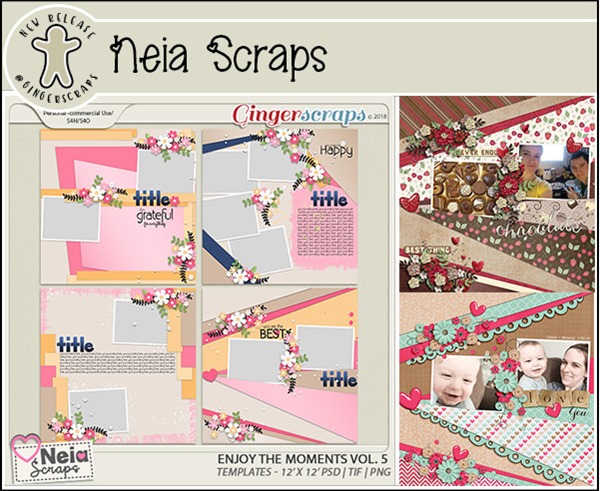
From Ponytails

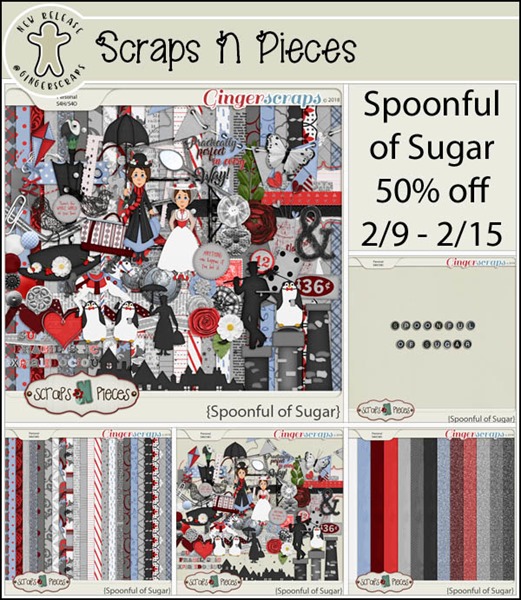
From Miss Fish

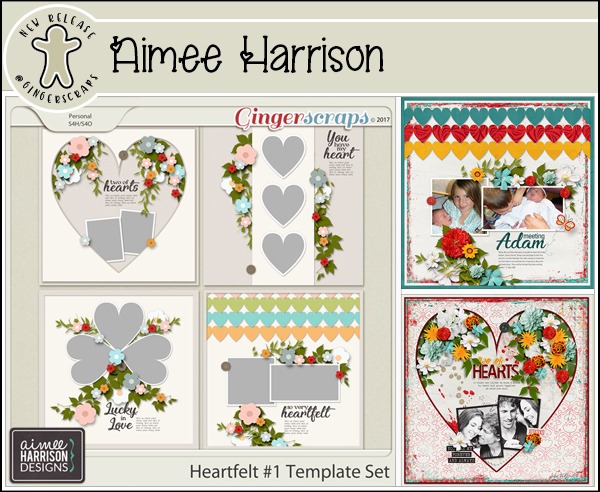
From Aimee Harrison

Have an awesome weekend and a Merry Christmas!

Tutorial Tuesday (Digital Scrapbooking)

Christmas FONTography

Wow… less than a week until Christmas and Kwanzaa! And only 1 more day of Chanukah. I know there are lots of you who find yourselves right where I am… too much to do and not enough time to do it. So I know you’ll forgive me for scrimping a bit on this week’s tutorial, and I know you’ll understand when I tell you that I’m taking next Tuesday off. Sort of. It’s my turn to work Christmas in the pediatric ICU and on the 25th and 26th, that’s where I’ll be.

Okay, now that’s out of the way, let’s talk about those holiday layouts we’re all going to be creating over the next couple of weeks. I’d like to share some amazing Christmas/winter/elegant fonts that would be fabulous for titles or journaling. I checked out a few online earlier today and found some real gems!

The next few images are all from 1001fonts.com. There are some dingbats in there too – that could come in handy someday… you never know! They are all free, but please consider making a donation to the fontographer if you like their work.

As you can see, there are a variety of styles and moods here.

I just love the titles some of them have, don’t you? Very descriptive.

I don’t know about you but I may never have enough fonts.

Some of these are already in my collection but I need more!!

The images and fonts below are from another of my favourite font sources, dafont.com. You might notice there are some duplicates, but each site has a nice selection of unique fonts.

Santa’s Sleigh has been one of my collected fonts for years. Do you have a favourite?

Some of these make me think of Christmases when I was a kid.

And of course, there’s gotta be some snow in there. And tinsel! City of Light would be awesome for Chanukah layouts, wouldn’t it?

There are some here I’d be hard pressed to find a use for, but there are so many more that I could definitely make work for me.

I’ve barely scratched the surface here. There are hundreds of free and low-cost festive fonts out there if you have a minute to look for them. I’m going back right now to download some more… instead of wrapping gifts or cleaning my house.

Below are some of the fonts I’ve hoarded over the years, both free and paid-for. They’re not all typical Christmas-y fonts, but would absolutely work. I think Peanut Butter Smoothies would be terrific for story-telling.


If you need a refresher on combining fonts, you can find that tutorial here.

I can’t wait to see all the special layouts you’re going to create with your family photos. You can be sure I’m going to be looking for some of these fonts. Guaranteed! Merry Christmas, Happy Chanukah, Happy Kwanzaa… Festivus, Alban Arthan, whatever winter festival you’re celebrating… and a Happy New Year!

GingerBread Girls Inspiration – alannabanana

GS_blog_GingerBreadGirlsInspiration_Header

Good Monday morning scrappers!! Can you believe that the end of the year is just a few short weeks away? That (if you celebrate) Christmas is just around the corner?! What happened to 2017?! It has flown by!! In thinking of how fast 2017 skipped on by, I got to thinking. We have not had a GingeerBread Girl highlight here on the blog in a while. So we are going to do just that.

For those who are not familiar with the titles around GingerScraps, a GingerBread Girl is a creative team member. Those ladies who work hard to bring all those kits you love to action. Today, we are going to pull a bit of inspiration from:

Alanna aka: alannabanana

Check out her full gallery HERE.

I was stalking the galleries and Alanna’s jumped out to me. She scraps with beautiful composition on everyone I saw. Her cluster work is amazing. I love clustering on layouts. I have to say a number of her layouts have made it to my inspiration board! She also has perfect shadow work; and she really knows how to use her scrap space. Be it a whitespace layout or a page full of digi-scrap goodies. Here are a few of my favorite from her gallery:


I told you that her gallery has some amazing inspiration! These are just a drop in the water. Go check out her GALLERY and look around. If you find yourself scraplifting and finding something that speaks to you in inspiration, let us know! Come back and link up your layout. We would love to see it. Happy Scrapping!

GS_footer_LaShawn

Fresh Baked: December 15, 2017

What do you get if you cross Father Christmas with a duck?
A Christmas Quacker!

Starting off with another bad joke. Admit it, you laughed some! But you won’t be laughing when you see the goodies today! So many templates to help you get through all those pictures. The perfect kit is out there, waiting for you!

Remember when you spend $10 in the store, you get a great new collab!

fwp_thumb
https://store.gingerscraps.net/GingerBread-Ladies-Collab-Winter-Fun.html

It is time for the last Bake Sale of 2017! Where has the year gone?


https://store.gingerscraps.net/-1.00-Bake-Sale-December-15-20/

dandelion
https://store.gingerscraps.net/Rustic-Christmas-Digital-Scrapbook-Kit-By-Dandelion-Dust-Designs.html

daydreams
Bundle: https://bit.ly/asgtBundGS
Kit: https://bit.ly/asgtKitGS

dearfriends
https://store.gingerscraps.net/Fa-La-La-La-La-Vol-3.html

heather01
Bundle – https://store.gingerscraps.net/Festive-and-Mice-BUNDLE-by-Heather-Z-Scraps.html
Kit – https://store.gingerscraps.net/Festive-and-Mice-KIT-by-Heather-Z-Scraps.html
Alphabets – https://store.gingerscraps.net/Festive-and-Mice-ALPHABETS-by-Heather-Z-Scraps.html
Journal Cards – https://store.gingerscraps.net/Festive-and-Mice-JOURNAL-CARDS-by-Heather-Z-Scraps.html
Flairs – https://store.gingerscraps.net/Festive-and-Mice-FLAIRS-by-Heather-Z-Scraps.html

heather02
Bundle – https://store.gingerscraps.net/Believe-BUNDLE-by-Heather-Z-Scraps.html
Kit – https://store.gingerscraps.net/Believe-KIT-by-Heather-Z-Scraps.html
Journal Cards – https://store.gingerscraps.net/Believe-JOURNAL-CARDS-by-Heather-Z-Scraps.html
Accents – https://store.gingerscraps.net/Believe-ACCENTS-by-Heather-Z-Scraps.html

joyful
https://store.gingerscraps.net/Joyful-Expressions-JE-Merry-And-Bright.html

kristmess01
https://store.gingerscraps.net/Kristmess/

kristmess02
https://store.gingerscraps.net/CU-Date-Journal-Box-Template.html

kristmess03
https://store.gingerscraps.net/CU-Big-Machines-Templates.html

lauries
https://store.gingerscraps.net/Magical-Christmas-GrabBag.html

lauries02
https://store.gingerscraps.net/Sports-Ballgame-Bundle.html

lindsay01
Collection: https://store.gingerscraps.net/Winter-Melody-Collection-by-Lindsay-Jane.html
Kit: https://store.gingerscraps.net/Winter-Melody-by-Lindsay-Jane.html

lindsay02
https://store.gingerscraps.net/Winter-Melody-Quick-Pages-by-Lindsay-Jane.html

magical
Collection: https://store.gingerscraps.net/Seas-and-Greetings-collection.html
Page Kit: https://store.gingerscraps.net/Seas-and-Greetings-page-kit.html
Journaling Cards: https://store.gingerscraps.net/Seas-and-Greetings-journaling-cards.html
Graffiti Pack: https://store.gingerscraps.net/Seas-and-Greetings-graffiti-pack.html
Shabby Barnwood Papers: https://store.gingerscraps.net/Seas-and-Greetings-shabby-woods.html
Glitter Pack: https://store.gingerscraps.net/Seas-and-Greetings-glitter-pack.html

mags
https://store.gingerscraps.net/Autumn-Nights-KIT-and-ALPHA-by-MagsGraphics.html

missfish
https://store.gingerscraps.net/Tuck-It-3-Templates-by-Miss-Fish.html

aimee01
Collection: https://store.gingerscraps.net/Our-House-Collection-by-Aimee-Harrison.html
Kit: https://store.gingerscraps.net/Our-House-Page-Kit-by-Aimee-Harrison.html
Alphas: https://store.gingerscraps.net/Our-House-Alpha-Sets-by-Aimee-Harrison.html
Borders: https://store.gingerscraps.net/Our-House-Borders-by-Aimee-Harrison.html
Blooms: https://store.gingerscraps.net/Our-House-Blooms-by-Aimee-Harrison.html
Messy Edges: https://store.gingerscraps.net/Our-House-Messy-Edges-by-Aimee-Harrison.html

aimee02
https://store.gingerscraps.net/Big-Deal-1-Templates-by-Aimee-Harrison.html

aimee03
https://store.gingerscraps.net/-Clustered-2-Templates-by-Aimee-Harrison.html

blue
https://store.gingerscraps.net/Holiday-Cuties-5-Grab-Bag.html

boomers
https://store.gingerscraps.net/Away-in-a-Manger-BGD.html

connie01
Grab Bag: https://store.gingerscraps.net/December-2017-Grab-Bag-All-Is-Calm-by-Connie-Prince.html
Word Art Pack: https://store.gingerscraps.net/All-Is-Calm-WordArt-Pack-by-Connie-Prince.html

connie02
Bundle: https://store.gingerscraps.net/Holiday-Cheer-Bundle-by-Connie-Prince.html
Kit: https://store.gingerscraps.net/Holiday-Cheer-Kit-by-Connie-Prince.html
Templates: https://store.gingerscraps.net/Holiday-Cheer-12×12-Templates-CU-Ok-by-Connie-Prince.html
Border Clusters: https://store.gingerscraps.net/Holiday-Cheer-Border-Clusters-by-Connie-Prince.html
Alpha Pack Add On: https://store.gingerscraps.net/Holiday-Cheer-Alpha-Pack-AddOn-by-Connie-Prince.html
Word Art Pack: https://store.gingerscraps.net/Holiday-Cheer-Word-Art-Pack-by-Connie-Prince.html
Extra Papers: https://store.gingerscraps.net/Holiday-Cheer-Extra-Papers-by-Connie-Prince.html

ad01
https://store.gingerscraps.net/Little-Rad-Trio/

ad02
https://store.gingerscraps.net/Blue-Heart-Scraps/

ad03
https://goo.gl/DQK8T

Remember, if you complete 10 challenges, just ten, you get a free kit as well!!

cr_thumb

Cabin fever would be worth it for this kit!

~~December Bake Sale~~

Good morning my fellow scrappers!! How is it that it’s December 15 already? Are you all ready for the holidays? I am not, but I will be by the time the 25th arrives.

Our designers have put together some wonderful kits for this month’s Bake Sale. All kits are only $1 each from December 15 to December 20. There are a lot of Christmas kits in this month’s sale, so it’s a perfect time to pick up the kits to use for those fun family photo ops. Let’s take a look at what they are offering.

I can’t wait to see all the good layouts using these kits!!


Sneak Peeks Thursday December 14th, 2017

Happy Thursday! I am posting this a little early as I have tickets to see Star Wars =). Our Designers have a lot of awesome new goodies debuting tomorrow! Let’s take a peek!

From JoCee


From Miss Fish

From Lindsay Jane


From Joyful Expressions

From Heather Z

From Aimee Harrison

From Day Dreams N Designs

Check back tomorrow to see the full products and more!

Tutorial Tuesday (Photoshop Elements 14+)

In the RAW!

How many of you have high-tech, high-priced camera gear? How many of you actually use all those fancy features that came with your HTHP camera? Show of hands? How many of you are shooting RAW? (NOT naked…) Anybody?

I’m sure there are more than a few people scratching their heads about now. Let me explain. RAW is a file format that records ALL the data collected by the sensor (creating ginormous files, by the way) that allows for a wide range of adjustments in post-processing. The files it generates are huge for a reason – the image compression ratio is much larger than the JPEG format’s files so there’s more that can be fine-tuned once the images are downloaded. (To understand compression ratio, look at a photo you shot with your camera then posted to Facebook. Examine it in its original state zoomed in 200% then do the same with the FB version. It should be obvious… FB compresses images to a significant degree and they look really awful zoomed.) It’s a great tool for pros, but not necessarily useful for the average soccer mom snapping cell phone photos of the little darlings running with the ball. But what if I told you that PSE 14 and above has a photo editor setting that emulates RAW format editing but without the enormous files? I’m going to show you how it works…

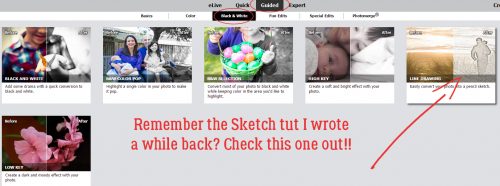
First you need to open your image in the Camera Raw editor. Find the image in your photo folder so you know where it is,  then click File>Open in Camera Raw.

The interface looks like this. Don’t be intimidated! It’s really not that hard to follow. If you look at the photo I’m using, you can see the sky is really washed out but there’s no detail visible in the statue’s face. I’m going to fix that.

The default when your image opens is the Basic adjustment panel. It includes a White Balance setting that you can leave as shot, set to Auto or set to Custom. In the image below I’ve selected Auto. If you look closely you can see that the Temperature slider has shifted a bit to the right, or warmer side. So has the Tint slider.

I changed it to Custom just to show you that all the sliders reset and you’d need to adjust all the sliders to achieve the White Balance you want.

So I went back to Auto, then played with the sliders. Adjustments here, listed in order from just below the White Balance, include Temperature, Tint, Exposure, Contrast, Highlights, Shadows, Whites, Blacks, Clarity, Vibrance and Saturation. I moved the Shadows slider all the way to the right; see the change?

The adjustments aren’t individually obvious, but when taken altogether, there’s a significant change. With each image, look at where the sliders are to see what I’ve tweaked.

Each of the controls adjusts a different basic aspect of your image. You can adjust the exposure so that over-exposed, blown-out areas aren’t any more, and so that underexposed areas are suddenly quite visible. And look at the definition suddenly showing up in the foliage!

Once you’ve gotten the exposure and and colour more to your liking you can move on to the Detail adjustments. It can’t correct everything though. It’s not going to magically take an out-of-focus photo and make it tack-sharp.

The adjustments in this panel include Sharpening and Noise Reduction, with some options within each. In this panel, it’s helpful to zoom in on the part of the image that you’re trying to improve on so you can gauge the degree of change you want. You don’t want to overdo it!

And then there’s the split-screen preview option. This is really useful for all stages of adjustment. To get the split screen go down to the bottom right corner of the image and click on the box with the “Y” in it. If you click on it once, you get the side-to-side split shown below. Clicking on it a second time will split it top-to-bottom. That might work better for landscapes. Seeing the before and after lets you control your adjustments even more. (And you know I’m ALL about control!)

So after I’d done some Sharpening and some Noise Reduction in split screen, I went back to the Basic menu to see if there were any other nudges I wanted to add.

Once I was happy with the changes I’d made, I clicked on that Open Image button.

That opens up the more comfortable PSE Expert interface. I think the image looks heaps better, but there might still be some things I can tweak a bit more.

The first thing I did was Crop it to make the overall image more appealing. I like to see the Rule of Thirds grid when I’m cropping. It helps me see where the focal point should be… at a point where two of the lines intersect. You can see that one of the vertical lines passes right through Paul Revere’s head and down the centre of his horse.

Now I decided to adjust the Lighting a wee bit more. Enhance>Adjust Lighting>Shadows/Highlights.

One thing you should keep in mind when using this menu is that the default setting is to Lighten Shadows by 35%. Sometimes that’s perfect and sometimes it’s way too much. Or not enough. Watch your image while you’re making these changes so you don’t go too far. I didn’t really want the shadows lightened. I was more interested in bringing back some of the still-blown highlights and some adjustment of the midtone contrast. Did you notice that the steeple on the Old North Church suddenly is more visible? It’s magic, right??

Because this image still looked a little dark in spots but too washed-out in others, I decided to play with the Levels. Enhance>Adjust Lighting>Levels (CTRL/CMD>L)

All I did in this menu was to move the sliders a smidge to the left. That brought out some nice detail in the clouds. Try moving the sliders around in either direction so you can see what happens with them.

And that brings me to another neat feature that has been in PSE since Version 11. It’s called Haze Removal and it’s even more useful than the Noise Reduction options in Camera Raw. So click Enhance>Haze Reduction (CTRL/CMD>ALT>Z) to get into the menu.

Oh look! The steeple is even more in balance with the exposure of the rest of the photo and the clouds look like they mean business. The leaves have some lovely detail that is brought out even more. And I’m thrilled!

Since there was a snowpocalyse this past weekend in areas of North America that haven’t seen snow in decades, I thought it would be a great opportunity, and an obvious one, to show another way these tools are useful. I’m sure most of us (who live in the snow belt) have photos where the snow is gray, or blue, or some other unnatural cast. And Remove Color Cast isn’t always the best way to change that.

I hit the Auto White Balance and the snow looked more white, but not enough. I worked down the list of sliders, moving them a tiny bit at a time.

I wanted the texture of the snow to be more visible so I did some Detail adjustments too.

Then I Opened Image and went into the Enhance>Lighting>Shadows/Highlights menu.

This time I was happy to see the default Lighten Shadows. I just added a little more Contrast.

And then I decided it needed some Leveling, again moving the sliders a bit to the left.

Then I went to Enhance>Haze Removal (CTRL/CMD>ALT>Z) to show you how you can toggle between the Before and After images to decide how much to remove.

And this is where my snow shot ended up. There’s some definite highlights, texture in both the snow and the rock and the icy effect is pretty good!

I think you can really have fun with this. I KNOW you can take some of your ho-hum photos that you’d hoped would be better and make them that way. And great photos make for fantastic scrapbook layouts. So go, give it a whirl! See y’all next Tuesday.

Let’s Celebrate – Hanukkah!

Hanukkah starts on Tuesday. Did you know that our wonderful designers here at GingerScraps has some fantastic items to scrap those Hanukkah memories? Well they do! I am popping in today to showcase some of those items. We will start with the items that are solely for Hanukkah, and end with items that also have to do with Hanukkah, but not in their entirety. Just a forewarning, this post is image heavy. I am going to let the wonderful digital scrapbooking products do the talking. All images linked to the store.

Festival Of Lights Chanukah Kit bu JoCee Designs –> Celebrate the Festival Of Lights with this Chanukah/Hannukah themed digital scrapbooking kit.
Containing 8, 12 x 12 300 dpi, digital scrapbooking papers with a Chanukahs theme in reds, golds, oranges, teals, purples and yellows and 37 Chanukah related digital scrapbooking elements coordinating with the Festival Of Lights Chanukah Papers in reds, golds, oranges, teals, purples and yellows.


Hanukkah Oy Doodles by Clever Monkey Graphics were created to work with Hanukkah Oy and the Hanukkah Oy Journal Cards. Doodles are shown actual size in preview relative to a 12×12 inch page. Please note that you may purchase all three kits together at discounted price in bundle form and get a bonus button Star of David.


Hanukkah Oy by Clever Monkey Graphics –> If you celebrate Hanukkah, you are sure to want to add Hanukkah Oy to your stash! Please note that you may purchase all three kits together at discounted price in bundle form and get a bonus button Star of David.


Festivus for the Rest of Us by Clever Monkey Graphics –> Whether you spell it Hanukkah or Chanukah, Festivus for the Rest of Us is your kit to capture the memories of lighting Hanukkah candles on your menorah, opening gifts, playing dreidel, and the excitement of a Hanukkah gift each of the eight nights! With a great selection of non-religious elements and papers too, you can even scrap Christmukah – if that’s how you celebrate! Click this link to go to my blog and download a matching freebee for Festivus for the Rest of Us.


8 Nights of Lights by Pretty in Green


Hanukkah – Kit by Connie Prince

December is one of the best months of the year. Holidays and traditions abound, snow falls gently, and the kids get a break from school. Day 2 Day: December highlights the best parts of this amazing time of year. This fun and playful kit draws on the colors of the holidays – red, green, blue, and white – to bring holiday cheer to your scrapbook pages. Thematic elements abound for Christmas, Hanukkah, and New Year’s, with a few everyday elements thrown in for fun. (After all, aren’t most of our stories holiday-related right now?) Celebrate the season with those you love and scrap your stories with Day 2 Day: December.


We would love to see any of your layouts with these products (and more!) make sure you upload your layouts to our gallery; and then come back here and link us up in the comments. We would love not only to see them, but leave you some love. I know the designers enjoy seeing their designs as finished layouts as well.

If these are not what you were looking for, make sure you check out the store. There are more where those came from!

Fresh Baked: December 08, 2017

What do you call a kid who doesn’t believe in Santa?
A rebel without a Claus.

Starting off with a little humor. Something to get you in the mood to check out the new goodies. There are some great new goodies, too. Some gorgeous templates, where you can spell out a loved one’s name. A great chance to catch up on your P52 series with a great bundle set.

Remember when you spend $10 in the store, you get a great new collab!

fwp_thumb
https://store.gingerscraps.net/GingerBread-Ladies-Collab-Winter-Fun.html

connie_thumb
Bundles Bundle: https://store.gingerscraps.net/-2017-Bundles-Bundle-by-Connie-Prince.html
Kits Bundle: https://store.gingerscraps.net/-2017-Kits-Bundle-by-Connie-Prince.html
Templates Bundle: https://store.gingerscraps.net/-2017-12×12-Templates-Bundle-by-Connie-Prince.html
Quick Pages Bundle: https://store.gingerscraps.net/-2017-Quick-Pages-Bundle-by-Connie-Prince.html

daydreams01https://bit.ly/scicttBundGS

daydreams02
https://bit.ly/ddnd-GS

dear
https://store.gingerscraps.net/Deck-The-Halls.html

heartstrings
Our House Collection: https://store.gingerscraps.net/Our-House-Collection-Heartstrings-Scrap-Art.html
Our House Page Kit: https://store.gingerscraps.net/Our-House-Page-Kit-Heartstrings-Scrap-Art.html
Our House DIY Bits: https://store.gingerscraps.net/Our-House-DIY-Heartstrings-Scrap-Art.html
Our House Templates: https://store.gingerscraps.net/Our-House-Templates-HSA.html

heatherz01
Bundle – https://store.gingerscraps.net/A-Nutty-Christmas-BUNDLE-by-Heather-Z-Scraps.html
Kit – https://store.gingerscraps.net/A-Nutty-Christmas-KIT-by-Heather-Z-Scraps.html
Accents – https://store.gingerscraps.net/A-Nutty-Christmas-ACCENTS-by-Heather-Z-Scraps.html
Journal Cards – https://store.gingerscraps.net/A-Nutty-Christmas-JOURNAL-CARDS-by-Heather-Z-Scraps.html
Torn Papers – https://store.gingerscraps.net/A-Nutty-Christmas-TORN-PAPERS-by-Heather-Z-Scraps.html

jocee
Lower Case: https://store.gingerscraps.net/Alpha-Photo-Templates-Lower-Case.html
Bundle: https://store.gingerscraps.net/Alpha-Photo-Templates-Bundle.html

joyful_thumb
https://store.gingerscraps.net/Joyful-Expressions-JE_Santa-Paws.html

kristmess01
https://store.gingerscraps.net/Kristmess/

kristmess02
https://store.gingerscraps.net/CU-Layered-Date-Wheel-Templates.html

lauries01
https://store.gingerscraps.net/Sports-Ballgame-GrabBag.html

lauries02
Bundle: https://store.gingerscraps.net/Baking-Memories-Bundle.html
Kit: https://store.gingerscraps.net/Baking-Memories-PageKit.html
Flairs: https://store.gingerscraps.net/Baking-Memories-Flairs.html
Grunge: https://store.gingerscraps.net/Baking-Memories-Grunge.html
Ombre Papers: https://store.gingerscraps.net/Baking-Memories-OmbrePapers.html
Titles: https://store.gingerscraps.net/Baking-Memories-Titles.html
Journal Cards: https://store.gingerscraps.net/Baking-Memories-JournalCards.html

lindsay01
https://store.gingerscraps.net/Page-Borders-25-by-Lindsay-Jane.html

lindsay01
https://store.gingerscraps.net/Page-Borders-26-by-Lindsay-Jane.html

paty
https://store.gingerscraps.net/Santas-Little-Helpers-Bundle-Collection-by-Paty-Greif.html

pretty_thumb
A Kind Heart: https://store.gingerscraps.net/A-Kind-Heart-by-Pretty-in-
Green.html

Creative Clip Overlays: https://store.gingerscraps.net/Creative-Clip-3×4-Overlays-Christmas-by-Pretty-in-Green.html

tinci
https://store.gingerscraps.net/Beauty-in-winter.html

aimee
Collection: https://store.gingerscraps.net/Of-Sugar-Plums-Collection-by-Aimee-Harrison.html
Kit: https://store.gingerscraps.net/Of-Sugar-Plums-Page-Kit-by-Aimee-Harrison.html
Alphas: https://store.gingerscraps.net/Of-Sugar-Plums-Alpha-Sets-by-Aimee-Harrison.html
Word Art: https://store.gingerscraps.net/Of-Sugar-Plums-Word-Art-by-Aimee-Harrison.html
Quotes: https://store.gingerscraps.net/Of-Sugar-Plums-Quotes-by-Aimee-Harrison.html
Messy Edges: https://store.gingerscraps.net/Of-Sugar-Plums-Messy-Edges-by-Aimee-Harrison.html
Stamps: https://store.gingerscraps.net/Of-Sugar-Plums-Stamps-by-Aimee-Harrison.html
Glitters: https://store.gingerscraps.net/Of-Sugar-Plums-Glitters-by-Aimee-Harrison.html

blueheart
Kit: https://store.gingerscraps.net/Old-Fashioned-Christmas-Kit.html
Ombre Papers: https://store.gingerscraps.net/Old-Fashioned-Christmas-Ombres.html

boomers
https://store.gingerscraps.net/Oh-Christmas-Tree-BGD.html

cathy
Bundle: https://store.gingerscraps.net/Christmas-Traditions-Bundle.html
Kit: https://store.gingerscraps.net/Christmas-Traditions-Kit.html
Papers: https://store.gingerscraps.net/Christmas-Traditions-Papers.html
Elements: https://store.gingerscraps.net/Christmas-Traditions-Elements.html
Extra Papers: https://store.gingerscraps.net/Christmas-Traditions-Extra-Papers.html
Alphas: https://store.gingerscraps.net/Christmas-Traditions-Alphas.html

ad0_thumb
https://goo.gl/UBQg62

ad01_thumb
https://store.gingerscraps.net/Dandelion-Dust-Designs/

Remember, if you complete 10 challenges, just ten, you get a free kit as well!!

cr_thumb

Cabin fever would be worth it for this kit!

Sneak Peeks December 7th 2017

Happy Thursday! We made it through the first week of December? Do you have your Christmas tree up and the house decorated? I felt like I was behind getting the ornaments on the tree today. I hope everyone is enjoying the festivities of the season. Our designers have taken the holidays and have created awesome kits to scrapbook those holiday memories! Let’s take a peek of some of the goodies releasing tomorrow!

From Day Dreams N Designs

From JoCee

From Cathyk

From Tinci

From Miss Fish

From Heather Z

From Joyful Expressions

From Aimee Harrison

Check back tomorrow to see the full kit reveals!

Have a fabulous weekend!